Case study: How Irondequoit Garden Walks simplified email creation and volunteer collaboration


For many nonprofit organizations, working with volunteers is essential, but coordinating their efforts takes time. Email marketing is no exception. An organization may have several volunteers willing to help create campaigns, but bringing everyone together, coordinating feedback, and keeping the work consistent can become a separate task that takes time away from the organization's mission.
In this case study, we'll look at how Irondequoit Garden Walks, an organization that organizes garden walks for its local community, simplified email creation, made collaboration easier for its volunteer team, and maintained consistent branding with Stripo.
Expert

Expert

Meet the company
Irondequoit Garden Walks is a volunteer-driven community organization in Irondequoit, New York, within the Greater Rochester Area. It organizes an annual summer garden tour where local residents open their gardens to visitors.
The first Garden Walk took place in 2025. What makes this event special is that the gardens are not professionally designed. They are real gardens created and cared for by ordinary community members, each with its own personality, story, and style.
The organization aims to bring neighbors together, celebrate gardens, and recognize the people who invest so much time and creativity in them. It also helps build a stronger community and encourages people to explore different parts of the town.
In 2026, 57 gardens took part in the event, which attracted more than 1,400 visitors.
Email is one of the organization's most important communication channels. Social media is useful for quickly sharing news and reaching new audiences.
However, email helps the organization stay in touch with many different groups:
- current and prospective garden hosts;
- volunteers;
- sponsors;
- community partners;
- past attendees;
- local residents;
- people who simply enjoy gardening and want to stay connected with the event.
Email makes it possible to share detailed information and direct people to the resources they need, including registration forms, maps, volunteer opportunities, surveys, polls, and other event-related materials.
Email also helps the organization stay connected with its audience throughout the year, as its work goes beyond the Garden Walk weekend. The team spends the year inviting new garden hosts to participate, gathering feedback, coordinating volunteers, introducing new programs, promoting the event, thanking participants, and starting preparations for the following year.
The challenge: Coordinating volunteer contributions and managing email creation
Irondequoit Garden Walks faced several challenges when managing its email communications:
- Maintaining a consistent email style.
- Coordinating collaboration on email campaigns.
- Investing significant time and effort in creating polished, professional-looking emails.
Although the team had built a beautiful website and could create excellent social media graphics, printed materials, and photography, their email design capabilities were very limited. Building emails directly in Gmail or relying on basic email layouts made it difficult to achieve the same visual hierarchy and branding across their communications.
Collaboration was also cumbersome. Multiple volunteers reviewed static copies of emails and discussed them in separate email threads. This made it difficult to track edits and ensure everyone was working on the same version. Since the organization relies on volunteers, the team needed a solution that would let them focus more on the content of their messages and spend less time on the technical aspects of creating and reviewing emails.
Larger public newsletters and event announcements were the most challenging to create because they often combined different types of information. A typical newsletter could include an event announcement, garden photos, registration or participation details, a volunteer call, and sponsor mentions, all supported by clear calls to action. Making these emails visually appealing and easy to read with only basic email design tools was quite challenging.
The team also points out that emails to garden hosts can be quite lengthy. However, in these cases, clarity usually matters more than elaborate design. This makes Stripo particularly valuable for communications with a broader audience, where visual presentation, high-quality photography, and consistent branding play an important role.
The solution: Using Stripo to simplify email collaboration and design
The organization discovered Stripo through a colleague who found the platform and recommended it to the team.
At the time, one of the biggest challenges the team faced with other platforms was coordinating collaboration. The team members don't all work on the Irondequoit Garden Walks project at the same time, or even necessarily on the same days. With Stripo, one person can create an email, another can review its content later, and someone else can leave comments or make edits whenever it works for them.
Instead of constantly sending files back and forth or collecting feedback in separate email threads, volunteers can now work asynchronously in a shared workspace. For a volunteer-run organization, this flexibility was a major reason for choosing Stripo.
The biggest advantage was that Stripo gave us much more design capability without requiring us to change our entire email workflow. Just as importantly, it gave our volunteers a much better way to collaborate.
Chris Henning,
The workflow: How the team creates, reviews, and sends newsletters
Irondequoit Garden Walks has a general newsletter with around 1,700 subscribers, sent approximately once a month. The team uses it to keep the community engaged throughout the year, spreading information across multiple emails rather than trying to fit everything into one. The newsletter features event descriptions, garden photos, information about ways to get involved or volunteer, stories about community members, artwork, sponsor mentions, and other Garden Walk-related updates.

(Source: Email by Irondequoit Garden Walks)
As the annual event approaches, which takes place on the third weekend of July, communication becomes more frequent and focused. The organizers send shorter updates with specific information about upcoming deadlines, registration, maps, volunteer needs, event logistics, and other timely details. Garden hosts receive more detailed, practical information about registration, deadlines, event preparation, sign placement, surveys, and what to expect during the Garden Walk weekend.
Communication with volunteers is usually more direct and task-focused, while messages to sponsors and partners tend to be more personal. The tone and content of each email vary depending on the audience and the action recipients are expected to take.
The organization uses Stripo primarily for designed newsletters and other larger public-facing communications, rather than every routine email the organization sends.
The team notes that adopting Stripo has made it easier to maintain a regular newsletter schedule, as creating a well-designed email no longer means starting from scratch every time.
The email preparation process
The main newsletter is usually prepared by a team of two to four people, depending on the month and the content.
The Marketing Coordinator creates the email and handles the initial design and layout in Stripo. The materials are then refined together with the Vice President of Technology and Communications. They polish the copy, resolve technical issues, check links, and conduct a final review. Other volunteers may also be involved in reviewing specific sections if the newsletter contains information related to their areas of responsibility.
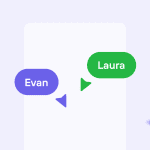
One of the tools the team actively uses is Stripo's built-in commenting feature. It makes the review process easier by keeping all feedback and discussions directly within the email. Everyone can contribute on their own schedule, and the feedback stays connected to the content it refers to. Everything remains attached to the email itself instead of becoming another chain of messages that someone has to reconcile later.
Note from Stripo
Stripo's commenting feature allows team members to leave comments directly in the editor while working on an email. The feedback is contextual and linked to specific email elements, such as text, images, or buttons.
This feature allows teams to collaborate on emails in real time or asynchronously. Team members can also reply to comments directly in the editor, making it easier to discuss suggested changes and keep the review process organized, all of which helps reduce the time needed to coordinate feedback and approve emails.

For us, the biggest "wow" moment was probably realizing that the collaboration process no longer had to be difficult. With Stripo, the newsletter itself became the shared workspace.
Michele Kaider-Korol,
Once the email content and design are approved, the team exports it to Gmail for distribution, following the organization's workflow.
When developing and reviewing email designs, the Irondequoit Garden Walks team uses Stripo's preview tools but doesn't rely on them exclusively. Before sending major campaigns, they send test emails to several team members for review. Since everyone uses different personal inboxes, platforms, devices, and email clients, this helps the team get a realistic picture of how the email will actually look to recipients.
Different email clients can interpret HTML code differently, so checking messages in real inboxes is an important part of the final email review.
After exporting an email, the team saves an archived copy of its HTML file and publishes it on the website. This copy serves as the landing page for the "View in browser" link included in the newsletters.
The Irondequoit Garden Walks team also highlighted Stripo's modules as a useful feature for their workflow. The team can also reuse ready-made templates and individual content elements instead of creating every newsletter issue from scratch. For a volunteer-run organization, saving time is essential. Reducing the amount of work required to coordinate everyone's contributions is equally valuable.
Note from Stripo
Modules allow teams to save and reuse individual email sections or elements instead of rebuilding the same elements repeatedly. This helps maintain visual consistency and prevents accidental changes, such as a color becoming two shades darker.
Frequently used email elements can be saved as modules in the module library. You can also synchronize modules so that changes made to one module are automatically applied to all emails that use it.
For example, if a company changes its phone number, you don't need to update it manually in every email. Click the "Synchronize" button and make the necessary changes, such as entering the new phone number. The update will automatically be applied to every email that uses this module.

Stripo solved the part of the process where we actually needed help: creating, reviewing, and polishing the email while allowing us to continue using the tools we already had in place for distribution.
Michele Kaider-Korol,
The results: Faster email production, more reliable rendering, and better engagement
The team highlights several key improvements:
- Simplified email creation for the entire volunteer team. Before adopting Stripo, collaboration and content review were quite challenging. Coordinating feedback from multiple people, working around each team member's schedule, and tracking changes created extra difficulties when preparing the newsletter. Most of these challenges are now a thing of the past.
Stripo provides a shared workspace where the team can create emails, review content, leave comments, and make changes. Everyone can contribute at a convenient time, without having to be online or available for communication at the same time. - Reduced time spent on email design.
Previously created elements can be reused in future emails, making the workflow more efficient.The interface is friendly enough that we can concentrate on the content and presentation rather than spending our time figuring out how to build what we want. Stripo also provides learning resources around its tools, so when we want to use a feature we haven't worked with before, our volunteers have somewhere to learn it.

Chris Henning,
Vice President, Technology & Communications at Irondequoit Garden Walks. - More consistent and reliable email rendering across inboxes. Before using Stripo, email formatting was quite unpredictable. The same email could look different in different email clients. Everything might look correct during email creation, but after sending, the message could appear differently in another email service.
Now the team feels more confident that recipients will see the newsletter as intended. It has also become easier to create emails that visually match the Irondequoit Garden Walks project. The team can use garden photos, consistent spacing, buttons, separate content blocks, and brand elements while keeping emails easy to read. They no longer have to worry as much about the email layout falling apart in another email service.
Overall, Stripo hasn't just helped us make more polished emails; it has removed much of the coordination hassle that used to come with creating them as a volunteer team.

Michele Kaider-Korol,
Marketing Coordinator at Irondequoit Garden Walks. - Increased audience engagement with the organization's newsletters. The emails have become more visually appealing and interesting to explore.
The team tracks more than just email sends and opens. It also monitors deeper engagement metrics, including link activity and how far recipients scroll through an email. Since the team started using Stripo in October 2025, these metrics have improved. Recipients now view more of the newsletter content and interact with it more often, rather than stopping at the first element and closing the email.
A good example is the July newsletter sent shortly before the annual Garden Walk weekend. It brought together event dates and times, information about the Garden Walk map and Welcome Center, participating activities, visitor reminders, sponsor recognition, and additional resources.
Stripo helped the team organize all this information into clear visual sections using photography, graphics, buttons, headings, and links. This made the newsletter easier to navigate and helped readers quickly find what they needed, whether they were looking for the event map, activity details, or general information about the Garden Walk.

(Source: Email by Irondequoit Garden Walks)
Wrapping up
With Stripo, Irondequoit Garden Walks made its email communications more engaging. The group’s new messaging has helped readers move from simply seeing an announcement to taking action, whether by attending an event, volunteering, or participating in community activities.
Stripo also made the organization's emails more reliable and the creation process faster, easier, and more flexible. The ability to collaborate asynchronously is particularly valuable for a team made up mostly of volunteers, as everyone can contribute on their own schedule without adding extra coordination work.
0 comments