
Email spam testing: What triggers spam filters and how to avoid them with Stripo


Email marketing is a powerful channel for driving sales, building customer trust, and increasing brand awareness. However, it only delivers results when your emails actually reach recipients’ inboxes, get opened, and are read.
When emails land in the spam folder, all your efforts go to waste. In this article, we explain what spam testing is, how you can run it in Stripo, and which best practices help improve email deliverability and reduce the risk of email being marked as spam.
Some shocking statistics about spam
- Why spam is bad for your business:
14% of respondents never check their spam folders, and messages typically get deleted forever in 30 days. Businesses lose about $20.5 billion annually due to productivity losses caused by spam. Just imagine that number!
- How spam affects recipients:
Over 45% of all emails sent daily are spam, and the average recipient receives around 1,825 spam emails annually. That’s about five spam emails daily. Spending just five seconds deleting each one adds up to 2.5 hours wasted annually.
So, how can you reduce spam’s impact on your business? The answer is simple: Use spam testing.
What flags emails as spam?
In 2025, a good email deliverability rate typically ranged from 95% to 99%. Any result below 94% usually signals underlying issues, such as problems with sender reputation, domain authentication, or poor list hygiene.
But why do emails end up in spam folders in the first place? The reasons can vary, but they generally can be grouped into several key categories:
- content-related spam triggers;
- HTML and technical issues (code quality, broken tags, image-to-text ratio);
- authentication issues (SPF, DKIM, DMARC) and sender reputation;
- engagement metrics.
Let’s take a closer look at the specific spam indicators within each category.
1. Content-related spam triggers
- Spammy content, trigger words, and excessive capitalization
Using words such as “free,” “giveaway,” “call now,” “buy,” “discount,” “guarantee,” or “urgent”; financial claims such as “make $10,000” and “you’re a winner”; promises of quick money; and other forms of too-good-to-be-true messaging can raise red flags.

Especially when ENTIRE SENTENCES ARE WRITTEN IN ALL CAPS.

- Overuse of emojis or symbols (!!!, $$$)
Using a few emojis in emails isn’t a problem (although no one knows the exact limit), and symbols shouldn’t be avoided entirely if they’re necessary. However, excessive use easily can work against you and trigger spam filters.
- Misleading subject lines
Your subject line should be clear, relevant, and accurately reflect the email’s content. Avoid attention-grabbing phrases such as “last chance,” “only today,” or “offer ends at midnight,” which commonly are associated with spam.
- Mismatch between the subject line and email body
If your subject line promises one thing while the email content delivers something else, it won’t work. Even if spam filters don’t flag this as spam, recipients likely will delete the email due to unmet expectations, which negatively impact engagement signals.
- Missing unsubscribe link
This is a critical rule. Don’t assume that removing the unsubscribe option forces recipients to remain subscribed. Repeatedly deleting emails without a clear way to opt out harms sender reputation and works against your deliverability.
- Poor formatting
Typos, overly long emails, inconsistent text formatting or fonts, and an excessive number of links make emails look unprofessional and may trigger spam filters. Stick to clean formatting and keep your emails concise, clear, and relevant.
- Suspicious attachments
Large attachments or uncommon file types may trigger spam filters. Whenever possible, use common file formats and provide download links for larger files instead of attaching them directly.
2. HTML & technical issues
- Image-only emails and a poor image-to-text ratio
Emails that rely solely on images or fail to maintain a healthy balance between text and visuals are more likely to trigger spam filters.
Previously, it was believed that there should be one image for every 300 words of text, or you could follow a “safe zone” ratio of 80/20 (text to images) to avoid spam filters. So, although no exact data on this exists, one thing is certain: Your campaigns never should comprise image-only emails, i.e., text content is essential.
- Email weight
An email shouldn’t be overloaded with images, as this increases the risk of being flagged as spam. Also, heavy images can slow down email loading, which is why you always should compress images before sending.
- Missing alt text for images
Images without alternative text can impact accessibility negatively, and spam filters often flag these as a technical issue.
- Lack of a plain-text version
Emails sent only in HTML without a plain-text fallback may appear suspicious to mailbox providers.
3. Authentication issues (SPF, DKIM, DMARC) and sender reputation
- Authentication issues
Ensure that all required authentication protocols are configured properly for your emails, including SPF, DKIM, and DMARC. Missing or misconfigured authentication is a common reason why emails fail deliverability checks.
- Inaccurate sender information
Your company details should be identified clearly. Fields such as From, To, and Reply To, as well as the sending domain and email address, must be accurate. Missing or misleading sender information is a direct path to the spam folder, so always use a professional and consistent sender name and address.
- Poor domain reputation or a blacklisted IP address
Your domain or IP address may be blacklisted due to previous spam activity or malware infections. Regularly monitor the status of your domain and IP address, and take corrective action immediately if any issues are detected.
4. Engagement metrics
- Low open rates and poor subscriber engagement
When recipients consistently delete your emails, unsubscribe shortly after reading them, or mark messages as spam, it signals to spam filters that your content is irrelevant or not valuable. However, high engagement is reflected in replies, link clicks, and other meaningful interactions with your emails.
of people reported marking an email as spam because it simply looked spammy.
- Spam complaints
A high number of spam complaints is never accidental and often points to poor audience segmentation or a failure to follow double opt-in practices, i.e., emails are sent to the wrong people. In other cases, the issue lies in the content itself, such as a mismatch between the subject line and actual message, or content that doesn’t meet recipients’ expectations.
of customers report emails as spam based on the subject line alone.
- High bounce rate
A high bounce rate occurs when your emails fail to reach subscribers’ inboxes. Depending on the cause, this can result in hard bounces (invalid or non-existent email addresses) or soft bounces (temporary issues such as a full inbox or an unavailable server). Hard bounces in particular make a direct negative impact on your domain’s reputation.
As you can see emails can end up in the spam folder for many reasons. Next, let’s examine what you can do to improve deliverability and ensure that your messages reach the right audience.
Best practices for passing spam testing with ease
So, what can you do to avoid the spam folder and improve your inbox placement?
Fixing content-related issues:
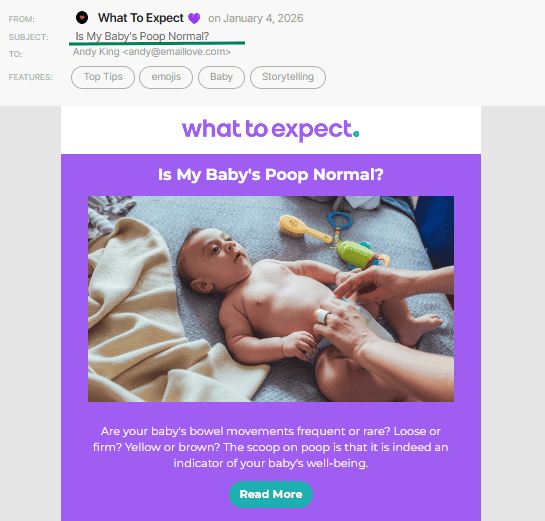
- write a clear and specific subject line that accurately reflects your email’s content;
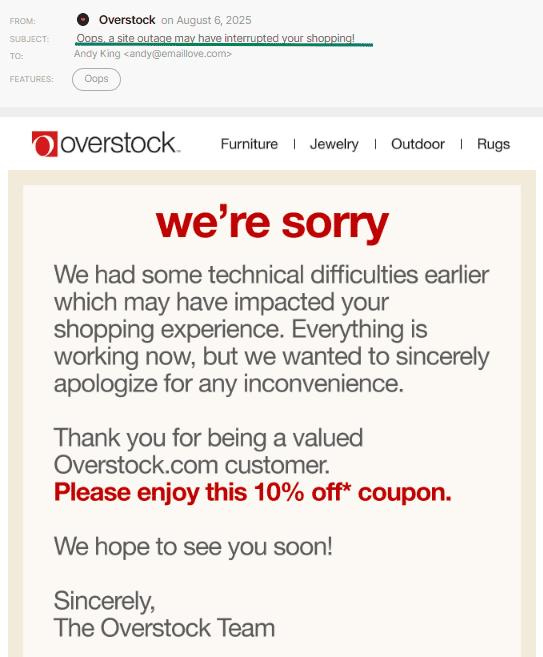
(Source: Email Love) - send valuable and expected content without spammy or trigger words. This is a funny example, but it perfectly illustrates an email that subscribers genuinely expect and want to receive;
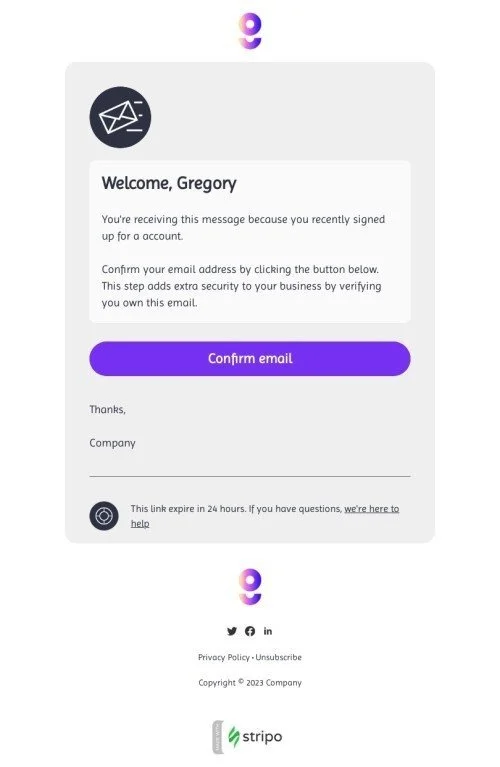
(Source: Email Love) - use basic personalization to increase engagement (such as name, preferences, or behavior). Strong engagement metrics driven by personalization signal to spam filters that your email is relevant, expected, and useful to recipients;
- avoid image-only emails;
- use clear and action-oriented CTAs. These buttons make it obvious where subscribers will land after clicking;

(Source: Email Love) - ensure that all links in your emails are relevant and lead to legitimate destinations;
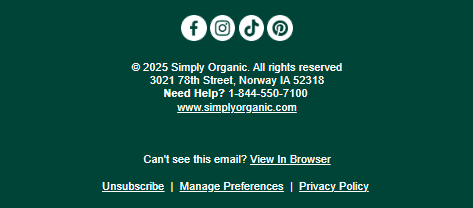
- always include a visible unsubscribe link in every email.
(Source: Email Love)




Improving HTML:
- optimize email weight and compress images;
- add descriptive alt text to images;
- include a plain-text version of your email.

(Source: Email from Ajour)

Working on domain reputation
Warming up domains and IPs:
- start with small sending volumes;
- gradually increase your sending frequency;
- send your first campaigns to the most engaged subscribers.
Engagement metrics
Maintaining a healthy email list:
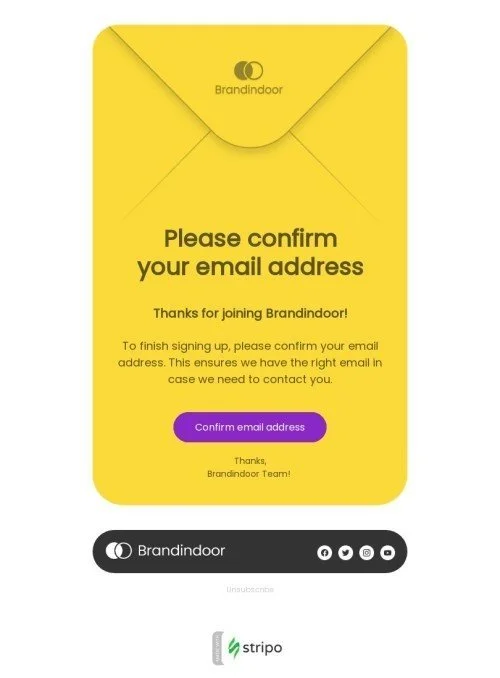
- use double opt-in. When subscribers confirm their email address before joining your list, it proves they genuinely want to receive your emails. As a result, they’re less likely to delete messages or mark them as spam, which positively impacts both deliverability and engagement rates;
- segment your audience so that each subscriber receives the most relevant content;
- regularly clean and maintain your contact list. If subscribers neither unsubscribe nor engage with your emails, it negatively affects your engagement metrics. Don’t hesitate to remove inactive contacts as this will only benefit your business;
- track your campaign performance. If your metrics start to decline, it’s a clear sign that your emails are no longer relevant to your audience. Focus on improving content quality and value, and continue experimenting with different approaches.
You can read about other best practices on email deliverability in this article.
Now that you’ve taken all the preventive steps to keep your emails out of the spam folder, it’s time to move on to spam testing, the final check to ensure that everything is done right before sending.
What is email spam testing?
Email spam testing is the process of analyzing your emails for potential spam triggers before they’re sent. It evaluates how legitimate different parts of an email appear, including the subject line, images, links, and overall content structure.
When an email is sent, it goes through multiple filters that assess its quality and trustworthiness. Based on this evaluation, the message is delivered either to the inbox, spam folder, or tabs such as promotions.
Spam testing simulates this filtering process. It scans your email content to identify issues that could cause the message to be flagged as spam. By running a spam test in advance, you can determine whether your email passes these checks and make necessary adjustments before sending.
Spam testing helps you:
- improve email deliverability;
- maintain a healthy sending reputation;
- reduce spam complaints;
- lower unsubscribe rates;
- maximize email marketing ROI.
Spam testing with Stripo: a step-by-step guide
You can run a spam test directly in the Stripo editor without using any external tools. With this feature, we help customers avoid common content-related mistakes that may cause emails to land in the spam folder.
Stripo spam testing comprises two checks: SpamAssassin and additional tests.
- SpamAssassin only evaluates an email’s content, including:
- the email copy (spammy content, trigger words, excessive capitalization, overuse of emojis or symbols, poor formatting, image-to-text ratio) through HTML/CSS;
- links (SpamAssassin checks whether links point to services commonly used in phishing, contain malicious URLs, or use link-and-text combinations typical of spam emails).
- Additional tests focus on link-related factors that also affect deliverability, such as:
- whether an unsubscribe link is present;
- the use of URL shorteners or broken links.
Please be advised: The test evaluates only the email content itself. Sender-side settings such as SPF, DKIM, and DMARC aren’t included in the results. Stripo’s test also doesn’t check for misleading subject lines, mismatches between the subject line and email body, or suspicious attachments, as subject lines and attachments are defined on the email service provider’s side.
This check is available on all plans and doesn’t require any additional payment:
- to get started, open the email editing area. In the upper-right corner of the top panel, next to the “Preview” button, you’ll find the “Test” button. Click it to open a menu with all available testing options for your email. Select “Spam,” then click “New Check”;

- once the test is complete, you’ll see an overview of the results, along with comments related to unsubscribe links, broken links, and the use of URL shorteners;

- spam testing also provides an overall, subjective evaluation of the entire email based on the test results:
Excellent: No issues were detected; the email is in great shape.
Good: A minor issue is present, but overall, the email looks solid.
Warning: There are issues that should be reviewed.
Risk: Multiple issues were detected that require immediate attention.

- if any red flags appear, you can update your email to fix potentially risky elements: For example, add an unsubscribe link, adjust the copy, or double-check all links. After making changes, simply run the spam test again. If everything is set up correctly, your results will reflect a successful check.

Wrapping up
In summary, spam testing helps you check how well your emails meet mailbox providers’ requirements and understand what needs to be improved to increase the chances of landing in the inbox.
With Stripo, you can run spam testing directly while creating your emails without relying on third-party tools. Stripo helps prevent potential spam issues before your campaigns are sent.
Most importantly, valuable and expected content is what proves your emails deserve a place in your customers’ inboxes. All other tools are simply supporting mechanisms that strengthen this approach; they cannot replace audience trust or genuine engagement.


0 comments