Widgets in Stripo: From component idea to ready-to-use email module


Email teams often hit the same barrier: they need a component that isn’t available in the editor. It might be a numbered list with images, a webinar block that adapts to the number of speakers, a poll that saves responses, or an interactive card that works in Gmail and still looks good in Outlook.
These components can be built, but usually only as custom projects. Someone has to write email-safe HTML, test rendering across email clients, create fallbacks, and design a settings panel with every control a marketer might need: colors, padding, item count, layout type, images, buttons, and more.
This is where the gap emerges. The idea is clear, but the path from “we need this component” to “it’s available in the editor” can take weeks or months. For highly specific business cases, it may never make the product roadmap at all.
Stripo’s widgets are designed to close this gap. Instead of building a full configuration panel for every new component, Stripo lets users control modules through chat, while the technical layer still delivers reliable, email-safe HTML. The result is a faster path from component idea to working email module.
Why components don’t scale
Layer 1: Rendering
Every email component must work across multiple email clients, each with its own limitations. This requires:
- email-safe, table-based HTML;
- support for different screen sizes;
- client-specific fixes and fallbacks; and
- for interactive elements: AMP versions, fallback logic, and static alternatives.
Consequence: Rendering adds technical complexity and increases development effort.
Layer 2: Configuration
Once the component renders correctly, users still need to control it inside the editor. This requires building a full configuration interface:
- UI panels with inputs, dropdowns, and toggles;
- controls for layout, content, styles, and behavior; and
- support for multiple variations of the same component.
Each new option adds more controls. Each control requires logic, validation, and testing. As variations grow, the interface becomes harder to build and maintain.
Consequence: Configuration increases development time and often prevents components from being shipped at all.
Why this becomes a bottleneck
Rendering makes components hard to build. Configuration makes them difficult to scale.
Most components are not blocked by HTML but by the effort required to turn that HTML into a flexible, user-friendly module inside the editor.

The shift: Removing one layer
Before: How components were built
To add a new component, teams had to complete the full cycle:
- build email-safe HTML with all fallbacks;
- design and implement a configuration panel;
- connect UI controls to parameters; and
- test every variation across email clients.
Even if the HTML was ready, the UI layer remained the longest part of the process. This limited how many components could be realistically added to the editor.
What changes
Stripo removes the configuration layer as a blocking step.
Instead of building a full UI panel for every component, configuration is handled through an AI chat. Users describe what they need, and the system applies the changes directly.

From controls to simple requests
They describe what they need in plain language, and the chat modules update directly inside the editor.
Users work at the level of intent:
- “add one more item”;
- “show images in each block”;
- “change button color”; and
- “translate content.”
The system processes these adjustments behind the scenes without requiring users to work with settings panels, parameter fields, or complex controls.

This changes how components are created and updated:
- no need to design a separate configuration interface for every widget;
- new variations can be added without rebuilding the UI; and
- changes happen directly in the editor without exporting or recreating the module.
As a result, components become faster to create, easier to adapt, and simpler to scale across different use cases.
Rendering stays consistent behind the scenes
Email rendering remains one of the hardest parts of building components. Different email clients require different rendering approaches, fallbacks, and compatibility fixes.
Chat modules handle this complexity internally, allowing users to focus on content and layout instead of technical limitations.
Each widget is responsible for:
- rendering content correctly across email clients;
- handling compatibility and fallback logic; and
- keeping the final output email-safe.
This approach keeps the technical side stable while making the editing experience more flexible and accessible.
What this means in practice
From the user’s perspective, the flow becomes simple:
- drag a widget into the email;
- describe what you need in chat; and
- adjust it through short requests.
The widget behaves like a regular module in the editor, but it no longer depends on a predefined set of controls.
Why this matters
Rendering is still complex, but it’s handled once at the service level.
Configuration is no longer tied to UI panels, so it can scale without increasing development time.
This removes the main limitation that prevented new components from reaching the editor.

Proof: What exists now
Stripo intentionally started with some of the most difficult components to build in email.
These are not simple content blocks, they include interactive mechanics, data collection, AMP support, fallback logic, and compatibility handling across different email clients.
This matters because it turns the current chat modules into a proof of concept for the entire approach.
If the architecture can support components such as polls with response collection or interactive scratch cards with AMP fallbacks, it can also support simpler structured components like lists, product blocks, calendars, and other reusable layouts.
In other words, the hardest part is already solved.
Data collection inside the email
These chat modules allow teams to collect responses directly in the email without redirecting recipients to external pages:
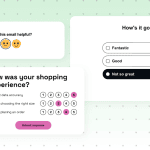
- polls, NPS surveys, multiple-choice surveys, binary voting, and questionnaires.
These cases usually require:
- handling user input;
- storing responses; and
- supporting submission across email clients.
Interactive elements with fallbacks
These widgets introduce interaction while remaining compatible with different email clients:
- scratcher, flip card, fortune cookie, magic ball, and find the differences.
Such mechanics normally require:
- AMP for supported clients;
- fallback logic for others; and
- safe static alternatives.
Structured content that looks simple
Some components appear basic but are difficult to implement in email-safe HTML:
- lists (coming soon), with support for multiple layouts and styles.
Even a list requires:
- flexible layout options;
- consistent rendering across clients; and
- control over spacing, alignment, and visual structure.
What this proves
These examples cover three types of complexity:
- data handling;
- interactivity with fallbacks; and
- structured layouts with multiple variations.
All of them are delivered as configurable modules without building dedicated configuration panels for each case.
This changes what teams can realistically bring into production.
Components that previously required separate development projects can now be added as reusable modules inside the editor and adjusted through simple chat requests.
For marketers, this means faster access to advanced content blocks without waiting for custom development. For teams and agencies, it reduces repetitive UI work, lowers dependency on developers for every variation, and makes it easier to turn new component ideas into production-ready email modules.
What it means: Three segments
For agencies and partners
Widgets introduce a new way to package and deliver email functionality.
Instead of building custom email components separately for every client, agencies and partners can create reusable chat modules as independent services and use them across multiple projects. A webinar block, interactive product showcase, survey, or branded content module can be configured once and then adapted through chat for different campaigns and clients.
This shifts custom email development from one-time implementations to a reusable service model.
Agencies can:
- build their own widget libraries;
- cocreate custom widgets together with Stripo;
- reuse functionalities across multiple brands; and
- distribute widgets as part of their own offerings or white-label solutions.
There is also a clearer separation of responsibilities inside teams:
- developers focus on rendering logic, compatibility, and technical stability; and
- marketers and designers adjust content, structure, and variations directly inside the editor.
As a result, teams spend less time rebuilding similar components, reduce repetitive custom work, and bring advanced email functionality into production faster.
For enterprise teams
Chat modules reduce the operational bottleneck between marketing requests and development resources.
Many enterprise email teams rely on internal developers or external vendors whenever a new content variation, campaign mechanic, or interactive element is needed. Even small changes often turn into tickets, approval cycles, and repeated implementation work.
Instead of rebuilding components or extending configuration panels for every new variation, teams can adapt existing chat modules directly through chat. This allows marketers to move faster without compromising rendering consistency or brand requirements.
The model also scales better for large organizations:
- internal component libraries can grow without overloading product or development teams;
- business units can reuse widgets across different campaigns and regions; and
- custom functionality can be introduced without changing the editor core.
This helps enterprise teams can standardize complex email production while reducing dependency on repetitive development work.

For email marketers and designers
Widgets make advanced components accessible without technical setup:
- no need to work with HTML, AMP, or fallback logic;
- changes are made through simple chat requests; and
- more content types are available inside the editor.
This expands what can be used in campaigns:
- surveys and feedback collection;
- interactive elements; and
- structured layouts with multiple variations.
Instead of working with predefined controls, users describe what they need and adjust it step by step.
What’s next: Direction, not roadmap
Expanding the range of components
The number of widgets is no longer limited by the editor capacity. New components can be added without building full configuration panels for each case.
This makes it possible to cover a wide range of needs:
- simple structured blocks such as lists and calendars;
- business-specific layouts such as webinars and product modules; and
- advanced interactive and data-driven components.
The focus shifts from selecting a small set of universal blocks to supporting many targeted-use cases.
Hybrid configuration model
AI chat becomes the primary way to configure modules, but it does not exclude traditional controls.
For frequently used components, standard UI options can still be added if they simplify repeated actions. Chat and UI panels can work together:
- chat for flexible changes and new variations; and
- UI for quick access to common settings.
This keeps the system adaptable without removing familiar workflows.
Open architecture for custom widgets
The architecture allows teams to build or request their own widgets when needed:
- custom services can be created for specific business cases;
- existing widgets can be extended without changing the editor core; and
- new ideas do not depend on product roadmap prioritization.
This removes the limitation of implementing only widely requested components.
It also opens the door for more targeted and specialized email components based on real production needs.
If you want to see a component, workflow, or interactive mechanic inside Stripo, let us know. The goal of this approach is not to limit teams to a fixed library of blocks but to make new components easier to create, adapt, and produce.
What this direction leads to
Components are no longer constrained by the cost of adding them to the editor.
The system can grow based on real use cases while keeping rendering consistent and configuration flexible.
Wrapping up
In most cases, the blocker is not rendering but the effort required to build and maintain configuration interfaces for every variation. This is why many useful components never reach the editor.
Stripo removes this limitation by separating responsibilities:
- rendering is handled at the service level; and
- configuration is handled through AI chat.
This allows components to be created, adjusted, and reused without building a new UI each time.
As a result, the path from idea to working module becomes shorter and more predictable.
0 comments