How to build effective email templates for marketing automation flows?


Automated workflows are essential in digital marketing because they allow systems to operate continuously without direct human intervention. Welcome emails have an average open rate of 54.3% and a click-through rate (CTR) of 27%.
Most companies already use some form of automation, such as welcome series, abandoned cart notifications, post-purchase communication, or reactivation campaigns. This confirms that behavior-triggered emails are far more relevant to recipients.
However, for these automations to perform effectively, they require the right email templates that do more than simply support the process. Templates strengthen brand recognition, enhance engagement, and contribute to a seamless customer experience.
In this article, we will explore exactly what types of email templates are needed to get the most out of your automated campaigns. We’ll cover the fundamentals of template design, the key steps involved in the process, and current trends worth paying attention to, and we’ll share practical expert tips and performance measurement recommendations.
Expert

How are automated emails different from traditional campaigns?
Automated emails follow a completely different logic from traditional campaign emails, both in how they are structured and how they function.
Traditional campaigns are typically:
- one-time sends;
- targeted at broader audiences;
- tied to specific timings, such as promotions.
Automated emails, on the other hand, are:
- context-driven;
- triggered by customer behavior;
- aligned with specific stages of the customer journey.
The most common types of email automation include:
- welcome series;
- abandoned cart notifications;
- browse abandonment emails;
- post-purchase communication;
- reactivation campaigns.

While all of these automations are valuable and require little ongoing maintenance, experience shows that even a well-designed automation workflow is not, by itself, a guarantee of success. The email templates supporting these workflows play an equally important role.
A poorly designed template can:
- easily disrupt the subscriber experience;
- reduce conversion rates;
- weaken the effectiveness of automation.
A scalable and well-structured email template system is not merely a design element; it is a strategic asset. It shapes communication throughout the customer lifecycle and can significantly improve engagement, conversions, and the overall customer experience.
The fundamentals of template design
Every automation has a predefined objective, and that objective should be reflected in the planning and structure of the email templates supporting it. It makes a difference whether a template is designed to educate, drive conversions, improve retention, or reactivate inactive customers.
The primary objectives to define at the beginning of the template design process include:
- increasing conversions;
- providing information;
- educating customers;
- improving customer retention;
- increasing customer lifetime value.
All of these goals should be aligned with customer intent. For example:
- new subscribers require onboarding and guidance;
- existing customers expect relevant, value-driven content;
- inactive customers need motivation and incentives to re-engage.
This segmented approach allows the same automation system to remain effective across different stages of the customer lifecycle.
The role of modular elements
Once objectives and segmentation have been defined, attention can shift to the modular components of the email templates, which have become fundamental building blocks of modern email marketing.
A modular template approach means that templates are built from reusable content blocks rather than a single fixed structure. Proper use of modules ensures that emails remain scalable and reusable.
Benefits of modular templates:
- faster campaign launches: Campaigns can be assembled from pre-built modules;
- simpler maintenance: Updates to a module automatically apply wherever it is used;
- consistent brand appearance: A unified design is applied in all campaigns;
- scalability: Multiple automation workflows can be supported using the same system.
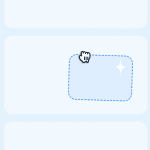
Modular thinking becomes especially valuable for larger marketing teams managing several campaigns simultaneously.
For those who want to delve deeper into professional email template design, external design tools can provide valuable capabilities and effectively complement the workflow. One such tool is Stripo, which is particularly well suited for creating more complex modular content blocks.
You can even build your own library of reusable, flexibly customizable content blocks that align with your brand identity while making your workflows more efficient.
Steps to building an effective email template
A well-performing email template always follows clear principles. These include:
- consistency in design and structure;
- appropriate newsletter width and readability;
- logical content hierarchy;
- consistent handling of mandatory elements.
Based on these principles, you can build purpose-specific modules whose underlying structure typically remains similar regardless of the campaign type.
The most commonly used modular content blocks include:
- header;
- hero section;
- content or product recommendation blocks;
- CTA modules;
- footer.
These blocks serve a design purpose, but they must also comply with legal and technical requirements.
For legal reasons, every template should include:
- unsubscribe and preference management options;
- company identification details;
- access to the privacy policy;
- compliance with applicable GDPR requirements.
Technical requirements are equally important for email templates used in automation workflows, as automated emails often run for months, or even years, without human intervention. A poorly designed template can lead to rendering issues and, over time, negatively affect both the subscriber experience and campaign performance.
However, technical requirements can vary, as email clients and recipient environments differ significantly. Automated templates must be designed with these limitations in mind.
Key technical considerations include:
- HTML and CSS support: Templates should display correctly in Gmail, Outlook, Yahoo Mail, mobile email applications, and other major clients. Overly complex code can increase the risk of rendering issues;
- secure and reliable links: All links should use HTTPS, remain functional over time, be regularly monitored, and include appropriate tracking parameters;
- fallbacks for blocked media: If images or videos are blocked, the message should still remain understandable. This requires proper use of alt text, optimized image sizes, and a balanced image-to-text ratio;
- accessibility: In addition to using web-safe fonts, accessibility considerations such as clear heading structures, sufficient color contrast, descriptive text, and meaningful image descriptions should be implemented;
- testability: Since automated emails remain active for extended periods, template modules should be easy to test across devices and email clients.
The latest changes in email template design
Automation strategies should evolve alongside the ongoing changes in email marketing and advancements in template design best practices. Several trends have emerged in recent years that have fundamentally reshaped how email templates should be designed.
-
AI-powered personalization
Personalization has reached a new level in 2026. Email marketing is moving beyond simply inserting the recipient’s first name. Now, AI is increasingly used to dynamically adapt content blocks. AI processes behavioral data, purchase history, and customer preferences to determine content logic, enabling the creation of modular email elements and more sophisticated automation frameworks.
-
Dark mode optimization
Dark mode, as a default setting, is becoming increasingly important to more recipients, so it also plays a role in automated processes. Approximately 35%-44% of email opens occur in dark mode, depending on the dataset and the target audience. Poorly optimized templates can easily compromise email readability or the visibility of visual elements, which undermines the main message and harms the automation process and, by extension, the company’s brand image.
It is important that:
- emails are tested in both light and dark mode;
- logos are provided in transparent PNG format;
- appropriate contrast is used to ensure good accessibility.

-
The declining importance of SWYN buttons
“Share With Your Network” (SWYN) buttons can technically be used in automated emails, but from a strategic perspective, they are often unnecessary, and their importance has significantly declined in recent years.
SWYN buttons are generally best avoided in:
- abandoned cart emails;
- post-purchase communications;
- reactivation campaigns.
They can distract recipients from the primary conversion goal without adding meaningful value to the message.
-
Simplicity vs. visual complexity
Simple, focused messages tend to outperform overly designed and visually cluttered emails.
A clean design:
- improves readability;
- increases conversion rates;
- reduces cognitive load.
-
Interactive emails with AMP for Email
Interactivity often provides real added value. While support for AMP (Accelerated Mobile Pages) for Email is not yet widespread, it is gaining traction in specific use cases offering web-like features within the email, such as forms, surveys, and polls.

Best practices and expert tips
Testing
Testing plays a critical role in automated email campaigns. A single error can affect a large number of recipients over an extended period of time.
What should you test for email templates used in automation workflows?
- rendering across different email clients (e.g., Gmail, Outlook);
- mobile and desktop compatibility;
- proper functioning of personalization logic;
- correct operation of links and UTM/tracking parameters.
Design tips for modern email templates
Visual structure significantly influences the effectiveness of automated emails. The goal is always to ensure that the design supports the message rather than overshadows it.
Recommended practices:
- use solid-color backgrounds for structural elements;
- use flexible containers that can expand vertically;
- apply linear layouts, such as image-and-text combinations;
- use generous padding instead of CSS line-height hacks;
- maintain a consistent set of social media icons;
- focus on directing subscribers toward owned channels;
- use consistent spacing and a clean visual system.
Avoid:
- background graphics with varying heights;
- fixed-height elements and vertical centering techniques.
Maileon tip
In many of our customer projects, we’ve found that companies want to go beyond reusable templates and dynamically personalize the content within them. Using dedicated placeholders in Maileon, you can build modular email templates that automatically display the most relevant products, offers, or content for each individual recipient.
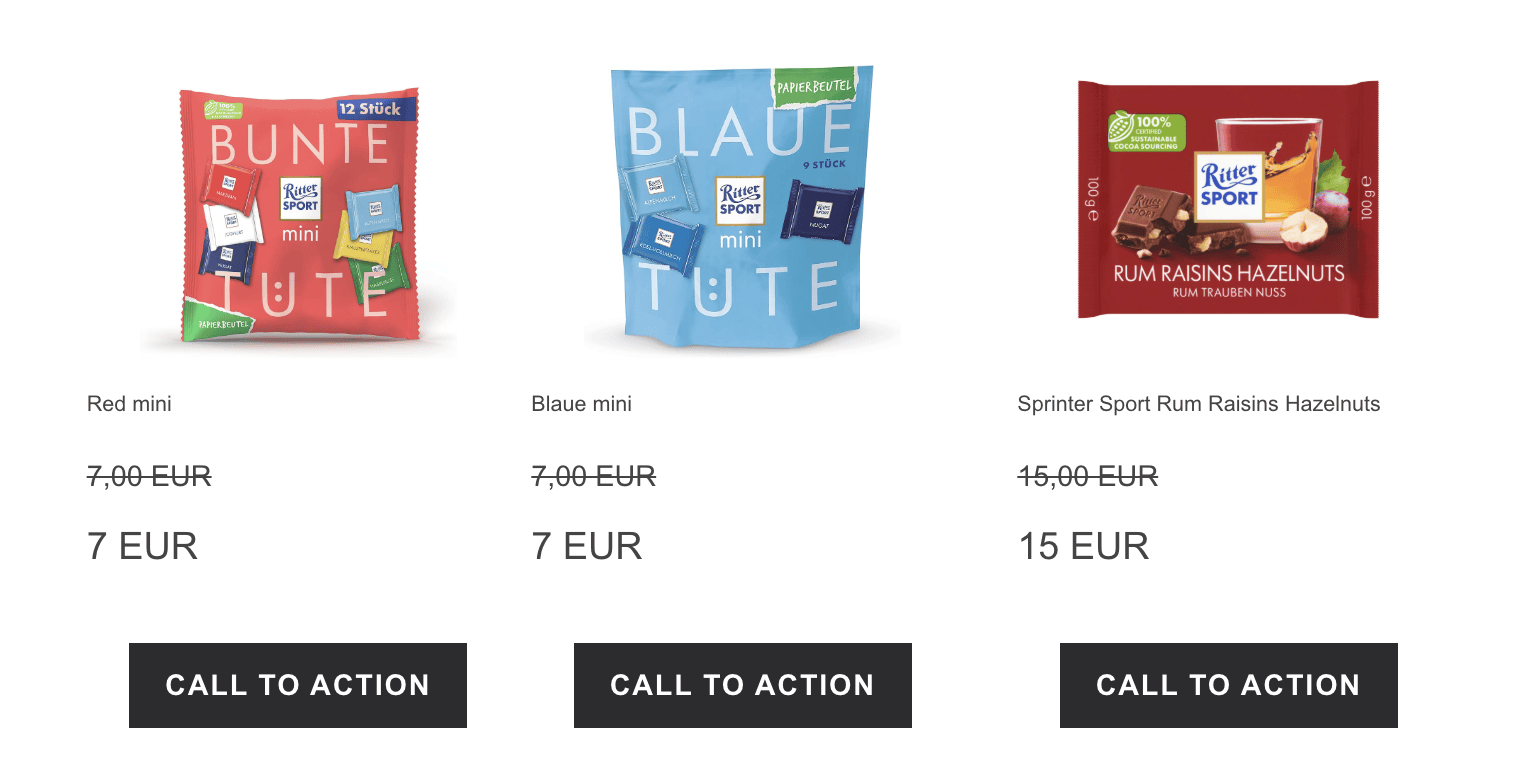
The template structure itself should also support this flexibility. While a three-column product layout is a common choice, we often recommend A/B testing both two- and three-column layouts. Since product categories, image sizes, and subscriber device preferences vary, there is no universal “best” layout: The optimal design should always be driven by data and testing.

Performance measurement and continuous optimization
Email templates should never be considered static assets. Their real value lies in the fact that they can be continuously measured, tested, and improved.
Key performance indicators include:
- click-through rate (CTR);
- conversion rate;
- contribution to revenue;
- unsubscribe rate.
Together, these metrics provide a comprehensive picture of the performance of an email campaign.
Both templates and campaigns can be optimized in several areas:
- layout variations;
- CTA placement and wording;
- content length and structure;
- refinement of personalization strategies.
Wrapping up
Automation flows perform better statistically than traditional email campaigns. They can achieve up to 52% higher open rates and up to 2,361% higher conversion rates.
Successful marketing automation is built not only on well-designed workflows but also on thoughtfully planned, scalable, and customizable email templates composed of modular elements. The right template strategy both saves time in the long run and significantly improves the overall performance of automated email marketing.
When workflows and templates are developed together by the same team, every element of marketing automation, from concept to execution, can work in harmony. This reduces the potential for errors, creates a more consistent subscriber experience, and ultimately increases campaign effectiveness.
0 comments