The deliverability checklist: Small things that quietly hurt inbox placement


Most email marketers think about deliverability after hitting the “Send” button. Did the email reach the inbox or land in spam? Did subscribers open it?
But many of the signals that influence how an email is received are already built into the message before it leaves your sending platform. Your sender name, subject line, links, content structure, images, footer, unsubscribe flow, and even the size of your HTML can affect how trustworthy and usable the message appears.
During our webinar, MV Braverman, founder of Inbox Welcome and Thank.FYI and the creator of Mail Fails, took an email apart piece by piece to explore where deliverability risks can hide.
Expert

In this article, we’ll turn that approach into a practical pre-send checklist. You’ll learn what to check in the inbox preview, sender identity, email content and design, links, footer, technical setup, and underlying HTML before your next campaign goes out.
You can watch the full webinar on the Stripo YouTube channel.

Key takeaways
- Deliverability starts before you hit Send. Inbox placement depends on the combined effect of technical setup, email content, and the relationship you build with recipients and mailbox providers.
- Every visible element can affect trust. Your sender name, subject line, preview text, content structure, links, images, and footer should tell a consistent story about who you are and why the recipient is receiving the email.
- Test your email under imperfect conditions. Check how it looks with images blocked, on mobile, and in dark mode and how different inboxes summarize it. Make sure the message remains readable, understandable, and actionable.
- Don’t overlook what’s happening behind the scenes. Authentication, sender reputation, unsubscribe headers, link redirects, and bloated HTML can all affect how mailbox providers handle your email.
Check what recipients see before they open your email
39% of the webinar attendees named low engagement rates among their biggest deliverability challenges, 26% pointed to maintaining sender reputation, 26% to landing in spam, and 9% to understanding metrics.
Rather than treating deliverability as a purely technical issue, MV Braverman looked at three connected areas: technology, content, and the relationship among senders, recipients, and mailbox providers.
Email is not just a message. It is the relationship between sender and recipient that is increasingly mediated by mailbox providers, inbox clients, security systems, and AI tools.
Deliverability is built before the email is sent. The send button just reveals how well it holds together.
MV Braverman,
Before a recipient opens your email, they have already made several judgments about it. In the inbox, they see your sender name, subject line, and preview text, and these elements need to work together to answer three basic questions: Who is this? Why am I receiving it? And is it relevant enough to open?

This is the first visible layer of deliverability. It is less about persuasion and more about recognition. If recipients do not recognize the sender, a clever subject line will not necessarily help.
Check your sender name
Your display name is part of your sender identity, not a place for extra creativity. It should be clear, consistent, and recognizable to the people receiving your emails.
MV pointed out several common mistakes, including having unclear brand names, switching between a personal name and a company name, and changing sender names without a clear reason. A sender name should also not look like a subject line, alert, reply thread, or personalization trick.
The display name should answer one question: Who is this from? And good display names are clear, consistent, and recognizable.
MV Braverman,
Instead, use the sender identity your recipients expect. If you make small variations, such as adding a seasonal campaign name, the underlying brand should still be obvious.
Check your subject line and preview text together
The subject line and preview text traditionally work as a pair. The subject makes a promise, while the preview text adds context. Problems arise when the preview repeats the subject, exposes unrelated text from the email body, or renders unexpectedly.
Personalization needs particular attention. Test dynamic content and liquid text before sending to ensure that the final version does not contain broken variables, unexpected names, or other text that was never intended for subscribers.
But there is another change that email marketers now need to account for: the preview text you set may not be what the recipient ultimately sees.

Check how AI summarizes your email
AI-powered inbox features can create their own summaries of an email, sometimes replacing or appearing alongside the subject line and preview text. MV showed how the same newsletter could be presented differently in Outlook, Yahoo, and Gmail, with some inboxes pulling out a detail that was only a small part of the original message.
This means that the email needs to make sense beyond the exact subject and preview the text you wrote. Its structure and wording should make the main point clear enough for other systems to interpret it correctly.

(Source: MV Braverman’s presentation at the webinar)
MV’s recommendation was simple: test it. Send test messages to different email addresses and see how different inboxes process and summarize them.

Make sure your sender identity tells one consistent story
Once someone opens the email, they get more evidence about who actually sent it. Different parts of the message need to reinforce the same identity.
Your display name might say one thing, your “From” address another, the “Reply-to” address may point somewhere else, and the footer may use a different company or legal name. None of these differences is necessarily wrong on its own. The problem can be if the pieces do not connect clearly enough for the recipient to understand who is behind the message.
Think of sender identity as a chain:
Display name → From address → Reply-to → Brand → Footer
The recipient may not remember your entire brand structure. They may remember the webinar they attended, the guide they downloaded, the person they met, or the product they bought. Your email needs to connect that memory with the sender they see now.
Check your From address
The “From” address should be understandable and consistent with the brand or person the recipient expects. The domain should match the brand, the address should make sense for this type of email, and the identity should be consistent across your campaigns.

Avoid no-reply addresses by default:
The no-reply address signals to the recipient that the relationship goes only one way and also creates practical problems, as replies are useful signals. They tell you what people are confused about, what they need, and sometimes whether the email is reaching the right person.
MV Braverman,
A reply-to address should point to a useful location when replies are expected. The goal is not simply to correct the technical sender information. It is to make the email feel like it comes from an identifiable sender that the recipient can actually interact with.
Keep your mail streams clear
For organizations sending different types of messages, separate major mail streams, such as marketing and transactional emails. The sender identity should still make sense within each stream while the person, brand, product, and legal names remain connected.
Avoid casually rotating sender names or sending marketing, transactional, sales, and internal notices from one identity when they represent different relationships with the recipient.
Make personalization match the relationship
Personalization can also create a mismatch between what the email says and what the recipient actually knows about the sender.
A greeting such as “Hi, First Name” is not automatically personalization, and using the wrong name can make an email feel less trustworthy rather than more personal. MV shared examples of subscribers being addressed with fallback text, an unexpected name, or a legal name they do not normally use.

(Source: Mail Fails, from MV Braverman’s presentation at the webinar)
The important question is not simply whether a field has been personalized. It is whether the information reflects the relationship you actually have with the recipient.

Check whether the email still makes sense without the design
The structure of an email does much of the work of helping recipients understand who sent it, why they are receiving it, what the message is about, and what they should do next. A clear structure also makes an email easier for other tools to interpret.
Check the structure and hierarchy
A recipient should be able to skim your email and understand its main point without having to decode the layout.
Check if your email has:
- clear opening context;
- meaningful headings and subheadings;
- short sections;
- one primary action where possible;
- descriptive link and button text;
- real text instead of image-only text;
- useful alt text for meaningful images;
- searchable names, dates, topics, and other important terms.

(Source: Email from Stripo)
This structure matters beyond the immediate reading experience. It can help screen readers, translation tools, AI summaries, and people who return to an email later to find specific information.
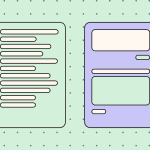
Buttons and CTA
Another important part of an email is buttons and CTAs. They need to be obvious and credible, so check whether your main CTA is clear: Does the button text say what happens next? Do the links go where they appear to go?
A vague button like “click here” or “learn more” may be fine in some contexts, but it usually wastes useful information.

(Source: Email from Stripo)
Test the email with images turned off
A good email design is not just about how a message looks when everything loads correctly. A deliverable email should still make sense when images are blocked, someone is reading on a small screen, or an AI tool, screen reader, or translation tool is processing the content.
Images, in my opinion, are the seasoning. They should not be the base of your message. Avoid image-only announcements, the text trapped inside graphics, missing or useless alt text, and huge images that load slowly. Testing for dark mode issues is a whole webinar in and of itself.
MV Braverman,

(Source: Mail Fails, from MV Braverman’s presentation at the webinar)
One of the simplest ways to test whether your email relies too heavily on its visual design is to turn off the images. If the email is blank or contains no useful context, recipients may not have enough information to decide whether to interact with it. This can be particularly important when an email lands in spam or when images do not load automatically.
The same principle applies to text placed inside images. If a coupon code, announcement, or important instruction is available only as an image, recipients may not be able to read, search for, or easily copy it.
Check readability and accessibility
Readability problems can quietly undermine an otherwise well-designed email. Very small type, poor contrast, image-only sections, too many columns, unclear buttons, dark mode problems, and missing alt text are common issues in emails.
So, before sending, don’t check only whether the design looks good in the editor. Check whether the message remains usable under less-than-perfect conditions.

Important note: To quickly check your email for accessibility right in the email editor, use Stripo’s accessibility checker. It scans your email for accessibility issues, explains what is wrong, and helps you fix many of them right inside the editor.

Make your links and landing pages trustworthy
Links are part of your email’s trust story. When you ask someone to click, you’re telling them that the destination is a legitimate next step in the relationship. Mailbox providers and security systems also evaluate links, so a problem with a destination can affect how the message is perceived, even though the destination itself sits outside the email.
Check every link
Start with the basics. The visible link or button text should match where the click actually goes. Your sender, link text, link domain, and landing page should all tell the same story.
Also, look at the redirect path. Click tracking already adds a redirect in many email platforms. Adding a URL shortener, affiliate redirect, or another service can create several hops before the recipient reaches the final page. Unnecessary redirects can create security concerns, trigger warnings, or simply make for a worse subscriber experience.
You don’t need to eliminate tracking links, but avoid adding unnecessary layers whenever possible.

(Source: MV Braverman’s presentation at the webinar)
Important note: The Stripo URL Checker in Testing scans all links and image sources in your email at once. It flags broken URLs, incorrect merge tags, and domain reputation issues, so you can find problems before recipients do. Instead of checking footer links, buttons, images, and tracking URLs one by one, run a single test and review the results in one place.

Don’t forget the destination
The final destination matters as much as the link in the email. Check whether the domain has a good reputation, hasn’t been compromised, and is appropriate for the message you’re sending. A link that looks fine in the editor can still lead to a destination that creates risk.
Before sending, open the links yourself and make sure they lead where recipients expect. If your ESP automatically adds tracking, understand how that redirect works and where it ultimately sends subscribers.
The landing page and link domains are part of the email’s anatomy even though they technically live outside the message.
MV Braverman,
Don’t let your footer quietly damage trust
The footer is often treated as a legal requirement that sits at the bottom of an email and gets little attention. But it can do more than satisfy compliance requirements. It can help recipients answer basic questions: Who sent this? Why am I receiving it? Is this legitimate? Can I unsubscribe or change my preferences?
A useful footer should include the sender or brand name, a valid mailing address where required, an unsubscribe link, and, where appropriate, a preference link and a reminder of why the recipient is receiving the email. Depending on the jurisdiction, privacy policy, and terms, links may also be needed.

(Source: Email from Stripo)

Make unsubscribing easy
Unsubscribing should be easy to find and easy to complete. Don’t make the link tiny or hide it behind unnecessary steps. MV also recommends letting recipients manage their preferences where possible.
Let people go easily, and they will trust you more.
MV Braverman,
One important distinction is that one-click unsubscribe is not simply a footer link that immediately removes someone from the list. For Gmail and Yahoo requirements, this refers to the required unsubscribe headers that allow the mailbox provider to process unsubscribes directly.
Check what mailbox providers see behind the email
What recipients see is only one part of deliverability. Behind the email, mailbox providers also evaluate technical signals to determine whether a message actually comes from the sender it claims to represent and how it should be classified.
Verify authentication
Authentication provides the technical foundation for sender identity. Check that your email is authenticated with SPF, DKIM, and DMARC and that your visible sender identity and technical sender identity tell the same story.
But authentication alone does not guarantee inbox placement. Authentication determines whether a sender can be verified, while classification concerns how the message appears to the mailbox provider and what kind of message it believes it is.
Check your sender reputation
Mailbox providers also consider how recipients have historically responded to your messages. That’s why monitoring your sending reputation and list quality matters. MV recommends using Google Postmaster Tools as a starting point for reputation monitoring and cites Yahoo Postmaster as another data source.
Your own list can also give you useful signals. Regularly subscribe to your own email list using a new test address and then see what actually arrives in the inbox and how it is presented.
Also, check your bounce data. Hard bounces should be removed, while recurring soft bounces deserve attention. First, check whether your ESP actually removes hard-bouncing addresses instead of continuing to send to them.
Check the email’s hidden weight
An email can look short and simple in the editor while carrying a surprisingly large amount of HTML underneath. That hidden weight can become a deliverability and subscriber experience problem when the message gets clipped or important content is pushed out of view.
One source of HTML bloat is copying content from tools such as Google Docs. MV shared an example in which a paragraph contained only 129 visible characters but 9,439 hidden characters.

(Source: MV Braverman’s presentation at the webinar)
Links can also add more weight than expected. Tracking URLs can contain hundreds of characters, and some exceed 1,000. When an email contains dozens of tracked links, that extra code can add up quickly.
This matters because Gmail can clip messages when they become too large, potentially hiding the bottom of the email, including important content, tracking elements, or the legal footer and unsubscribe access.
So don’t judge email size only by how much copy or how many sections you see. If a message has been copied from another editor or contains a large number of tracked links, check its underlying weight before sending.
Before you hit Send: The 5-minute checklist version
You can check your email against all the points in this article before sending it to ensure that you’ve done everything possible to ensure that your message is delivered.
If you have only five minutes, check these five things:
- Send yourself the email.
- Turn images off.
- Check sender + subject + preview/AI summary.
- Click every important link and verify the destination.
- Check the footer and unsubscribe.
Even after such a quick check, the likelihood of missing critical errors is significantly reduced.
Wrapping up
Deliverability is not one final technical check. It is the result of many small decisions made throughout the email, from the sender name and subject line to the links, content structure, unsubscribe flow, authentication, and HTML.
Before you hit Send, look at your email from three perspectives: the recipient, the real-world conditions in which they may read it, and the systems processing it behind the scenes.
0 comments