Crisis email templates and workflow for enterprises: How to respond in hours, not days


You watch a major system outage break on social media, and the countdown begins. Your subscribers expect an immediate explanation, but a fragmented approval process delays the message in your draft folder. When an unexpected crisis happens, your response should go out within hours.
A structured workflow prevents panic and delays. This requires a four-phase rollout strategy: conduct an asset audit, lock down core templates, establish approval chains, and set up automated audit reports. If you prepare these specific assets in advance, your team can distribute content the exact moment emergencies happen.
In this guide, we outline a clear, regulated workflow that helps your team respond as quickly as possible.
The 5 types of crises and how the email response differs
Different emergencies require specific communication strategies, so you should adapt your email response to these five situations:
1. Product issue or recall
When a product fails to meet safety or quality standards, pause regular promotional emails and send a dedicated notice. Clearly identify the affected product, explain the potential risk, and tell recipients exactly what action to take. Include useful resources, such as a return portal, refund instructions, or a dedicated support number.
Example: “We are recalling Model X chargers with serial numbers beginning with 24A. Stop using the charger immediately and visit our return portal to request a free replacement.”
2. Data breach
A data breach requires prompt and transparent communication. Explain what happened, what information may have been affected, and what your security team is doing to contain the incident. Give recipients specific protective steps, such as changing their password, enabling two-factor authentication, or monitoring their accounts.
Avoid presenting assumptions as confirmed facts. When the investigation is still underway, clearly distinguish between what is known and what is still being reviewed.
Example: “We discovered unauthorized access to a system containing customer names and email addresses. We have secured the affected system and recommend resetting your password as a precaution.”
3. Operational outage
A system failure may prevent customers from accessing your website, application, or services. Acknowledge the disruption quickly, even when the cause or resolution time is not yet known. Keep updates brief and straightforward, and direct recipients to a single source of truth, such as a live status page.
Provide the time of the next update rather than giving an unreliable resolution estimate.
Example: “Some customers are currently unable to log in or process payments. Our technical team is investigating the issue. We will provide another update by 3:00 p.m. UTC on our status page.”
4. Reputation crisis
A public mistake, a controversial decision, or an allegation of misconduct requires direct accountability. The message should acknowledge the issue, explain the confirmed facts, and describe the actions the organization is taking in response. When appropriate, the email should come from a senior leader who has the authority to speak for the company.
Avoid defensive language, vague promises, or attempts to shift responsibility.
Example: “Our recent campaign did not meet the standards our customers expect from us. We have removed it, begun an internal review, and introduced an additional approval step for future campaigns.”
5. Leadership change
An unexpected executive departure can create uncertainty among employees, customers, partners, and investors. The email should explain the change, identify the interim or incoming leader, and reassure recipients about business continuity. Include a clear transition timeline when one is available.
Different audiences may require different versions. Employees may need operational details, while customers and partners mainly need reassurance that service and existing commitments will continue.
Example: “Effective July 1, Maria Chen will serve as interim CEO. Customer support, product development, and all existing service commitments will continue without interruption during the transition.”
Prepare before a crisis: The three-stage setup
When a crisis begins, your team has no time to draft each email, build layouts, or identify the final approver. Delays frustrate recipients and can weaken trust.
You should define the workflow before a crisis occurs. This gives your team more time to verify facts, adapt the message, and complete each review step.
Use these three stages to prepare your crisis email process:
Stage 1: Pre-approved email templates
You should prepare the email framework in advance. Legal, communications, support, security, and compliance teams should review the standard statement, support contacts, escalation details, and legal text before they approve each template.
A prebuilt layout gives your team a starting point. However, the team still needs to adapt it for a crisis email campaign.

Each master template should separate two types of content:
Fixed content:
- company branding;
- support contacts;
- status-page links;
- accessibility information;
- legal and privacy text;
- the format of the next update notice.
Incident-specific content:
- what happened;
- who the incident affects;
- what recipients should do;
- what the company has done;
- when recipients should expect the next update.
Teams also lose time when they recreate approved headers, support sections, and update blocks for each email. Stripo’s Modules feature lets your team save these components in the Modules library and add them to a crisis email when needed.
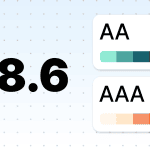
Your team should also check accessibility before it approves the master templates. Stripo’s Accessibility Checker shows issues such as missing alt text, low color contrast, and unclear link labels. The team can correct these issues before a crisis begins.
Stage 2: The stakeholder email map: Who gets what, in what order
Different crises affect different groups. For example, a data breach may require notices to affected subscribers, employees, partners, and regulators. A service delay may affect only subscribers who use one product or feature. You should decide who receives each message before a crisis occurs.
Your stakeholder map should name each audience, message owner, and send priority:
- directly affected subscribers: Explain what happened, how it affects them, and what steps they should take;
- other subscribers: State whether the incident affects them, where they can find verified updates, and whether they need to take action;
- employees: Provide approved facts, internal contacts, and instructions for external questions;
- partners and vendors: Explain service effects, technical changes, and any action their teams should take;
- regulators or other authorities: Name the legal, compliance, privacy, or security lead who owns this communication;
- media contacts: Provide the approved statement and direct questions to the named spokesperson.

The map should also state where each recipient list is stored, who owns the list, and who can authorize its use. Your ESP, CRM, or approved email service should control recipient segments and distribution.
Stage 3: A ready-made approval chain
You should name who drafts the email, who verifies the facts, who reviews the legal terms, and who authorizes the send. Without assigned owners, several people may edit the same draft, reviewers may give conflicting instructions, and the team may lose track of the final version.
Stripo Prime for enterprise helps your team control access to each email through its Roles and Permissions feature. You can assign predefined roles such as writer, proofreader, and viewer. Custom roles can also control who can view, edit, test, or export an email.

These access settings support the review process, but your crisis communications playbook should name who records the final approval. You should also assign a backup approver in case the primary approver is unavailable.
Stripo’s Commenting feature lets reviewers attach feedback to a specific email element, mention the colleague responsible for the change, and close the comment after the update. This keeps each request connected to the current email draft.

The during-crisis email workflow: Sequence, sign-off, timing
Once a crisis begins, your team should follow the workflow it prepared in advance. This helps each person understand what to do and who owns the next step.
Here, we explain how to set the send sequence, collect legal and executive approval, and plan the emails for the first hour and the first 24 hours:
The send sequence: Customer → employee → partner → press
The send order depends on the type of crisis, your legal duties, and which audience needs the information first. Your team should set the order for each incident instead of using one sequence for every situation.
Use these audience needs to decide who receives the first email:
- Customers. Contact affected subscribers first when they need to protect an account, stop using a product, or take another immediate action.
- Employees. Brief support, sales, and account teams before the customer email or at the same time. They should have approved facts before subscribers contact them.
- Partners. Contact vendors, distributors, and integration partners when the incident affects their services, contracts, or customers.
- Press. Send the approved statement to media contacts after your spokesperson and communications team confirm the public position.
For example, after a data breach, the legal and security teams may decide that affected subscribers should receive the first notice. The company may brief support employees at the same time so they can answer questions with the approved information.
Legal and executive sign-off without losing hours
Legal and executive reviewers may not work in the email builder each day. If your team sends screenshots, PDFs, and file copies, one reviewer may comment on an old draft while the communications team edits a newer version.
You should define these sign-off steps before a crisis occurs:
- The incident owner confirms the facts.
- The legal or compliance lead checks the required wording.
- The communications lead checks the tone and audience details.
- The executive approver authorizes the final email.
- The distribution owner exports and sends the approved version.
Stripo’s Share function gives reviewers a link to the current email. With Collaborative view and Anonymous Commenting enabled, legal and executive reviewers can check the desktop and mobile versions and leave feedback without a Stripo account.
Your crisis playbook should name who records the final approval. It should also name a backup approver in case the primary approver is unavailable.
Timing benchmarks: The first hour vs. the first 24 hours
Your team may not have all the answers in the first hour. It should still provide verified facts, clear instructions, and a time for the next update.
The first email and the follow-up should serve different purposes:
The first hour
Send a short holding message after the responsible team confirms the core facts.
Include:
- what happened;
- who may be affected;
- what recipients should do now;
- which details remain unknown;
- when you will send the next update.
Avoid estimates that the technical, legal, or operations team has not confirmed.
Example: Operational outage
“We are investigating a service outage that affects account access for some subscribers. Our technical team has confirmed the issue, but we do not yet have a recovery estimate. You do not need to reset your password or contact support at this time. We will send another update by 3:00 p.m. ET.”
This message gives subscribers the facts they need without guessing about the cause or recovery time.
The first 24 hours
Send a detailed follow-up with the latest verified information.
Include:
- what your team has confirmed;
- what the company has done since the first email;
- what remains unresolved;
- whether recipients need to take further action;
- when they should expect another update;
- where they can find the latest information.
Provide a recovery estimate only after the responsible team confirms it. Direct subscribers to the official status page or support channel for later updates.
Example: Operational outage follow-up
“We restored account access at 6:40 p.m. ET. The outage began after a software update caused an error in our login service. Our technical team reversed the update and added extra system checks. Most subscribers can now access their accounts. If you still see an error, refresh the page and try again. You can find the latest updates on our status page. We will send a final report within two business days.”
This follow-up explains what changed, names what the team did, and gives subscribers a clear next step.
7 ready-made crisis email templates
When an emergency occurs, your team has little time to write and approve each email. A prepared crisis communication email template gives everyone a clear starting point and reduces decisions under pressure.
For each crisis type, the following sections explain the email goal, the details to add, and the wording you can adapt:
1. Customer holding statement (product or service issue)
When a product or service fails, recipients want confirmation that your team knows about the issue. A holding statement gives your team time to investigate while it shares the first verified facts.
State what happened, explain what your team has done, and give time for the next update. Don’t guess the cause, assign blame, or promise a recovery time that the responsible team has not confirmed.
If recipients need to stop using a product or take another safety step, place that instruction near the start of the email.
Use this framework for the first customer update:
Subject line: Important update about [Product/Service]
Email body:
Dear [First Name],
We identified an issue with [Product/Service] on [Date and Time, including time zone]. The issue affects [Describe the affected service, product, or group].
Our [Technical/Product/Operations] team has started an investigation. We have also [Paused the affected service/Disabled a feature/Taken another verified action] to limit further disruption.
At this time, you need to [State the required action or say that no action is required].
We will provide another update by [Date and Time, including time zone]. For urgent help, contact [Support Team] at [Phone Number or Link].
[Company Name]
2. Data breach notification (customers)
A data breach notice tells affected subscribers what happened, which data was exposed, and what steps they need to take.
Legal requirements depend on the affected data, recipient location, and applicable laws. Ask the legal, privacy, and security teams to confirm the audience, timing, and wording before the email goes out.
Don’t state that an attacker accessed specific data until the security team confirms it. Mention law enforcement, regulators, or password resets only when your company has taken those steps.
Adapt this framework after the responsible teams confirm the facts:
Subject line: Notice of a data security incident
Email body:
Dear [First Name],
We are contacting you about a data security incident that may affect your [Account/Personal information].
On [Date], we discovered that [Describe the verified incident in plain language]. Our investigation found that the incident involved [List the confirmed data types].
We have [Secured the affected system/Reset access credentials/Added security controls/Taken another confirmed action]. We also [Contacted the relevant authority or external specialist, if true].
Take these steps:
- [Reset your password through this official link];
- [Enable multifactor authentication];
- [Review recent account activity];
- [Contact your bank or another provider, if relevant].
We will provide another update by [Date and Time]. You can find support and verified information at [Official Link].
[Company Name]
3. Internal or employee cascade
Employees need to have facts approved before subscribers, partners, or journalists contact them. The internal email explains what happened, what employees may say, and where they need to send external questions.
Avoid broad instructions such as “Do not discuss this matter.” Give employees a specific rule. For example, ask them not to speculate or share unapproved details.
Use this message to brief your internal team:
Subject line: Internal update: [Brief description of issue]
Email body:
Team,
We identified an issue with [Product, Service, System, or Business Area] on [Date and Time].
Here is what we can confirm:
- [Verified fact];
- [Affected audience or service];
- [Action the company has taken];
- [Next update time].
Please do not speculate or share details that the company has not approved.
Direct subscriber questions to [Support Team or Link]. Send partner questions to [Partner Team or Contact]. Send media requests to [PR Contact and Contact Details].
Your manager or the crisis response team will provide another update by [Time and Time Zone].
[Name or Team]
4. Partner or vendor notification
An outage or security incident may affect companies that connect to your systems. Partners need enough detail to protect their operations and inform their own recipients.
State which service the incident affects, whether partners need to pause a process, and when they can expect another update. Share technical details only after the responsible team confirms them.
Use this framework to update business partners:
Subject line: Operational alert: [System/Service] issue
Email body:
Hello [Partner Name],
We identified an issue with [System/Service] at [Date and Time]. The issue affects [API calls/Data transfers/Order processing/Another specific process].
Please [Pause automated requests/Switch to a backup process/Take no action] until we provide further instructions.
Our [Engineering/Operations/Security] team has [Started an investigation/Applied a fix/Disabled the affected function].
We will provide another update by [Date and Time]. You can track the latest information at [Partner Status Page or Official Link].
For urgent questions, contact [Partner Support Contact].
[Company Name]
5. Press or media statement
Journalists need a short statement that records the facts your company can confirm. The statement names the incident, explains the company’s response, and directs questions to one media contact.
Avoid technical speculation, defensive language, and claims about causes that the responsible team has not confirmed.
Use this framework for the first media statement:
Subject line: Statement from [Company Name] about [Incident]
Email body:
On [Date], [Company Name] identified [A service issue/A security incident/A product issue].
We have [State the action the company has taken]. Our [Technical/Security/Operations] team continues to assess the situation.
The incident affects [State the confirmed audience, service, or location]. At this time, [State whether recipients need to take action].
We will publish the next update by [Date and Time] at [Official Link].
For media inquiries, contact:
[Name]
[Title]
[Email]
[Phone Number]
6. Operational outage status update
An outage email explains which service is unavailable, when the issue began, and what subscribers need to do.
Provide a recovery estimate only after the technical team confirms it. If the team does not have an estimate, state when it will provide the next update.
Use this template to report a system outage:
Subject line: System outage: Current status and next update
Email body:
Dear [First Name],
[Product/Platform] has experienced an outage since [Date and Time]. Subscribers cannot currently access [Specific Feature or Service].
Our technical team has [Identified the cause/Started an investigation/Applied a fix]. At this time, please [Use a backup process/Wait before retrying/Take no action].
You can follow the latest status at [Status Page Link].
[Choose one:]
- We expect to restore access by [Time and Time Zone].
- We do not yet have a confirmed recovery time. We will provide another update by [Time and Time Zone].
For urgent support, contact [Support Link or Phone Number].
[Company Name]
7. Leadership-change announcement
A leadership change can raise questions about company direction, account ownership, and current operations. The announcement names who leaves, who takes over, and when the change takes effect.
Avoid broad reassurance unless you can back it up. For example, do not claim that operations will continue without interruption if the transition may change teams, contacts, or services.
Use this announcement to confirm an executive transition:
Subject line: Leadership update from [Company Name]
Email body:
Dear [First Name],
[Executive Name] will leave the role of [Title] on [Effective Date].
[New Leader Name] will assume the role of [Title] on [Effective Date]. [Add one sentence about the new leader’s current role or relevant experience.]
This change [Does not affect your current services or support contacts/Affects the following contacts or processes].
You can continue to contact [Account Manager, Support Team, or Department] at [Contact Details].
For more information about the transition, visit [Official Link].
[Company Name]
Several templates may use the same support contacts, legal text, status-page link, or company footer. Stripo’s Synchronized Modules feature lets your team update this shared content across the templates where synchronization is active. This reduces the risk that one crisis email contains an old phone number, link, or disclaimer.

Common crisis email mistakes to avoid
Pressure forces teams into rushed decisions during an emergency. A panicked response creates secondary problems that damage your company’s reputation worse than the original incident. If you send incorrect details or ignore the situation entirely, subscribers lose trust in your brand. Your team should recognize the typical traps that delay updates or confuse recipients.
To protect subscriber trust and keep your response on time, you should avoid these six common errors:
1. Sending before the facts are verified
Panic leads to unverified claims. When your team uses rumors to send an update, you damage your credibility permanently. You should verify every specific detail with your technical or security department before you draft the copy.
If you publish incorrect information, you force your team to send an embarrassing retraction later. For example, confirm the exact cause of a server outage with your lead engineer. State only what you know for a fact at that exact minute.
2. Waiting for perfect information while the story moves
While your team verifies facts, the public conversation continues on social media. If you delay the message until you know every minor detail, your recipients will seek answers from unauthorized sources. Complete silence creates a void that frustrated customers fill with speculation.
Send a short holding statement that acknowledges the issue immediately and tell your subscribers that your engineers are actively investigating the root cause. Give them a specific time for the next update so they know exactly when to expect more details.
3. One generic message sent to every audience
Different groups require different details to understand the situation. When you send the exact same apology to enterprise partners and regular subscribers, you confuse both groups. You should adapt the specific details to fit the recipient's exact needs.
For example, send deep technical repair steps and API status updates to your IT partners. For regular subscribers, provide simple action steps like a link to reset their passwords. This targeted approach shows that you understand how the issue affects each specific segment.
4. No clear approval owner, which delays emails
When multiple executives review the same draft without a clear leader, the approval process stops completely. Team members argue over word choices, and nobody takes responsibility for the final decision.
You should assign a specific owner who provides final authorization for each type of emergency. The same member can even have different roles depending on the project, which allows your team to adapt quickly while keeping a clear chain of command. This organized structure ensures you publish content on time, instead of abandoning a finished draft in the review stage.
5. Going silent after the first email
When you stop communicating after the initial announcement, recipients assume you stopped working on the problem. They flood your support channels with duplicate questions. To avoid this, provide regular updates, even if you only confirm that the investigation continues.
Write a short message that explains what your engineers accomplished in the last hour. Always end your message with a specific time for the next expected update so subscribers feel informed throughout the whole process.
6. A defensive or legalistic tone that erodes trust
Strict corporate jargon alienates your audience during stressful events. When you hide behind complex legal terms, subscribers question your transparency and assume you want to avoid blame.
Write in clear, direct language that sounds like a human being. State the facts plainly, admit the mistake, and explain exactly how your team plans to fix the issue. For example, apologize directly for the inconvenience and outline the specific security patches your developers apply to prevent a repeat incident.
Wrapping up
An emergency requires a fast, coordinated response. When you prepare your templates and approval chains in advance, your team acts with confidence. You eliminate long internal reviews and deliver exact facts to your subscribers.
To guarantee this speed, build your foundation today. Conduct an asset audit, lock down your core templates, establish strict approval chains, and set up automated audit reports. With a defined workflow, ready-made templates, and secure access controls, you manage the situation effectively and maintain trust with your recipients.
FAQ
1. How fast should we send the first crisis email?
Send the first email as soon as the team confirms the core facts and required action. For an urgent outage, security incident, or product risk, this may happen within the first hour.
2. Who needs to sign off before a crisis email goes out?
The incident owner confirms the facts, legal or compliance reviews required wording, communications checks the message, and the final approver authorizes the send. Name a backup approver before a crisis occurs.
3. Playbook vs. plan vs. template: What’s the difference?
A crisis communication plan defines the overall response. A playbook explains the email workflow, roles, timing, and approval steps. A template provides ready-made wording and structure for a specific crisis.
4. How many crisis email templates do we actually need?
You should prepare seven core layouts. These cover the most frequent enterprise emergencies: product issues, data breaches, internal updates, vendor alerts, press statements, system outages, and leadership changes. This foundation helps your team adapt to almost any sudden event.
5. What goes in the first email vs. the follow-up?
The first email gives recipients the verified facts, immediate action, and the next update time. The follow-up explains what changed, what the company has done, and what recipients can expect next.
0 comments