Email production ecosystem: Tool integrations that email teams actually need


Your email marketing team might be familiar with this scenario: The more useful tools you add at various stages of the email production process to boost efficiency, the more chaos ensues, leading to extra time spent coordinating these tools or even just tracking down information.
However, abandoning modern tools isn’t a viable solution either, as the requirements for email design, email coding, testing, security, project management, and other aspects only continue to grow over time.
Since these issues often stem not from the tools themselves but from the “gaps” between them, where information gets lost or duplicated, requires manual transfer, or leaves responsibilities for specific tasks unclear, the solution lies in achieving the most seamless integration possible between your tools.
In this article, we explore how tool integrations can bridge these gaps and make the email production process more efficient.
Key takeaways
- Connect workflows, not just tools. Integrations work best when they reduce repetitive tasks, eliminate unnecessary handoffs, and keep campaign information consistent across systems.
- Start with the biggest bottleneck. Identify where your team loses the most time, whether in transferring designs, managing approvals, updating statuses, or preparing campaigns for deployment.
- Build quality assurance into production. Integrating email testing into the workflow helps teams check rendering, links, accessibility, and other potential issues before sending.
- Think beyond email production. Connecting customer data, ESPs, analytics, and AI tools can help teams improve targeting, automate routine tasks, and use campaign results to inform future decisions.
Where email workflows break across multiple tools
The real challenges in team collaboration often come from fragmented workflows spread across multiple tools.
of email marketing specialists say disconnected tools cause them to miss actions, opportunities, trigger possibilities, or updates at least once a week.
Constantly switching between tools can be a problem, especially for a large team, when several people are involved in the workflow. This can slow down processes, make it difficult to track information, and create ambiguity regarding individual areas of responsibility.
Key challenges in email production
When a team uses disparate applications across the stages of creating and sending email campaigns, five critical issues arise:
1. The “patchwork” syndrome and wasted time
When tools are not interconnected, automation becomes siloed. Marketers are forced to transfer data manually, copying text from Google Docs to Figma, moving HTML code from a builder to an ESP, or manually exporting audience segments.
2. Fragmented data and lost ROI
of companies identify data integration as their greatest technical challenge.
Emails are sent from one system, analytics are collected in another, and CRM data reside in a third. Without a unified customer identifier (a “Unified Identity Strategy”), implementing dynamic personalization becomes impossible. Consequently, the team ends up measuring “output” (sends, clicks) rather than actual business results (revenue per email, LTV).
3. Operational chaos and team burnout
An overly complex tech stack leads to “decision fatigue” and complicates the onboarding of new team members. Instead of focusing on creative work and content development, specialists spend their time on administrative tasks, such as managing access permissions, updating systems, and fixing broken integrations.
4. The AI layering effect
The emergence of hundreds of small AI assistants designed to generate topics, text, and images has exacerbated the problem. Instead of streamlining processes, marketers are simply “layering” new subscriptions onto their existing core systems (such as CRMs or ESPs) without removing the old ones. Tools intended to save time end up requiring even more time to manage.
5. Unclear ownership
Sometimes, a tool is perfectly suited for a specific task, yet it cannot create a workflow if areas of responsibility and the process for handing off tasks haven’t been defined from the start. When everyone understands who is responsible for a given stage and how work moves from one person to the next, tasks are far less likely to get “stuck” while waiting for the next person to take action.
I’ve learned that process can make or break a team. Using a project management system, setting guidelines and processes, and creating ownership are key to successful projects. It’s important to decide and assign roles ahead of time, so everyone knows what they’re responsible for. This allows clear communication. For example, if design is done with an email, they can mark their task as complete and seamlessly hand over the assets to a developer to code.
When there’s no source of truth or ownership, things get lost. Designs remain in Figma, or render testing is never completed and approved because no one has insight into the status of the project. I live and breathe processes every day and see what a difference it makes when there’s a clear path forward. This is the true difference between a successful project and a project in disarray.

As a result, teams constantly face the following challenges:
- information gets lost between systems;
- the same information has to be entered twice;
- briefs and specifications become disconnected from the actual email;
- comments and feedback are located in different places;
- people lose context when moving between tools;
- teams aren’t always sure which system contains the latest version;
- manual handoffs create delays and errors.
Let’s look into what, within the sequence of using various tools in an email marketing workflow, causes such problems.
Email production tools with fragmentation risks
If you take a close look at the tools used in email production, you’ll see areas where fragmentation occurs.
Here are a few examples of such problematic transitions that disrupt workflows:
- Asana/Jira/Slack → email builder or ESP: The task lives in a project management or communication tool, while email production happens in the email builder.
The greatest friction when a team’s email workflow is spread across multiple tools, as I see it, is in the brief. And this happens so very often. It gets written in tools like Asana (or even Slack), gets approved in a comment thread (which, often, is untrackable because anyone winds up approving), and then the actual email gets built out inside the ESP while the brief just ... kinda sits there.
So, in cases like this, you end up with two versions of the truth: what was approved and what gets sent on the day.
 Founder of Email Advice in Your Inbox, Email Expert Africa, and CrossLetter.
 - Slack → production: Discussions can happen separately from the email. The issue isn’t just lost comments. It’s lost context and decision history.
- Figma → email production: The design is created in one environment, while the actual email production happens in another.
Design so often goes through the same thing. Figma says one thing, while the build says something else entirely. And if anything goes wrong, there’s no trail of decisions and changes made because they’re all over the place. Yes, it’s an ownership problem that tools can help fix, but the lack of process from the beginning is what catches teams (especially at this time of the year).
Des Brown,
Founder of Email Advice in Your Inbox, Email Expert Africa, and CrossLetter. - Email builder → ESP: The finished email moves into another system. This handoff can be quick when an integration is available, or more complicated and error prone when it isn’t, increasing the risk of information loss or errors.

The most obvious solution seems to be to add the necessary tools for more effective control and a seamless production process. However, more integrations don’t automatically mean a better workflow.
Before adding new tools to your workflow, try to assess whether they’ll actually improve team efficiency. The goal is to create smooth handoffs between tools, with as little information loss and manual work as possible.
Which parts of email production are worth integrating
Below, we outline the key aspects of email production that are worth integrating, along with the tools teams use for them. If you analyze how email marketing teams operate, you’ll see that they often select and add new tools to their workflows and connect them to one another in a rather chaotic fashion, assuming that the features of any given service will inevitably help optimize and accelerate their processes.
A good way to choose tools is to consider the following key criteria:
- whether they connect the part of the workflow that creates the most repetitive work;
It’s natural to feel like adding another tool will help you move things along faster, but sometimes, it can actually do the opposite. I usually start by connecting the part of the workflow that creates the most repetitive work, and then I go from there.

- whether they collect information for data-based decisions.
It’s always good to build a business use case for the product/integration/process you’re trying to implement. How much easier will it actually make your job? Does it affect others? By how much? This helps with making data-based decisions rather than ones based on your gut.
Megan Boshuyzen,
These are the parts of the workflow that are really worth paying attention to and integrating with one another.
Project management and email production
A project management tool can contain the brief, deadline, owner, and campaign requirements, while the email builder contains the actual email. If these systems aren’t connected, team members may have to copy information, update statuses manually, or share links back and forth.
Depending on the team’s workflow, integration can connect tasks, briefs, deadlines, statuses, assets, and email links.
The exact workflow will depend on the tools a team already uses. For example, a Jira-based team may benefit from connecting project tasks with email production, while another team may have a similar workflow built around Asana.
We’re not asking you to choose between planning and production. Instead, try to link them so information travels with the work rather than being recreated every time the task moves to the next stage.
Design and email production
Designed layouts don’t always translate smoothly into email production.
Figma → Stripo
When designers create layouts in Figma and marketers or developers rebuild them in an email editor, the process takes extra time and can introduce differences between the approved design and the final email.
Connecting these stages helps teams reduce manual rebuilding, preserve design intent, and make handoffs between designers and developers more reliable.
Our usual process goes like this: The copy gets approved first, then the designer works on the layout, and the team reviews it in Figma. Then, once the design is approved, we have the email structure ready instead of starting another round of work in an email builder.
When we were doing it the old way, we’d spend a few hours or even a full day going back and forth between the design and the email build. I’d connect the design and production stages first because that’s where we’ve removed the most unnecessary back-and-forth. Once the design is approved, we’re not sending a static file to someone and asking them to recreate it elsewhere.

For example, third-party Figma plugins, such as Email Love and Emailify, support exporting email designs directly to Stripo. Teams can then continue editing, testing, and preparing emails for delivery without recreating the entire layout from scratch.

Figma plugin → MJML → email production
Another potential workflow involves using MJML as a technical layer between design tools and email production. Some Figma plugins can convert email designs into MJML, a markup language designed for responsive email development. This creates a possible route from design to production, especially for teams that work with email code.

Though MJML isn’t a universal solution for connecting every email tool, you can use it to make workflows more interoperable. Stripo also supports importing MJML files or code and converting these into editable emails so teams can keep working in a visual editor.

Email production → testing and QA
Teams often view testing as a major phase that requires a host of third-party resources to check how an email renders across various clients and devices, to verify links, and to identify accessibility issues. They also tend to carry out testing only once the email is fully complete.
This often means switching from the email editor to a separate testing platform, which adds an extra step to the workflow. However, our experience shows that it’s more efficient to perform some of these tests directly within the email builder itself. Conducting such tests within the builder significantly reduces both the time spent and the number of testing iterations required.
Stripo → email testing tools
Integrating testing tools into the email editor can make this process more convenient. Stripo integrates with Email on Acid directly in the editor, which allows teams to preview emails across more than 90 combinations of email clients and devices without managing the entire testing process separately.

In the Stripo editor, you can also run additional checks and adjustments for the mobile version, dark mode, accessibility, and URL checks. This brings email creation and quality assurance closer together, helping teams identify and address potential issues before a campaign goes live.
When testing is part of the production workflow, it becomes easier for teams to include QA in their regular processes rather than treating it as a separate task at the end.
Sending, activating, and reporting on performance
Once an email passes testing and QA, it moves to the email service provider (ESP), where the team configures the campaign, selects the audience, checks tracking settings, and schedules or launches the send.
Email production → ESP
Stripo supports over 90 email service providers, and this list is continually growing as we carefully assess customer requests and expand our offerings. Teams use various methods to transfer a finished email into an ESP, each with its own pros and cons. However, the most seamless approach is the integration of an ESP with an email builder.

ESP→ analytics
However, the workflow shouldn’t end when an email goes out. Campaign results need to flow back into analytics and reporting tools so marketers can evaluate performance.
One potential gap here is the lack of consistency in customer data and communication consent across systems. Integrating tools is therefore important not only for operational speed but also for campaign accuracy.
One of the hardest problems is making sure that the same customer data mean the same thing across different systems. A field such as consent status or audience membership can be interpreted differently across platforms, which can create both operational and compliance problems. We addressed this by defining clear data rules at the source and ensuring downstream systems receive the information they actually need, rather than creating their own competing versions of the truth.

The value of connecting email platforms with analytics and customer behavior data should also not be underestimated. Integrations can close the loop: Campaign results influence subsequent decisions rather than simply ending up in reports.
I’d put performance reporting and lifecycle triggers near the top of the list. When campaign results automatically feed into reporting and customer actions can trigger the next relevant email, the team can spend less time pulling numbers and more time improving the journey. I’d connect the email platform to analytics and customer behavior data first because that creates a feedback loop where every campaign helps improve the next one.

When campaign results feed into reporting automatically, and customer actions trigger relevant follow-up emails, teams spend less time collecting data and more time improving the customer journey.
This creates a feedback loop: Campaign execution generates insights, these insights inform the next campaign, and customer behavior helps determine what happens next.
Communication → production
Email production often involves decisions that happen outside the email builder.
Slack → email workflow
A team might discuss a campaign in Slack, wait for approval, or ask whether an email is ready for the next stage. Someone then has to check the status and notify the people involved.
When these updates depend on manual messages, handoffs can be slowed, and team members may have to keep switching between tools to find out what happens next. This is a good place to consider automation.
Coming soon: Stripo will bring instant notifications directly into your Slack workspace, helping teams stay updated without constantly switching between their communication and email production tools.
By bringing relevant updates into a channel the team already uses, this integration aims to make it easier to follow progress and keep everyone informed as emails move through production.
From tool stack to teamwork ecosystem
An effective email production workflow doesn’t require one platform to do everything. Each tool can remain focused on what it does best. What matters is how well information moves between them.
Think of the ecosystem as a connected sequence of stages:
- project management (Asana or Jira);
- content and design (Figma and content tools);
- email production (Stripo);
- communication and approval (Slack and collaboration tools);
- testing and QA (email testing tools);
- sending (ESPs and CRMs).
Once you have thought through all the stages, move on to find the most efficient way to connect them, ensuring transitions don’t lose vital information or waste time waiting.
From automation to AI: The email ecosystem is expanding
So far, we’ve looked at integrations that connect tools and help information move between stages of email production. AI expands this model by allowing teams to interact with connected tools through AI assistants. Instead of manually searching for assets, copying content between systems, or switching platforms to complete routine tasks, teams can describe what they need and let an assistant work with the information and tools available to it.
MCP integration as a way to create an email ecosystem that works
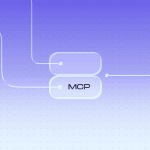
Model Context Protocol (MCP) is an open standard that allows AI applications to connect to external tools and systems. Through Stripo’s MCP integration, AI assistants such as Claude, Claude Code, Cursor, VS Code, and Codex can access resources in a connected Stripo workspace.

For example, an assistant can search for existing email templates, read email content, find saved modules, and export email HTML. This gives teams a way to work with their existing email assets from their preferred AI tools or development environments without manually transferring information for every task.
This can help email teams handle tasks such as finding a suitable template for a new campaign, comparing existing emails, checking a draft against a brief, or preparing HTML for a developer. Instead of treating each tool as a separate destination, teams can use an AI assistant to work with email assets directly from their preferred development environments.
From connected tools to connected workflows
MCP also suggests a broader vision of email production. Traditional integrations typically connect specific stages, such as transferring an email to an ESP or sending a notification when a task status changes. In an AI-assisted workflow, an assistant could coordinate several of these steps from a single request, provided the relevant tools are connected and support the required actions.
Imagine asking an AI assistant to prepare an email for an upcoming campaign. The assistant could use the campaign brief to find a suitable template, work with existing email content, and prepare the HTML for the next stage.
In a more connected ecosystem, other tools could support additional steps, such as task management, review, or testing. The exact workflow would depend on the integrations available, the permissions granted, and the level of automation each tool supports.
In this model, MCP acts as a connection layer that lets AI applications work with external tools, while the AI assistant interprets the request and coordinates the available actions. The goal is to make the workflow feel more connected, with less manual movement between platforms and less need to repeatedly provide the same context.
This doesn’t mean AI should manage the entire email production process independently. Teams still need to verify outputs, protect access to their workspaces, and retain control over approvals, quality checks, and campaign decisions.
The aim isn’t to add AI to every step. It’s to build an ecosystem in which connected tools give AI assistants the context and capabilities to handle routine work, while people remain responsible for decisions that require expertise and judgment.
Wrapping up
The best toolkit for email marketing isn’t the one with the most integrations; it’s the one where every service has a clear purpose and the processes between them flow as smoothly as possible, free from unnecessary friction. The ecosystem of email marketing tools evolves daily, with new solutions and capabilities constantly emerging. At Stripo, we see the industry moving toward seamless tool integration, with AI playing a key role in connecting disparate processes into a unified workflow.
This is precisely why Stripo is expanding its integration capabilities to fit existing workflows. For instance, you can receive instant notifications via Slack, and our integration with MCP lets you connect AI-powered tools directly to resources in your Stripo workspace.
Stripo’s role is to bridge the gap between the email creation phase and the rest of the team’s tool ecosystem. Rather than forcing professionals to abandon the software they already rely on, Stripo streamlines the entire journey, from design and content development to final coding and deployment, eliminating unnecessary handoff steps.
So, if you want to make the email production process truly effective, try to build a single “all-encompassing” platform that fosters efficient interaction among the tools teams are already using.
0 comments