SaaS onboarding best practices: The welcome email series that drives activation (2026)


Welcome emails and, more importantly, an entire email series, are essential components of a successful email campaign for internet-based businesses across all industries. However, the specifics of using these powerful marketing instruments differ across verticals, and the SaaS field is no exception.
This article focuses on SaaS customer onboarding best practices that blue-chip brands use in their email marketing strategies.
What a SaaS welcome email series is and why it drives activation
Welcome email vs. welcome series: One message vs. an orchestrated sequence
A welcome email is a single message a business sends after a person opts in to receive promotional emails. A welcome email series consists of several (typically three to five) emails sent one after the other over several days.
Where the series sits in the onboarding journey
The welcome email series is the very first step in the customer’s onboarding journey, coming right after the person signs up. It serves as a gateway to activation, propelling the subscriber to start interacting with the brand.

Why a welcome series is a non-negotiable SaaS onboarding best practice
-
The first login/silent churn problem
Statistics indicate that 75% of customers stop using a SaaS product within the first week after subscribing. Why? They don't know how to use it. The absence of how-to guidance, combined with a multistep setup and confusing configuration, scares clients away, so they just melt into the shadows. Welcome email series are designed to address this endemic SaaS problem.

-
Behavioral vs. time-based sends
Welcome series can be triggered either by certain recipient actions or inactions or by calendar dates. In most SaaS onboarding scenarios, behavior-triggered emails outperform purely time-based sequences because they reach recipients when guidance is most relevant. Because behavioral series arrive at the right moment, they have a high open rate and help people solve the problems they face.
-
What good looks like?
An efficient SaaS welcome series should have an above-average open rate of at least 83.63% and a click-through rate of at least 16.60%, along with an unsubscribe rate below 0.30%. As for product-level metrics in the industry, the average activation rate is 36%, time-to-value is 36 hours, and the seven-day retention rate is 10-15%.
When launching a welcome email series, SaaS companies should do so with regard to the marketing model they use for distributing their products.

Self-service vs sales-assisted SaaS: Two different welcome series
1. Self-serve (PLG) series
If a customer has no SaaS sales representative to talk to, the welcome series becomes the vendor's primary proactive communication channel, which leads the client through a sequence of single-guided wins.
2. Sales-assisted (enterprise) series
To deliver an efficient sales-assisted series, a customer success manager often complements automated onboarding emails with personalized outreach.
How team size and ACV change cadence, tone, and human touch
Automated series and action-oriented tone work well for low annual contract value (ACV) clientele and large subscriber bases. For high-ACV customers, onboarding typically includes more personalized guidance, human interaction, and tailored messaging alongside automated emails.

Running a welcome series across multiple segments, languages, and product lines? With the enterprise onboarding email platform by Stripo, you get a scalable and customizable email design tool that enables team collaboration and multiple integrations for large organizations.
10 SaaS onboarding best practices for your welcome email series
What are the SaaS onboarding best practices that juggernauts in the sector rely on?
1. The welcome/expectation-setting email
The purpose of such emails, usually triggered by account creation, is to let subscribers see what they will get, how to use the product, and what support to expect.

(Source: DigiStorms)
Miro, a high-profile visual collaboration platform, motivates customers to dive into using it. Four quick-start tiles pave the way to doing so, while the main CTA encourages recipients to do it. This approach helps shorten time-to-value.
2. The activation-nudge email
These are sent when the client does not progress past subscription. Their distinguishing feature is the presence of a single, conspicuous CTA to push the user toward the first step.

(Source: ProsperStack)
Intercom reminds the subscriber that they haven't completed the setup of their messaging solution. The black CTA button stands out against the white background to rivet the recipient's attention, while the progress bar reflects future setup success.
3. The product-tour/guided-setup email
In these emails, recipients find step-by-step walk-throughs that can help them learn the ropes of using the SaaS product and thus accelerate their time-to-value. Such messages can be based on both time (like the number of days since signup) and event (stalling at or completing a step) triggers.

(Source: DigiStorms)
Calendly provides a beginner-friendly guide to ease subscribers into the nuts and bolts of using this automated scheduling platform, making their learning curve extremely mild. All CTAs are centered and come in a conspicuous bright blue color. Such an approach is excellent for improving the activation rate.
4. The use-case/template email
These focus on the solution's possible applications. Triggers for their activation are manifold: setup abandonment, missed activities, reaching a milestone, and others.

(Source: DigiStorms)
Notion, as a one-stop-shop digital workspace, informs customers about its possible use cases (docs, wikis, and projects) and offers a template to start using the platform. The design is clear and minimalistic; the tone is friendly.
Sometimes, companies send emails with prebuilt templates to streamline onboarding, like those offered by Stripo.

5. The social-proof email
Customer testimonials, client reviews, case studies, success stories, authority stats, third-party validations, and other reliable proofs can convince individuals and organizations that a SaaS product is worth trying. They are triggered by milestones reached, free trial expiration, or feature-adoption gaps.

(Source: ProsperStack)
People who have used Transkriptor for speech-to-audio conversion share their opinions on the value this AI-powered SaaS platform has brought to their business and education. Then comes a transparent algorithm for getting started with the tool.
6. The milestone-celebration email
As you might expect, these messages recognize a customer's achievement in using the SaaS software to increase engagement, foster brand loyalty, and encourage continuous use. And the trigger that fires them is hitting a certain milestone.

(Source: Really Good Emails)
Here, Grammarly congratulates a customer on working with this writing assistant for half a year to check spelling, grammar, and punctuation, and it unlocks a new achievement badge. A fun piece of trivia adds a friendly touch to the message, which is sure to reduce the unsubscribe rate.
7. The tips & best-practices email
The ultimate purpose of these emails is to guide a subscriber from using SaaS basic functionalities to full-scale employment of the product. Naturally, they are triggered by feature-using signals or feature-adoption gaps as well as by usage milestones.

(Source: Really Good Emails)
Here is another example from Miro. Subscribers can follow these step-by-step instructions to create a visually appealing project on this collaboration platform, while the clear CTAs map out possible steps. This combination helps reduce time-to-value.
8. The check-in/micro-survey email
These aim to collect highly targeted customer feedback by asking people one or two (not more) relevant questions. SaaS companies usually send them after spotting negative developments in customer behavior (drop-off, inactivity, onboarding problems, and so on) or after launching new features.

(Source: Loops)
Webflow, a robust web design and development tool, wants to know the customer's attitude toward the brand. The microsurvey is fast to complete, and the assessment scale is explained clearly. With Stripo, you can create such email surveys within minutes; no coding skills are required.
The question should live in the message itself, not behind a link. Build the Multiple Choice or NPS survey with a widget so it asks inline, right there in the email, and at this stage response rates depend heavily on how many steps the answer takes. One click inside the message beats a click that opens a new tab.
9. The re-engagement/dormant-subscriber email
If a customer remains inactive for a significant period, SaaS companies send them re-engagement emails to reignite product usage and prevent lapsed clients from churning for good. The most common reasons for sending these emails are lengthy inactivity (30-60 days), feature drop-offs, or email disengagement.

(Source: Mail Bakery)
For Zoom, re-engagement emails are a chance to showcase the platform's features released while the subscriber stayed dormant, giving them a weighty reason to return and a clear path (button) to do it.
10. The upgrade/expansion email
Typically, these come hand-in-hand with trial-ending emails. Upgrade messages do more than persuade the customer to upgrade their plan; they can also improve the SaaS company's cross-selling and upselling efforts. Triggers for such emails include not only trial expiration but also attempts to access locked features, hitting seat limits, spikes in login frequency, and more.

(Source: ProductLed)
Zapier reminds its clients that their trial is about to end and showcases the benefits of switching to a paid plan. The CTA and the expired countdown timer urge trial users to upgrade as soon as possible, encouraging them to switch to a paid plan.
The metrics that tell you the series is working
How can you know that your welcome email series strategy is effective? The answer lies in the telltale KPIs.
Email-level metrics
These include the email open rate (the percentage of delivered emails the recipient opened); click-through rate, or CTR (the percentage of delivered emails where the recipient followed a link); and unsubscribe rate (the percentage of people who opted out of getting messages from the SaaS company).
Product-level metrics
The activation rate shows that the person has completed a key action, the time-to-value reflects the time the customer needs to enjoy the benefit of the SaaS product, and the day-7 retention rate indicates the percentage of subscribers who remain active seven days after signup or activation.
How to connect email engagement to activation
To connect welcome email engagement to activation, determine what counts as an activation (inviting the first team member, uploading a file, sharing a video link, and so on), send the first welcome email within a minute after signup, and implement behavioral triggers based on “if-then” branching.

Common welcome-series mistakes and fixes
1. Front-loading too many emails
By doing this, you overwhelm the recipient, causing annoyance and increasing the unsubscribe rate. Instead of peppering the customer with a deluge of messages, you should take your time by spacing emails out across 7-14 days.
2. Feature-bragging instead of outcome messaging
Some vendors view welcome emails as a platform for telling their clients how good they are and completely disregard their perspectives. Rather than rambling on about the upsides of your product, you should adopt outcome messaging. Every feature you showcase should solve some customer problems.
3. “No-reply” senders and generic copy
These are a blunt way of telling the customer that you aren't interested in hearing from them and that you view them as just another name on a list. This hurts deliverability, worsens the subscriber experience, and diminishes the conversion rate. To avoid such negative consequences, encourage two-way interaction in your emails and go the extra mile to personalize them.
4. Ignoring mobile rendering
According to surveys, 64% of emails are opened on mobile devices. By sending responsive emails crafted with capable design tools (such as those provided by Stripo) and tested for mobile beforehand, you eliminate broken layouts, microscopic and unreadable text, images that are cut off or stretched, and slow load times.
5. One series for every persona
When you resort to this strategy, you drain resources by maintaining and updating a dozen automated series, face misclassification errors, and miss out on cross-selling opportunities. It is better to start with a couple of emails sent to everyone as a common foundation. Then, watch subscribers self-segment based on surveys in your initial messages and use this information to dispatch branching content consisting of dynamic modules that can be swapped at will.
Scaling onboarding emails across segments, languages, and product lines
One of the acute problems of SaaS welcome email series is scaling the onboarding emails across several parameters.
The multi-segment consistency problem
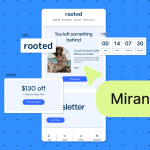
SaaS clientele consists of individuals and organizations that have different technical abilities, plan tiers, product language proficiency, and needs for using certain features. This is why delivering consistent onboarding messages to each of them is a tough row to hoe. To address the challenge, you should base onboarding flows exclusively on recipient actions and employ dynamic content modules tailored to various audiences.
Coordinating PMM, Growth, and CS in parallel
As senior CSMs of SaaS companies admit, they spend 40% of their working time on coordination tasks. A tiered scheme of triangulated ownership can reduce such wastage. Under it, product marketing managers (PMM) are responsible for messaging, growth teams focus on delivery engines and experimentation, and customer success (CS) departments handle escalations and high-value interventions.
Localization and multi-product welcome flows
To handle a variety of SaaS products, languages, and onboarding steps, it is efficient to use localization platforms with dozens of customizable templates, apply email locale and language tags for design modifications, and use a shared event-tracking system under a common global user ID.

You can maximize the efficiency of these best practices by using specialized software.
How Stripo Prime for enterprise improves onboarding emails for SaaS
Stripo Prime for enterprise has three major fortes that help large SaaS organizations ensure consistent welcome email series management:
- The co-editing capability eliminates the editing queue that sometimes appears between PMM, growth, and CS teams, streamlining coordination and saving 40% of a senior CSM's coordination time mentioned above.
- Email governance and security are implemented through custom roles with access granted at the platform level, allowing new stakeholders to join the project without manual approval steps.
- Finally, no more maintaining dozens of unique templates. The platform's modular design system enables personnel to update a module once to see the result propagate across all localized versions.
Use the enterprise onboarding email platform by Stripo to enable the joint efforts of multiple employees who can work together on creating compelling emails from ready-made modules in a secure email design environment.
Wrapping up
Welcome emails are the staple of a lifecycle email marketing strategy for any business. Such messages are more effective when they are sent not as standalone emails but as a well-thought-out series.
In the SaaS realm, welcome series are mission-critical because they teach customers how to use the product, shorten their time-to-value, and reduce churn. By applying the best practices outlined above and using high-end email creation software by Stripo, companies can achieve strong email- and product-level metrics and maximize the ARR their solutions yield.
FAQ
1. How many emails should a SaaS welcome series have?
The average number of emails is from three to five. They should follow in logical progression and guide customers from the setup and first value, through showcasing advanced features, to upgrading.
2. How long should the series run?
The welcome series should last 7-14 days. This period enables companies to spread cognitive load more evenly without causing recipient exasperation or notification fatigue.
3. Welcome series vs. onboarding checklist: Which matters more?
Both are equally important, as each serves its own purpose. Welcome series excel at long-term engagement by sharing tips, showcasing advanced features, and providing social proof. Onboarding checklists are designed for immediate product adoption and teach consumers how to use the SaaS product, shortening time-to-value.
4. Should self-serve and enterprise share one series?
They shouldn't. As they are designed for different audiences with different needs, each should rely on its own series with separate tracks based on sign-up data. With Stripo’s Prime platform for enterprises, you can create welcome series for any model a SaaS company operates on.
5. What’s the single most important welcome-email metric?
For SaaS welcome email series, activation rate is the major KPI, averaging 36%.
0 comments