From CRM limitations to flexible email design: Case study on Hollis Montessori School


In the education sector, email marketing must stand out so that busy parents who have full inboxes don’t miss important updates from the school. Messages must be clear and understandable, yet visually appealing. What’s the best way to handle this in schools, where email marketing is handled by a small team that has many different responsibilities?
In this case study, we’ll explain how specialists from Hollis Montessori School make their emails just like that after switching from CRM email builder to Stripo.
Expert
Meet the company
Hollis Montessori School is an independent, non-profit, nonsectarian Montessori school that opened in September 2008. The school offers education for children from preschool to ninth grade and is the only school in New Hampshire accredited by the Association Montessori Internationale.
The school follows Maria Montessori’s educational approach, which has been successfully employed in tens of thousands of schools worldwide for over a century.
The challenge: Limited design options and a difficult-to-use CRM builder
Communication plays a central role in the school’s day-to-day work. Email is how the school remains in touch with the families of existing students as well as those considering enrollment to the school. The school also supports development efforts, such as fundraising and marketing campaigns.
Because emails are so important for Hollis Montessori School, the challenges they faced were often painful.
- The first challenge was their CRM email builder. It was not intuitive and was difficult to use, which made it challenging to work with it. Furthermore, all types of emails were sent from the same CRM system, without a clear separation by type of communication. Parents who didn’t want to receive marketing emails completely unsubscribed from all emails and, thus, stopped receiving even important school updates.
- The second issue was that the CRM limited what the school could do with email design. It was difficult to create polished, on-brand emails when sending them from separate accounts.
Thus, the school sought a single tool that could address all these needs.
The solution: A flexible email builder with simple export and better design control
The following were the criteria for an email builder that would suit the Hollis Montessori team:
- intuitive design tools;
- easy replicability; and
- greater design freedom (fonts, formats, and layout).
Stripo turned out to be an excellent choice in this context. Apart from efficiency, other advantages of Stripo included the builder being really nice to work with as well as the fact that it offers more design choices, an easier layout, and more flexible modules.

(Source: Email by Hollis Montessori School)
The deciding factor was the fast, simple export of emails from Stripo along with its wide selection of export formats and connections.
In Stripo, you can export emails to ESPs (Stripo has integration with 90+ ESPs and the list is constantly growing), email clients such as Gmail or Outlook, different CRMs through Webhook, and Zapier.
Any team member can export the email in HTML format and then import it into the CRM system to send it.

Second, exporting emails/files from Stripo is incredibly easy and fast. And the choice of formats/connections to export to is fantastic.

Hollis Montessori School
Note from Stripo
Exporting emails saves time when building campaigns. With Stripo, you don’t need any technical skills to do this.
You can export your emails in several formats, depending on how you plan to use them: they can be either an HTML file, an archive, or raw HTML code.

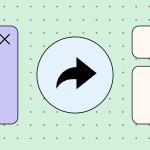
Newsletters were among the most challenging types of emails for the Hollis Montessori School team, as they had to combine text and images in Gmail. Email marketers can relate to this struggle. The team attempted to reduce email size by combining images into a collage; however, occasionally, the collage didn’t adapt to different device screen sizes and looked unattractive.

With Stripo, you can design and customize emails as per your choice; they look beautiful, readable, and are easy to export wherever needed.
The team also uses reusable modules for setting up recurring features. In particular, these are used to highlight the Community Partners. This block doesn’t need to be built from scratch every time a new email needs to be sent out.
The ability to make tweaks separately for desktop and mobile versions is also very helpful.
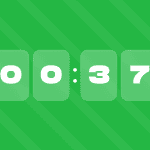
One of the features actively used at Hollis Montessori School are countdown timers.
Note from Stripo
With Stripo, you can add a countdown timer to your emails in just a few steps. They are accurately displayed on all devices and email clients, and you can fully customize them to suit your needs.
You can set colors, fonts, and the content recipients will see when the specified time expires. Moreover, you can use a countdown timer as another opportunity to engage with your brand and enhance customer experience.

The workflow: Small team, multiple audiences, and structured email production
The school communicates via email with several key audiences:
- The first and largest audience consists of families whose children are currently enrolled in the school. It is important for emails from the school to stand out in some manner, as parents’ inboxes are often so full that they could very likely miss an important email from the school.
- The second audience is prospective families who have shown interest in the school. These recipients are sent various marketing materials, invitations to open events, and other information that may be relevant to their decision to enroll.
- The third audience is rather broad and diverse, as it includes alumni, extended family members, and local businesses.
Most often, the school sends two types of emails: newsletters and fundraising campaigns. Each type of communication has its own mailing list and sending frequency. Newsletters are sent bi-weekly to an audience of 180 people, which includes current families, faculty, and staff.
Fundraising emails reach an audience of approximately 550 people and are sent seasonally or depending on the specific campaign.
Marketing emails are sent out to approximately 4,000 email addresses. These emails are sent to prospective families during the admissions campaign and before school events.

(Source: Email by Hollis Montessori School)
Two people handle email marketing at Hollis Montessori School: the Director of Admissions and the Director of Business Operations. The Director of Admissions is responsible for the newsletters and the marketing emails, which she prepares using content provided by the school’s teachers and staff. She then exports the final finished emails and adds PDF versions to school announcements.
The Director of Business Operations handles fundraising emails that are sent to families, faculty, staff, and the board. To do this, they create the email in Stripo, export it as HTML, and then import it into the CRM system to send it to a wider audience.
In both situations, Stripo has significantly simplified and accelerated the process as well as helped make the emails look better.
Equally helpful is Stripo’s wide selection of ready-made templates. This includes dozens of templates for non-profit organizations that can serve as inspiration when creating your own emails, or you can choose any template and customize it to suit your organization.
The results: Better design and less time spent on emails
Among all the results that Hollis Montessori School has achieved since they have begun working with Stripo, the following can be highlighted:
- reduced time spent preparing emails;
- reduced workload for the team; and
- improved visual appearance of emails owing to more design options.
There has definitely been a reduction in production time and a simplification of the process. The ability to send the newsletter out in more forms has increased parent readership.
Hollis Montessori School
Wrapping up
With Stripo, email communication, which is so important for Hollis Montessori School, has significantly changed for the better.
The process of creating emails has been simplified thanks to Stripo’s intuitive interface, and the design has been enhanced through ready-made templates, saved modules, and greater design capabilities compared to a CRM system. The team was able to save time, which was then devoted to exploring opportunities for the school’s development and increasing community awareness of the school.
0 comments