WCAG email accessibility for enterprise: Building a compliant program at scale


Email accessibility is hard. Code, design, and copy all need to work together, and coordinating them isn’t simple. Without email accessibility, however, digital content may be difficult to perceive for at least 1.3 billion people on the planet. That’s the number of people living with a significant disability, according to the World Health Organization. This means that a portion of your audience may struggle to interact with your emails.
The challenge becomes even more complex at the enterprise level. Even if a company has made its emails accessible, how can it ensure that accessibility isn’t compromised by regional teams or during localization?
This article explores how to build a system that guarantees the accessibility of emails across large organizations on an ongoing basis.
Key takeaways
- WCAG is the world’s primary technical accessibility standard. It applies to emails because they are HTML-based and part of digital content. Of the 86 WCAG success criteria, only a portion apply to emails.
- Building an accessible email design system addresses most of the challenges enterprises face with email accessibility.
- Building accessibility by default requires fixing template errors, improving permission controls, locking critical modules, and adopting a design system.
- Automated tools can check for the presence or absence of certain accessibility elements, but assessing their quality requires human judgement.
Which WCAG 2.2 criteria actually apply to email, and which don’t
WCAG is a global technical accessibility standard. WCAG 2.2, published in 2023, includes updated success criteria. In this section, we examine what is new in WCAG 2.2 compared to WCAG 2.1 and which of these criteria are relevant to email.
Why WCAG was written for web and how email creates interpretation gaps
WCAG provides the foundation for accessibility requirements worldwide. It does not directly apply to email, as it was originally developed for web pages, but it applies to all digital content. Email HTML falls into this category and is therefore partially subject to WCAG requirements.
The interpretation gap arises from the differences between web pages, for which WCAG was developed, and emails. The key distinction is that web pages are rendered in browsers with relatively consistent standards and support full keyboard navigation across the interface.
Emails, on the other hand, are rendered differently in Gmail, Apple Mail, Outlook, and other email clients, each with its own limitations and quirks. WCAG assumes that if you write correct, accessible code, it will render properly. This is not always the case with email.
Many WCAG-recommended techniques are applied inconsistently because some email clients have limited CSS support. Emails also lack full keyboard navigation and a resizable viewport, both of which are addressed by WCAG criteria.
There are gaps in the guidelines. WCAG doesn’t define a minimum font size, for example. So, in theory, we could style the size of our paragraphs eight pixels, and by definition, their font size would conform to WCAG and be ‘accessible’ as long as they can be resized.

WCAG 2.2 success criteria × email applicability × conformance level × enterprise complexity
WCAG is based on four accessibility principles: perceivable, operable, understandable, and robust. Under each principle are guidelines and success criteria that describe what must be done to meet the standard. WCAG 2.2 includes 86 success criteria, but not all of them apply to email.
Success criteria that apply to email:
- 1.1.1 Non-text Content: use alt text for all non-text content;
- 1.3.1 Info and Relationships: use semantic HTML, headings, and list markup;
- 1.4.1 Use of Color: avoid relying solely on color to convey information;
- 1.4.3 Contrast (Minimum): maintain a contrast ratio of at least 4.5:1;
- 2.3.1 Three Flashes or Below Threshold: for GIFs and animations;
- 3.1.1 Language of Page: define the email language.
Success criteria that apply to email with disclaimers:
- 1.4.4 Resize Text: depends on the capabilities of the email client;
- 1.4.11 Non-text Contrast: depends on how the client renders background colors;
- 2.1.1 Keyboard accessible: applies to links and buttons.
For enterprises, this introduces an additional layer of complexity. Teams must review all applicable success criteria based on the company’s specifics and determine which should be adapted and enforced, and which can be deprioritized because they are not relevant to email.
For example, failing success criterion 3.1.1 Language of Page means screen readers can’t correctly announce the email’s language. According to EMC 2025, 67.01% of emails fail this criterion, making it one of the most common accessibility gaps.
Another example is 3.1.2 Language of Parts, which is especially important for global, multi-locale enterprise programs, where emails often include mixed-language content.
What changed from WCAG 2.1 to 2.2: What matters for email teams
WCAG 2.2 introduced nine new success criteria on top of WCAG 2.1. Most of them are not relevant to email, and only one requires specific action to achieve WCAG 2.2 AA compliance.
Success criterion 2.5.8 Target Size (Minimum) (AA) requires that all targets (links and buttons) be at least 24 × 24 CSS pixels or have sufficient spacing around them. This affects CTA buttons, footer links (Unsubscribe, Privacy, Terms), and social icons in the footer.
For enterprise teams, this is a relatively low-effort update. If a company already meets WCAG 2.1 AA, achieving WCAG 2.2 AA may only require adding a Target Size rule to the email design system.
Target conformance level: Why AA is the enterprise minimum
WCAG conformance levels are A, AA, and AAA. The difference between them lies in how effectively they remove accessibility barriers for users.
If Level A is not met, certain groups of people with disabilities may not be able to access the content at all. For example, if there is an image without alt text, a blind person will not know that an image is present or what it depicts.
If Level AA is not met, it creates significant difficulties for some users, though not a complete loss of access. For example, a color contrast ratio of 3:1 instead of 4.5:1 may still be readable for recipients with good vision, but not for those with low vision.
Level AAA represents additional improvements for maximum accessibility, but may involve trade-offs, as some criteria are not feasible for all types of content.
There are several reasons why enterprise teams should aim for AA conformance:
- Almost all major regulations (such as ADA, EAA, Section 508, and ACA) require WCAG Level AA.
- Level AAA includes criteria that are often impractical to meet alongside marketing efforts. For example, 1.4.6 Contrast (Enhanced) (AAA) requires a 7:1 contrast ratio instead of 4.5:1, which many brands cannot achieve without compromising their visual identity.
Similarly, 3.1.5 Reading Level (AAA) requires content to be understandable at a lower secondary education level. But this criterion is difficult to achieve without oversimplifying messages intended for an adult audience. - The cost-benefit ratio associated with meeting AA level is lower, and this level is reasonable because the company makes its content accessible to a large part of the audience and aligns with regulatory expectations.
Moving from AA to AAA involves more fundamental and expensive changes, but benefits a much smaller segment of recipients.
AA is the enterprise standard because it strikes the right balance between effort and impact.
What businesses sometimes fail to see is that if they made their emails more accessible, they could increase their return on investment simply by enabling more people to access their products and services.
Paul Airy,
The email client problem: Why WCAG-compliant HTML still fails in production
WCAG is based on the assumption that accessible HTML will render correctly without display issues. This holds true for the web, but not for email clients.
How major email clients undermine accessibility markup
WCAG assumes that accessible HTML will render consistently, but email clients challenge this assumption. Emails are displayed differently across clients for various reasons.
Gmail clips emails that exceed 102 KB, which can break content and hide accessible elements. Yahoo Mail has known issues with background image rendering, and styling beyond basic inline CSS may be ignored or altered.
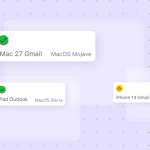
According to the Email Markup Consortium’s “Accessibility Report 2025,” only one email client (SFR Desktop webmail) supports all 20 HTML/CSS accessibility features that help developers build accessible emails.
Apple Mail and Samsung Email also have high scores, but the remaining 40 of the 44 email clients don’t.
As a result, even if code passes accessibility tests, it does not guarantee that the email will be accessible to the recipient.
Email client × key WCAG criterion × rendering reality
WCAG defines accessibility requirements for email, but their actual implementation depends on how each email client renders HTML and CSS. The same WCAG-compliant code may display differently across clients.
- 1.4.3 Contrast (Minimum): Gmail may automatically invert colors in dark mode, which can disrupt intended contrast. Outlook may partially ignore CSS, causing colors to render incorrectly.
- 1.1.1 Non-text Content: In Outlook, alt text may be cut off or rendered in unexpected fonts. In Gmail, image display depends on the user’s settings.
- 1.3.1 Info and Relationships: Outlook may strip heading structure, and screen readers will read them as plain text.
As a result, email accessibility is not just about compliant HTML. It also depends on how that code performs under varying rendering conditions across clients.
Dark mode as an active WCAG threat
The challenge with dark mode is that a WCAG-compliant email can become non-compliant when recipients have dark mode enabled.
Email clients handle dark mode differently: some make no changes, others partially adjust colors, and some fully invert them. This behavior is not standardized and cannot be fully predicted or controlled, creating real risks for both readability and brand presentation.
WCAG 2.2 success criteria 1.4.1 Use of Color can fail when color-coded information (e.g., red for errors, green for success) is inverted into colors that lose their intended meaning.
Success criteria 1.4.11 Non-text Contrast can fail for CTA buttons when the button background is auto-inverted, but the text is not, reducing contrast.
In tools like Stripo, this can be tested at the design stage using a dark mode preview, allowing teams to identify contrast and color issues before sending.

What enterprise teams must do beyond writing accessible HTML
What else can a team do besides writing accessible HTML?
- Use email testing tools such as Email on Acid to validate how emails render across clients. Focus on 6–8 clients that cover about 95% of your audience.
- Test emails with a screen reader such as NVDA, VoiceOver, or JAWS. Conduct these tests on key templates in the template library on a quarterly basis, rather than before every send.
- Validate dark mode behavior in widely used clients (Gmail, Apple Mail, Outlook). Incorporate this step at the template approval stage, not during campaign-level QA.
- Re-test the most frequently used templates quarterly, especially after major email client updates (e.g., Outlook releases or Gmail changes).


The enterprise answer: Building an accessible email design system
There is a practical way to address this complexity: build an email design system and incorporate accessibility from the outset.
Accessibility needs to be included in the design process from the start.

When accessibility rules are built into the system, teams don’t have to fix issues in every campaign. Templates, modules, and components already follow the correct patterns. As a result, it becomes much harder to create an inaccessible email, even when multiple teams are involved.
Why individual email fixes don’t scale and why a design system does
Enterprise teams deal with regional differences, multiple template types, and dozens or even hundreds of campaigns each year. If every email requires separate decisions about colors, fonts, buttons, and links with accessibility in mind, the process quickly becomes a collection of one-off choices that are difficult to standardize for future use. For regional teams working across different languages, this approach becomes impossible to sustain.
A design system solves this by turning those decisions into shared standards. Choices about colors, typography, and layout patterns are checked once for accessibility and brand alignment, then reused across campaigns. Accessibility is addressed at the design stage, rather than added later during testing or QA.
Layer 1: Color token system with WCAG contrast baked in at design time
At the design stage, teams should work with a predefined set of approved colors that already meet WCAG contrast requirements. Each color exists as a token, a named, documented element with tested combinations, and complies with WCAG.
This removes the need to restate contrast rules in every guideline. The rule is built into the design system, which in turn allows tems to select colors only from preapproved and tested tokens instead of making arbitrary choices. This ensures consistency across templates and reduces the risk of introducing low-contrast combinations.
If brand colors do not meet contrast requirements against white or other backgrounds, alternative shades should be defined that preserve the brand’s identity while remaining suitable for digital use.
A color token system is especially important for enterprises. Multi-brand companies and localized campaigns often introduce palette variations. Tokens keep these variations under control while still allowing flexibility within defined limits.

Layer 2: Type scale governed by WCAG-compliant sizing and line-height
Typography follows the same principle as color. Enterprise teams cannot leave font choices to individual emails. All font variants, sizes, weights, and line-heights should be specified and validated.
WCAG 1.4.12 Text Spacing outlines the following requirements:
- line height (line spacing) of at least 1.5 times the font size;
- Paragraph spacing of at least 2 times the font size;
- letter spacing (tracking) of at least 0.12 times the font size;
- word spacing of at least 0.16 times the font size.
In practice, enterprise teams can define these settings in tools such as the Stripo Brand Guidelines kit. In addition to brand colors, typography settings can be standardized there. The key is to take WCAG accessibility requirements into account when developing these guidelines.
Layer 3: Accessible component library
Once you save colors and typography as tokens, your next step is to build a component library.
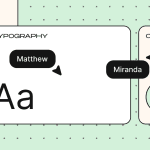
This library can include “atoms” (the smallest elements such as headings, paragraphs, buttons, images, and spacers), “molecules” (e.g., a text block with a CTA button or an icon paired with a short line of text), and “organisms” (larger, reusable structures such as headers and footers).
All of these components are prebuilt to be accessible, so emails assembled from them are accessible by default, significantly reducing the risk of errors.
Stripo also offers a feature for email design systems: synchronized modules. If an accessibility issue is identified in a module, it can be fixed simultaneously across all emails that use that module. This is especially useful for enterprise teams managing dozens of templates and campaigns at the same time.

Who owns the accessibility layer of the design system
Of course, the best option is the one described by Mike Paciello:
It works best when maintaining accessibility is part of the company’s culture, when team members catch accessibility issues without being prompted, and comments like, “We can’t ship this; the contrast fails” come from anyone on the team instead of just designated accessibility people.

Getting there takes time. This approach requires rethinking how accessibility is understood and handled across the company. Responsibility should not rest with one person: if that person leaves the company, the knowledge leaves with them.
The model Mike Paciello suggests distributes responsibility across roles, based on the layers of the design system:
- the brand strategist is responsible for strategic adoption and ensures that accessible emails are the only acceptable option;
- content writers handle alt text, link text, reading level, and content structure;
- designers define color contrast and visual hierarchy and ensure layouts can be built accessibly;
- developers mange semantic HTML, assistive technology testing, and maintain accessible template libraries. They also flag designs that cannot be implemented accessibly;
- QA teams incorporate accessibility testing into the standard testing process and use screen readers (JAWS, NVDA, VoiceOver) as part of regular testing;
- legal teams assess risk and monitor compliance with regulations such as ADA, EAA, and Section 508.
Each company may adopt a slightly different model depending on team size and the standard approval process. You can also refer to the W3C role-based accessibility framework.
The ownership matrix becomes relevant when there is a need to approve new brand colors or address industry-specific compliance requirements.
This does not mean every decision requires input from every role. Most accessibility decisions are made earlier, at the token level and during component library design.
Template governance: Locking accessible baselines across teams and brands
Governance is a system of rules that ensures only approved, accessible templates are used and that accessibility is built in by default, rather than manually checked before sending an email.
To make baseline accessibility the default, teams need:
- template updates that automatically propagate to all future campaigns;
- permission controls that define who can edit which parts of a template;
- locked components and modules (e.g., headers, footers, CTAs);
- design system enforcement, where colors, typography, and components are used only through predefined tokens and modules.

For enterprise teams, governance is essential because multiple brands and localized versions increase the risk of “local overrides” that can break compliance. Governance enforces global standards while still allowing controlled local flexibility.

Embedding WCAG into the email production workflow
To make WCAG more than just a set of criteria the team is aware of, its principles need to be embedded into the workflow. This require defining roles, identifying process bottlenecks, and determining at which stages automated tools are sufficient and where human review is necessary.

The four production roles and their WCAG responsibilities
The most effective way to distribute responsibility is to tie it to day-to-day email marketing tasks that affect accessibility. Without this clarity, contributors may assume someone else is doing it.
- Designer: Responsible for color contrast, visual hierarchy, template structure, target sizes, and dark mode checks. Designers work within the email design system, so they don’t need to create colors or components from scratch.
- Copywriter: Responsible for heading structure, descriptive link text, meaningful alt text, and, where applicable, reading level. They ensure that alt text clearly describes images and is not added as an afterthought.
- Email developer: Responsible for semantic HTML, code-level accessibility, ARIA attributes, and lang and dir attributes. They ensure that design system components render correctly and address client-specific rendering issues.
- QA: Responsible for testing accessibility as part of standard QA, using different methods, including screen reader testing.
These four roles are not always performed by four separate individuals, but there should be clarity about who to contact to address specific issues.
Companies may also involve Legal, Brand, and Accessibility Leads, but their roles are typically more relevant during template setup and audits. Involving them in every campaign review can slow down workflows and is unnecessary when teams rely on a design system with prevalidated, accessible modules.

Where in the pipeline accessibility review happens, and where it’s too late
The email production pipeline usually includes several stages: strategy, design and copy, template build, internal review, QA or pre-send checks, send, and performance analysis.
Many teams run accessibility checks during QA. This is often too late: if errors are identified, the email must be sent back to the design or copy stage, adding days of rework. The later issues are discovered, the more costly they are to fix. Instead, accessibility should be reviewed at each stage for the components that are executed at this stage.
Catching issues early minimizes rework and integrates accessibility into the normal workflow, instead of treating it as a final gate.
Pre-send accessibility gate: Minimum criteria for every send
Pre-send validation is the final checkpoint where teams can catch issues that the design system and workflow may have missed.
At this stage, review:
- descriptive alt text;
- color contrast;
- descriptive link text;
- semantic heading structure;
- target size for interactive elements;
- plain text version;
- dark mode preview.
Most of these checks can be done quickly and easily with the Stripo Accessibility Checker.

The results of these checks look like this: they are issues that you can fix immediately within the editor.

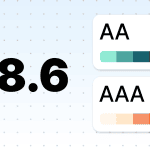
The team’s goal is to build processes that prevent emails with accessibility issues from being sent.
What automated tools cover vs. what requires human review
Automated tools can catch structural issues, but they cannot assess how well content is written or how it perfirm in real use.
Use automated tools to check:
- presence of critical elements (e.g., alt text, headings, lang attribute);
- measurable criteria (e.g., contrast ratios, minimum target sizes);
- code structure.
Use human review to assess:
- quality of alt text and link descriptions;
- color usage in context, including whether meaning depends solely on color;
- reading flow;
- real-world assistive technology experience.
Where possible, include people with disabilities in testing, as they can highlight issues that automated tools and internal reviews may miss.
At enterprise scale, automation is important, but maintaining quality without compromise requires human review.

Cost asymmetry: Fixing accessibility before vs. after send
Investing in accessibility at the early stages (by building a design system, defining clear role ownership, and implementing a pre-send accessibility checker) reduces long-term costs.
Identifying and fixing issues during the design and copy stage, template building, or even pre-send QA is far less expensive than addressing problems after an email has been sent. The impact on brand reputation and potential legal liability will be significantly more expensive.
According to the Seyfarth ADA Title III tracker, 3,117 website accessibility lawsuits were filed in federal court in 2025. This is a 27% increase from 2024.
Under the European Accessibility Act, penalties for non-compliance with accessibility requirements vary by country and may include fines or imprisonment. Fines typically vary depending on the location of the business and can range from up to €1.26 million or a percentage of the company’s turnover.
Enterprise email accessibility audit: Methodology and cadence
Let’s look at what it takes to conduct an accessibility audit in enterprise email marketing.
Phase 1. Template audit: Baseline all active templates
A template library audit is the first step toward achieving accessible emails in the future. Start by listing all actively used templates, then group them by purpose (transactional, promotional, newsletter,) and by audience, brand, or region. This grouping helps you set audit priorities.
Review each template against relevant WCAG criteria and log identified issues by severity: critical, serious, moderate, or mild. Consolidate the information in a single table to guide the priority of fixes.
You can’t fix all the errors at once. By understanding which templates contain which issues, how serious those issues are, and how frequently the templates are used, teams can prioritize fixes and focus on changes that have the most impact.
Phase 2. Live campaign sample: Monthly review of sent emails
A template audit assesses the quality of the templates themselves. When sending a campaign, the template is modified, and these changes can cause accessibility issues by the time the email reaches the inbox. This phase focuses on identifying where and why templates drift during production and how to prevent it.
Enterprise teams send hundreds of campaigns each month, so reviewing every email is not practical. Instead, define a monthly sample size or select campaigns by type. Compare the final HTML against the base template to identify the deviations: were changes made within the design system, or were the rules bypassed? Include a check of pre-send findings: were issues flagged and resolved, or approved and sent as is?
Over time, this review shows how often deviations occur, how severe they are, and which patterns repeat. Use these insights to update components and adjust workflows where breakdowns occur.
Phase 3. Manual screen reader walkthrough
Conduct a screen reader audit quarterly, selecting a specified number of templates. This should be a manual evaluation using real tools, not an automated scan.
Through direct interaction with screen readers, teams can assess whether the content is understandable when you perceive it by ear, whether alt text helps to understand the meaning of images, and so on.
Including people with disabilities in this audit is far more useful than relying solely on internal reviews. Their feedback often differs from that of first-time users of tools like NVDA or VoiceOver, and can reveal issues that internal teams may overlook.
Prioritizing findings: EMC severity model
Collecting issues without prioritization makes them difficult to work on. Teams can’t address hundreds of issues if they don’t understand their severity and impact.
Accessibility issues can be grouped into four categories:
Critical: the recipient can’t access or understand the content at all. For example, missing alt text on an informative image or extremely poor contrast. These must be fixed first.
Serious: access is possible but difficult. Examples include low contrast (e.g., 3:1 instead of 4.5:1 and vague, non-descript link text.
Moderate: issues create obstacles but don’t fully prevent understanding of the content. Examples include weak heading hierarchy or buttons slightly smaller than the recommended target size.
Mild: minor or polish issues such as unnecessary alt text on decorative images.
Some issues can be fixed in tools like the Stripo editor with AI assistance, for example, generating alt text.

Audit cadence and output format for enterprise
An audit is a planned, recurring activity, and not a one-time event. Each phase should have a defined frequency and a standardized output that stakeholders can easily use.
Each phase should follow a clear schedule:
- template audits: quarterly and after any template changes;
- campaign audits: monthly, based on a representative sample;
- screen reader walkthroughs: quarterly and for every new template.
Outside of this schedule, audits should also be triggered by specific events:
- major email client updates;
- new accessibility regulations;
- brand or email design system updates;
- customer complaints.
Internal team vs. external accessibility specialist
“It’s not a question of “either/or” between internal teams and external accessibility specialists. Some processes are best handled internally, and should remain the team’s responsibility. This includes Phases 1 and 2 of the audit, ongoing updates to the email design system, templates approvals, and regular monthly and quarterly reviews.
External specialists are usually engaged for in-depth testing with real users and assistive technologies, validation of new or business-critical templates, or when an organization is facing a lawsuit or regulatory investigation. They provide unbiased assessment and bring experience with edge cases that internal teams may overlook.
A combined approach, utilizing both internal teams and external specialists, is effective and cost-efficient.
Measuring email accessibility compliance at scale
There is a clear difference between checking email accessibility as a final step before sending and building a system that makes it nearly impossible to send an inaccessible email. Here’s what you need to do to move from the former to the latter, and to measure whether that transition is successful.
Moving from “we run a checker” to systematic compliance tracking
“Running an accessibility checker” is a one-time activity that depends on human factors: whether the specialist remembered to do it. Even when it is used, a checker doesn’t reveal patterns in issues or where they occur in the process.
A systematic approach to compliance enables measurement across multiple levels: the template library, the campaign level, and individual design system components. It also allows teams to record results in a single system, track performance across templates and regions, and monitor trends over time.
In this model, accessibility embedded within email production at every stage. Without systematic tracking, enterprise teams risk having the illusion of compliance rather than actual confirmation.
Four KPIs for enterprise email accessibility programs
To achieve meaningful results, it is worth focusing on a small set of key metrics and tracking them consistently.
KPI 1: Accessibility pass rate. The percentage of emails that pass accessibility checks before sending. This indicator provides insight into the process quality, highlights presence of Critical and Serious issues in emails (which will not pass the checker), and indicates whether the team is consistently sending compliant emails.
KPI 2: Template accessibility coverage. The percentage of templates in the library that meet WCAG 2.2 AA standarts When the template library is compliant, each campaign starts from a solid accessibility baseline and is less likely to fail validation.
KPI 3: Design system adoption rate. The percentage of campaigns built using approved components. This shows how widely the design system is adopted and directly influences the likelihood of introducing accessibility issues during production.
KPI 4: Accessibility debt. The total number of unresolved mid-level issues in the template library. This number should decrease over the quarter. Without tracking, there is a risk of accumulating a growing backlog of issues.
Togather, these four metrics provide a comprehensive view of accessibility in enterprise email marketing: they cover compliance in sent emails, the quality of templates and design system components, and progress in resolving accessibility issues.
What leadership sees vs. what production teams track
Different levels of the organization need different levels of detail from the same compliance data.
C-level leadership looks at indicators: the percentage of accessible emails, trends showing improvement or deterioration, and potential legal or brand risks.
Production team work with more specific data, such as recurring issues (e.g., missing alt text or contrast failures) and the levels at which they occur (content, design, custom changes, etc.).
These are the same underlying metrics, but each specialist interprets them through the lens of their responsibilities.

The business case: Connecting accessibility to measurable outcomes
Accessibility delivers real results: increased audience reach and engagement, improved deliverability, legal risk avoidance, stronger brand perception, and expanded market opportunities. Here are some expert insights illustrating these benefits.
Financial companies I work with see increases in all metrics after improving accessibility. They also avoid lawsuits and even get feedback like “Your emails are easy to read.

Mike Paciello describes a real-life case where a team built accessibility into emails and what results they got:
What changed in their workflow was not one major shift but several connected steps. They built a new template library with semantic HTML, a proper heading structure, and real text instead of images of text. They integrated an accessibility checklist into their existing QA tool. Writers were trained to author alt text alongside other copy, and JAWS and NVDA testing were added to their standard QA rotation.
The results were clear. Production time decreased by about 15% once the new templates were in place, because they were more modular and easier to customize than the old designs. Support tickets from customers with disabilities dropped by around 60% within three months. Click-through rates increased by about 8% overall, not just among users with disabilities. Better semantic structure and clearer link text improved the experience for everyone. The team also saw fewer rendering issues across clients because semantic HTML tends to be more consistent than image-based layouts.
Mike Paciello,
Wrapping up
Adhering to WCAG requirements for email accessibility is challenging for enterprises. The more people involved in the email creation process, the higher the risk of errors. But it is possible to build a system that minimizes those errors.
Using a design system, reusable modules, and clear role distribution helps manage accessibility at scale. Tools like Stripo also support teams in creating emails with accessible code and visual elements, from structure to alt text.
The first step an enterprise team can take is to conduct a template audit. Identify the most frequently used templates, select five, and test them against the WCAG criteria described in this article. This will give you a baseline for planning next steps.
FAQ
1. Does WCAG officially apply to email, or only to websites?
Yes, WCAG applies to emails because they are HTML-based and part of digital content.
2. What WCAG conformance level should enterprise email programs target?
Enterprises should aim for WCAG AA conformance. Most regulations specify AA as the required accessibility level, and it provides a balance between user impact and the cost of implementation for large teams.
3. Does the EAA 2025 require WCAG 2.1 or WCAG 2.2?
The European Accessibility Act does not explicitly require the use of a specific WCAG version. The EAA relies on harmonized European standards, mainly EN 301 549 v3.2.1, which aligns with WCAG 2.1 Level AA.
4. What’s the difference between Section 508 and WCAG for email compliance?
WCAG is a technical standard for making digital content accessible. Section 508 is a U.S. federal law that applies to federal agencies and certain regulated contractors, requiring electronic and information technology to be accessible. Section 508 references WCAG 2.1 AA as its technical standard.
5. Can automated accessibility testing tools achieve full WCAG compliance alone?
No. Automated tools can detect the presence or absence of elements such as alt text, sufficient color contrast, or minimum target size. But they cannot assess content quality, link clarity, alt text readability, or real usability with assistive technologies. These require human judgment.
6. Who in an organization is legally responsible for inaccessible marketing emails?
Legal responsibility for inaccessible marketing emails lies with the organization that sends the emails, not individual team members.
7. Does dark mode affect WCAG color contrast compliance in email?
Yes. Color contrast, that meets WCAG requirements, may fail in dark mode. Email clients handle dark mode inconsistently: some make no changes, while others partially or fully invert colors. Because this behavior is often uncontrollable, testing in dark mode is crucial.
8. Do transactional emails have different WCAG requirements than marketing emails?
No. WCAG requirements are the same for transactional and marketing emails. WCAG defines accessibility based on how the content is perceived, not by the type of email.
0 comments