Email marketing for startups: The complete 2026 operator’s guide


Startup founders frequently rent audiences from ad networks. You pay for clicks, adjust to changing algorithms, and hope your budget lasts until you find buyers. The minute you stop paying, the traffic stops.
Email works differently because you own the list. When a person gives you their address, they invite you to communicate with them directly. As ad costs continue to rise and privacy regulations limit web tracking, a direct line to your customers provides a reliable foundation for growth.
This guide explains how to master email marketing for startups. You will learn how to send your first message with a strong sender reputation, build a subscriber list, and design campaigns that reach the inbox. We also explain how to calculate revenue per send, covering the technical, legal, and tactical steps that standard tutorials often skip.
Why email marketing is the highest-ROI growth channel for startups
Building a reliable marketing system requires a clear understanding of your underlying costs and distribution rights. While many channels scale by consuming more cash, email scales by building equity in your audience. Here is a breakdown of the economics, the value of owned data, the startup advantage, and the rules of the inbox.
The economics, or what $36 per $1 actually means
According to Litmus, email generates an average return of 36 dollars for every dollar spent. This happens because the cost structure remains relatively flat while the audience grows.
When you buy search ads, you pay for every click. Ten times the traffic costs ten times the money. Email software, by contrast, typically charges a fixed monthly fee based on list size. Sending one message costs the same as sending five. Because software costs remain relatively stable, the cost per user declines toward zero as your startup scales.
Owned audience vs. rented audience
Social media companies control the feed. You pay for access to their users. If a platform updates its algorithm or blocks your account, your page views can disappear overnight.
Email runs on data you control, which gives you three specific advantages:
- You hold the asset. You maintain direct access to a permission-based audience.
- You control access. Unlike social platforms, you maintain direct access to a permission-based audience, even though inbox providers still apply filtering algorithms.
- You maintain freedom. If a software provider raises prices, you export your subscriber list and move to a competitor.
Why startups specifically benefit (vs. established companies)
Large retail brands use email to send weekly coupons to millions of past buyers. They track open rates to identify small percentage gains.
Startups use email to test ideas before building them. A founder can send a mockup of a new feature to an email list and read the direct replies to determine whether anyone wants it. This fast feedback loop helps validate the product. Because startups lack large marketing budgets, a channel that requires time rather than cash fits their early-stage constraints perfectly.
Two truths every founder should internalize before sending email #1
Accept these two facts about subscriber behavior before you connect a sending domain:
- Nobody subscribes because they want another newsletter. People want answers to their problems. Subscribers trade their email addresses for a specific tool or a useful guide. If you send boring internal company updates, they will unsubscribe.
- Trust compounds slowly and breaks instantly. You build a sender reputation over months by sending expected, helpful messages. You destroy that reputation in one day by buying a contact list and emailing people who never signed up.
When to start: From your first subscriber to product-market fit
Founders often delay building an email list until they launch a finished product. This mistake limits early feedback and wastes a guaranteed launch audience. Effective email marketing strategies for startups evolve as the company grows, but the habit of communicating with subscribers should be established from the beginning.
Here is how to handle list-size myths, adapt your playbook as you work toward product-market fit, and decide who should control the send button.
The day 1 vs. wait until 1,000 subscribers myth
There is a common myth that you should wait until you reach 1,000 subscribers before sending email campaigns. This idea fails because people forget who you are if you wait months to contact them. When you finally hit your target and send an email, many early subscribers may mark your message as spam.
You should email your first subscriber within the week they sign up. Treat early subscribers as your core focus group and prioritize a consistent sending schedule over total audience size.
Pre-PMF email playbook: Learning mode
Before you find product-market fit, your goal is learning. Don’t send polished newsletters.
Use email to figure out what to build:
- send short questions. Ask subscribers why they signed up and what tools they currently use;
- identify frustrations. Ask what they dislike about their current workflow. Every reply gives you data to help shape the product;
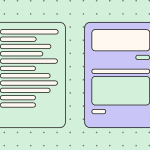
- keep design minimal. A plain-text email feels more personal and encourages direct responses.
Post-PMF email playbook: Scaling mode
Once you know what people want to buy, email turns into a sales engine. You move from manual updates to automated systems:
- build a welcome sequence. Introduce the core product to every new signup automatically;
- separate subscribers by behavior. If a subscriber clicks on a specific feature, trigger an automated email with an advanced tutorial for that exact workflow;
- optimize for action. Track conversion rates and long-term retention rather than just open rates.
Founder-led vs. marketer-led email: When to transition
Founders write the first emails because early subscribers want a direct connection to the person building the product. You should hand this responsibility to a marketer when email stops functioning as a weekly update and becomes a daily revenue engine.
Make the switch when you hit these specific triggers:
- You no longer have time to fix broken welcome sequences or update outdated pricing emails.
- You need to send different messages to active subscribers and free-trial users, but only have time to send a single mass update.
- You stop writing new subject lines or testing signup forms because you are focused on product development.
After the transition, the founder still writes the major company announcements. The marketer takes over the daily delivery, data tracking, and audience segmentation.
When to hire a dedicated email marketer (and what to look for)
You need a dedicated hire when you have multiple subscriber segments and complex automated workflows to maintain. Look for someone who understands both technical deliverability and human behavior.
Ask these specific questions during the interview to test their skills:
- How would you fix a sudden drop in open rates caused by spam filters?
- How would you set up a test to determine which email drives the most paid upgrades?
- Can you explain the logic behind the most complex automated sequence you have built?
- How would you write a subject line that encourages opens without misleading recipients?
- What would you do if an email layout broke in Outlook and the developer was unavailable?
Setting goals and KPIs that survive board meetings
Open rates don’t pay the bills. When you review campaign performance, the most important question is how much revenue or active usage a specific email generated. To justify the time invested in building an email program, you should tie your metrics directly to business growth.
Here, we break down how to set objectives, track the right metrics, and benchmark your results.
The three primary objectives: Pick one (acquisition/retention/brand)
Startups often try to accomplish too much with a single message. An email becomes less effective when it tries to sell a paid plan, explain a complex feature, and ask for a review at the same time.
You need to pick one main goal for your current growth stage:
- acquisition. Focus here if you need to convert free-trial subscribers into paying customers;
- retention. Choose this if users sign up but stop using the product after the first week;
- brand. Prioritize this if you operate in a crowded market and need to build trust before asking for a sale.
Acquisition KPIs with realistic startup benchmarks
When your goal is getting new customers, track metrics that measure direct revenue. Ignore opens and focus on actions that put cash in the bank:
- click-to-conversion rate. Measure the percentage of people who click a link and complete checkout. Salesforce recommends aiming for 2% to 5%;
- revenue per email recipient. Pair revenue per subscriber with a campaign-level metric: email-attributed revenue divided by the number of recipients. Across flows, the average revenue per recipient is $3.56, while the top 10% reaches $7.79;
- revenue per subscriber. Divide your email-attributed revenue by the number of active subscribers on your list. Use this metric to compare performance over time. As an aspirational eCommerce benchmark, top marketing agencies generate $16.70 in automation revenue per active subscriber.
Retention KPIs with realistic startup benchmarks
Once you have an active subscriber base, lifecycle emails can help recipients return to your product, complete important actions, and discover the value of a paid plan.
Measure actions inside the product rather than relying on opens alone:
- post-email activation lift. Measure the percentage of recipients who complete a meaningful in-product action within 24 hours of receiving a product-tip email. Compare this rate with a holdout group that didn’t receive the message. Count a login only when logging in represents real engagement. The median product has a 5% day-one activation rate, while the top 10% of products reach 21%;
- upgrade rate. Track the percentage of free or trial subscribers who activate a paid plan after completing your automated welcome and onboarding sequence. A good free-to-paid conversion rate for a self-serve freemium product is 3% to 5%, while 8% to 12% is a strong result;
- unsubscribe rate. Measure the percentage of delivered emails that cause recipients to leave your list. HubSpot considers an unsubscribe rate below 0.5% per campaign as acceptable.
Brand-building KPIs (the soft metrics that matter)
Brand trust is difficult to tie directly to revenue, but it affects whether subscribers continue to engage with your emails and whether future messages reach the inbox.
Use these metrics to measure content relevance and sender trust over time:
- click-to-open rate. Measure the percentage of recorded email openers who click at least one link. Calculate it as: unique clickers ÷ unique opens × 100. The median click-to-open rate across all industries is 6.81%;
- unsubscribe rate. Measure the percentage of recipients who leave your list after receiving an email. The median unsubscribe rate across all industries is 0.22%;
- inbox placement rate. Track the percentage of legitimate marketing emails that reach the inbox rather than the spam folder or fail to be delivered. Globally, only 83.5% of legitimate marketing emails reach the inbox. Another 6.7% landed in spam, and 9.8% went missing;
- spam complaint rate. Measure the percentage of recipients who mark your email as spam. Google recommends keeping this below 0.1% and preventing it from ever reaching 0.3% or higher. Google calculates this rate daily and states that complaint rates above 0.1% can already harm inbox placement for bulk senders.
Tight feedback loops: Review weekly, not quarterly
Corporate marketing teams often wait 90 days to review campaign performance. Startups don’t have that luxury.
You should adjust your strategy fast:
- Check numbers every Friday. Review bounce rates, clicks, and other KPIs from the week.
- Kill failing tests. If a new subject-line format lowers your open rate for two consecutive weeks, discontinue it.
- Double down on winners. If a specific tutorial email causes a spike in subscriber logins, move it earlier in your welcome sequence.
Benchmark table: Open/CTR/conversion by startup stage and vertical
To determine whether your metrics are healthy, compare them with industry benchmarks. Audience expectations vary by business model, so performance metrics differ across startup stages and verticals:
|
Industry |
Average open rate |
Average click rate |
|
Business + finance |
31.35% |
2.78% |
|
Education + training |
35.64% |
3.02% |
|
eCommerce |
29.81% |
1.74% |
|
All recipients (global average) |
35.63% |
2.62% |
(Source: Mailchimp Email Marketing Benchmarks)
Your engagement metrics will shift as your company matures. An early-stage startup typically sends welcome sequences to a small list of highly motivated early adopters.
A scaling startup sends broader newsletters to thousands of more casual subscribers. As you grow and transition from targeted onboarding to large-scale communication, expect your baseline engagement rates to decline naturally.
|
Average open rate |
Average click rate |
|
|
Welcome sequences |
50–60% |
8–12% |
|
Product updates |
25–30% |
3–5% |
|
General newsletters |
20–25% |
2–3% |
(Source: 2026 B2B Marketing Benchmarks)
Building your email list from zero to your first 1,000 subscribers
Getting the first 1,000 people to give you their email address requires manual effort. In the beginning, you can’t rely on organic search traffic. You need to ask people directly, build pages that persuade them to stay, and offer a specific incentive in exchange for their contact information.
Here is how to attract your first subscribers, capture leads effectively, set up waitlists, and protect your sender reputation.
The first-100-subscribers playbook
Don’t automate this step. Your first 100 subscribers should come from direct conversations. Reach out to colleagues, former clients, and people you interact with on social platforms. Send a personal message explaining what you are building and ask whether they would like to receive weekly updates. This manual process helps ensure that your earliest subscribers are genuinely interested in your product.
Landing pages for capture: What converts
A landing page has one job: convincing a visitor to enter their email address.
Remove all other distractions to force a decision:
- hide the navigation menu. Do not give visitors a way to click back to your homepage;
- state the value clearly. Tell the reader exactly what they will receive in exchange for their contact information;
- show social proof. Place a testimonial right below the signup button.

Pop-ups, signup forms, and embedded CTAs
You need multiple ways for people to subscribe across your website. Make it easy for visitors to opt in the moment they decide they like your content:
- embedded forms. Place a simple entry box at the bottom of every blog post;
- exit-intent pop-ups. Trigger a form when a visitor moves their cursor toward the browser’s close button;
- sticky bars. Use a narrow banner at the top of the page that remains visible as the person scrolls.
Lead magnets: What works for B2B vs. B2C startups
People protect their inboxes. To earn an email address, you should offer an immediate reward.
The right offer depends entirely on your business model:
- B2B startups. Offer templates, industry data, or workflow checklists. Professionals exchange their email addresses for tools that save them time at work;
- B2C startups. Offer a discount on a first purchase or free shipping. Consumers typically expect a direct financial incentive.
Waitlists for product launches
You can collect email addresses before your product goes live. A waitlist builds anticipation and gives you an audience on launch day. Tell visitors exactly what you are building and why it matters, then send monthly updates on your progress. If you go silent for six months, subscribers may forget who you are and mark your launch announcement as spam.
Co-marketing partnerships, podcast swaps, and contests
Borrow audiences from founders who already have the subscribers you want.
Partner with companies that target your ideal customer but don’t compete with your product:
- podcast swaps. Agree to mention another startup in your newsletter if they interview you on their podcast;
- co-authored guides. Create a guide with a non-competing company and share the resulting leads;
- targeted giveaways. Partner with three other brands to give away a bundle of your products. Require an email address to enter.
List quality vs. quantity: The rule that saves your domain
A list of 50 people who read your emails is more valuable than a list of 5,000 who ignore them. Mail providers track how recipients interact with your messages. If thousands of people delete your emails without opening them, providers such as Gmail may route future campaigns directly to the spam folder. Clean your list every three months. Remove subscribers who consistently do not engage with your emails.
Bridging cold outreach to your warm list
Startups often use cold email to find early customers. However, you can’t take a list of cold prospects and add them directly to your marketing platform. Doing so may violate spam regulations and damage your sender reputation. Instead, send a plain-text cold email that asks a direct question. If recipients reply and express interest, ask for explicit permission before adding them to your weekly update list.
Mistakes that destroy list quality from day one
Avoid these common errors when building your initial audience. Fixing a domain reputation takes months of technical work:
- buying lists. This practice is illegal in many jurisdictions and is likely to trigger high spam complaint rates;
- hiding the unsubscribe link. Make it easy for recipients to opt out. Frustrated recipients are more likely to mark your email as spam if they cannot find the unsubscribe option;
- asking for too much data. Request only an email address and first name. Every additional field can reduce your conversion rate.
The campaign portfolio every startup needs
Sending sporadic marketing messages whenever you launch a feature creates an inconsistent experience for your subscribers. The most effective email marketing campaigns for startups rely on a balanced mix of automated flows and real-time updates that guide people from signup to purchase.
To help you build a reliable communication schedule, we outline how to balance promotional content, create a welcome sequence, use transactional messages effectively, and structure updates for both customers and investors.
How to think about your campaign mix
Your campaign portfolio requires a mix of automated triggers and manual broadcasts. Automated messages run in the background in response to subscriber actions, while broadcasts keep your audience informed about real-time developments.
Balancing such communication ensures you provide value without overwhelming the inbox:
- automated triggers. These handle onboarding sequences, abandoned checkouts, and transactional receipts. They require upfront setup but generate consistent long-term engagement;
- manual broadcasts. These include weekly newsletters, feature announcements, and time-sensitive promotions. They keep your brand relevant and allow you to respond quickly to market changes.
Welcome series: The highest-leverage campaign you will ever run
Welcome emails earn some of the highest open rates of any messages you send because subscribers expect them immediately after signup. This sequence sets expectations for future emails and introduces your brand personality. Use the first three days to deliver the signup incentive, share your founding story, and ask what specific challenge the subscriber needs to solve.

Educational emails: The 3:1/2:1/1:1 ratio by stage
If you only send sales pitches, subscribers will stop opening your messages. You need to provide educational content that helps users solve problems in your industry.
As your startup matures, you should adjust the balance between educational content and promotional offers to match your audience's changing expectations:
- pre-launch stage (3:1 ratio). Send three purely educational guides with every promotional offer to build trust before asking for a sale;
- early traction stage (2:1 ratio). Shift to two educational emails for every promotional pitch as you build consistent usage habits and introduce premium offerings;
- scaling stage (1:1 ratio). Maintain an equal balance between educational content and direct promotions as brand awareness grows and active subscribers come to expect regular product updates.

Promotional emails without burning the list
You can promote your product without annoying your audience by tying offers to a clear reason and framing promotions around specific events, milestones, or limited-time opportunities. Always explain who the offer is for and provide subscribers with a way to opt out of that specific promotion without unsubscribing from your primary newsletter.

Branded transactional emails: The most overlooked goldmine
Password resets, receipts, and shipping notifications are opened by nearly every customer, yet many startups leave these messages as plain system-generated text. Customize these templates to reflect your brand voice, recommend helpful support resources, or invite customers to join your community. This helps you take advantage of a valuable opportunity to drive deeper engagement.

Re-engagement and win-back campaigns
Over time, subscribers stop opening emails as their priorities change. Rather than paying your email provider to host inactive contacts, build a targeted two-step win-back sequence. Send a direct question to subscribers who have ignored your emails for 90 days, offer a compelling incentive to return, and remove them from your list if they remain unresponsive.

Free-trial drip/onboarding for SaaS startups
A free-trial sequence should guide subscribers toward the specific action that demonstrates the value of your software rather than sending generic daily reminders. Map your onboarding emails to the subscriber journey. For example, if a user connects their account on day one, they should receive an advanced tutorial on day two instead of a basic welcome message.

Launch sequences (teaser → reveal → social proof → scarcity)
A successful product launch requires a structured narrative that builds momentum over time rather than a single mass announcement.
Break your launch into four distinct phases to guide your subscribers naturally toward a purchase:
- Teaser: Build curiosity by hinting at the specific problem your upcoming solution will solve before officially opening access.
- Reveal: Follow up with a clear product announcement that explains exactly how the new feature or product works and invites subscribers to try it.
- Social proof: Share early customer testimonials and case studies so readers can see real evidence of the product’s value.
- Scarcity: Remind subscribers when the introductory discount, limited-time offer, or exclusive-access period ends to encourage timely action.


Cold outreach for B2B startups
Cold emails require a highly personalized approach that differs from standard marketing campaigns. Write short, plain-text messages for specific stakeholders. Start with a clear observation about their business, explain how your solution addresses a specific challenge, and ask for a brief conversation to determine whether there is a fit.

The startup newsletter: Building thought leadership
A weekly newsletter helps establish your team as experts in your market. Focus on curating industry trends, analyzing market shifts, or sharing original insights and data rather than simply publishing company updates. This consistent delivery of value keeps your brand top of mind and increases the likelihood that subscribers will choose your product when they are ready to buy.

Investor update emails: Cadence and structure
Keeping investors informed builds trust and makes it easier to ask for support or raise future funding when needed. Send a structured update on the first business day of every month covering key metrics, major wins, operational lows, and specific asks. Keep the update concise, with a reading time of less than 3 minutes.

Customer feedback and NPS emails
Your subscribers often know exactly where your product succeeds and where it falls short, making short surveys highly valuable for measuring customer satisfaction and gathering product feedback. Send a one-question email asking how likely recipients are to recommend your product. Follow up with an open-ended response field so they can explain their rating in their own words.

Email design when you don’t have a designer
Startups often lack dedicated design resources, but sending broken emails damages trust. Early adopters may forgive missing product features, but they are unlikely to forgive emails that look like phishing attempts or display poorly on their devices.
Here, we explore how to create professional campaigns using standard design principles, responsive layouts, and accessible practices without needing a dedicated design team.
Why email design matters even at MVP stage
Good design at the MVP stage shows attention to detail, helping build the trust needed to convince someone to try an unproven product. When your emails look polished and function properly, subscribers often assume your software meets the same standard. A poorly designed email can signal a poorly designed product, making it harder to convert early readers into paying customers.
Drag-n-drop builders: What to actually look for
You don’t need to write HTML tables from scratch when modern tools are available, but you should choose a platform that lets you export clean code. Look for an editor that supports custom fonts and offers built-in dark mode testing so your team can work efficiently without relying on developers to fix layout issues.
If you want to avoid rebuilding the same headers and footers for every campaign, choose an editor like Stripo that allows you to save custom modules in a shared library and reuse them across templates.
Mobile-first email design (60%+ of opens)
More than half of all emails (between 55% and 65%, depending on the source) are opened on mobile devices, which means most of your subscribers will read your message on a smartphone while walking or commuting.
Because your design must adapt seamlessly to smaller screens, prioritize readability. Use a line height of approximately 1.5 and keep side margins between 15 px and 20 px so your content remains easy to read and visually balanced.
Dark mode rendering: The 2025–2026 must-have
More than 40% of your audience reads emails in dark mode, which can automatically invert background and text colors depending on the email client they use. You should use transparent PNGs for your logos and avoid pure black text; otherwise, your carefully designed header may disappear into a dark background, leaving subscribers with an unreadable email.

Email accessibility: WCAG basics for emails
Accessible design ensures that every subscriber, including those who rely on screen readers or have visual impairments, can easily consume your message.
To meet core WCAG 2.2 standards and ensure a comfortable reading experience, implement the following structural elements in your campaigns:
- Maintain a color contrast ratio of at least 4.5:1 between text and background so that visually impaired readers can clearly distinguish the content.
- Use clear, context-rich alternative text for all critical images, ensuring that screen readers can accurately interpret the visual information.
- Rely on true HTML heading tags to organize content logically for assistive technologies, rather than relying on font size alone for emphasis.
- Keep your line height to at least 1.5 times the font size and maintain side margins between 15 px and 20 px to reduce cognitive load and improve readability.

Rendering across clients: Gmail vs. Outlook vs. Apple Mail
An email that looks perfect in one inbox can break in another because each provider uses a different rendering engine to display HTML.
To ensure your design reaches every subscriber exactly as intended, you should understand how the three major email clients actively handle your code:
- Apple Mail: This is the most forgiving and progressive client, fully supporting modern CSS, custom web fonts, and complex layouts. Your design will usually render correctly without requiring special HTML workarounds;
- Gmail: This provider is more restrictive about file size, automatically clipping any message that exceeds 102 KB, hiding content behind a “view entire message” prompt, and often ignoring external stylesheets;
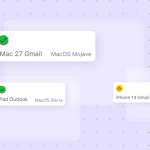
- Outlook: The most difficult platform to design for because Windows desktop versions still use the Microsoft Word rendering engine. It can strip background images, ignore rounded corners on buttons, and break modern CSS layouts unless you include legacy fallbacks.
CTA button design: The six rules
Your call-to-action button drives most of your revenue and conversions, so it should not blend into the background or confuse the reader.
Follow these core principles to maximize your clicks:
- Use bulletproof buttons: Build buttons with HTML and background colors rather than images so they render even when images are disabled.
- Provide breathing room: Add sufficient padding so the button feels distinct from surrounding content.
- Choose contrasting colors: Choose a color that clearly stands out from the background and body text.
- Write actionable copy: Use clear verbs like “Start your trial” instead of generic phrases like “Click here.”
- Size for mobile: Ensure buttons are at least 44 × 44 pixels for easy tapping on smartphones.
- Limit your choices: Stick to one primary CTA per email to reduce decision fatigue and guide attention.
Subject line writing: The ≤50-character rule and beyond
Mobile email clients often truncate subject lines beyond roughly 50 characters, pushing key messaging out of view. Keep subject lines concise, front-load important keywords, and use preheader text as a secondary hook to reinforce the value proposition without wasting inbox space.
BIMI and branded sender logos: Visual trust in the inbox
Brand Indicators for Message Identification (BIMI) allow you to display your official logo next to your subject line in supported inboxes such as Gmail, Apple Mail, and Yahoo. Setting up BIMI requires proper DMARC authentication and a verified mark certificate, but it instantly signals to subscribers that your email is legitimate. This can improve open rates and establish visual trust before the email is even opened.
Embedded email editors for product-led startups
If your product involves sending emails on behalf of your users, you need a robust email editor integrated directly into your software. Building a custom builder from scratch can drain months of engineering time and requires continuous maintenance of complex HTML rendering rules across email clients. Instead, you can use tools like the Stripo plugin to deploy a native drag-and-drop editor via API.
Segmentation and personalization without big data
You can achieve high relevance with very little data by focusing on subscriber actions rather than broad demographics. Even with fewer than 100 subscribers, you should structure messaging around audience behavior and intent.
Buyer personas without 1,000 customers
Don’t rely only on demographics such as age or job title. Talk to your first ten subscribers to identify the specific problems they are trying to solve. Group your audience based on the distinct outcomes they seek from your product so your messaging reflects real-world motivations.
Critical subscriber cohorts: Paid, trial, and canceled
Avoid sending the same email to your entire list. Segment your subscribers into three distinct groups:
- trial subscribers: Prioritize content that helps them reach their first “aha!” moment;
- paid subscribers: Share advanced tips and feature updates to improve retention;
- canceled subscribers: Highlight new developments that specifically address their previous feedback.
Behavioral triggers
Generic newsletters are often ignored. Instead, trigger emails based on actual product usage. Send a tutorial when a subscriber engages with a new feature for the first time, or send a “we miss you” message after a defined period of inactivity. This creates a feedback loop that feels more personal and relevant.
Lifecycle-stage mapping
Your messaging should reflect where a subscriber is in their journey. A new signup needs a warm welcome and clear setup steps. A long-term subscriber, however, benefits more from power-user tips or roadmap previews. This lifecycle approach reduces unsubscribes by keeping content aligned with the user’s current level of product knowledge.
AI personalization at scale
Currently, 41% of marketers use generative AI. You can use it to generate variations of emails for different roles or to quickly test subject lines. However, you should not fully automate final approval, as AI can produce generic or robotic copy. Always review drafts manually to ensure the tone aligns with your brand voice.
Beyond the first-name trap
True personalization goes deeper than the “Hi {First Name}” token. References to a subscriber’s specific product history, such as a tool they used yesterday or a milestone they recently achieved, carry significantly more weight. Use product data to show that you understand how they are actually using your product.

Segmentation with 100 subscribers
Keep your initial strategy simple. Include a single question in your signup flow that asks for the subscriber’s primary goal. Use that response to apply a single tag to their profile. This simple split allows you to create two tailored paths instead of one generic message, delivering significantly more value to early adopters.
Deliverability: The technical foundation most guides skip
Deliverability is the invisible constraint that determines whether your emails reach the inbox or are lost to spam filters. Many startups focus on persuasive copy but overlook the technical authentication required to prove legitimacy to inbox providers. The following section explains how to secure your infrastructure so your messages actually reach subscribers.
Why startups fail at deliverability before they fail at copy
Inboxes treat unknown domains with extreme suspicion. If you send high-volume marketing emails from a new domain without proper technical setup, Google and Outlook will immediately classify your messages as junk. You can lose the chance to convert subscribers before they even see your subject line. That’s why email deliverability for startups should be treated as a core product capability.
How sender reputation actually works
Inbox providers assign your domain a score based on how recipients interact with your emails. High engagement, such as replies or users moving emails from spam to inbox, improves your reputation. Frequent bounces or spam complaints lower it.
Your reputation functions like a credit score for your email identity. If it drops too far, providers will automatically route your messages to the junk folder.
Domain warmup, step by step
Do not send thousands of emails on day one. Follow this schedule to build your reputation:
- week 1: Send to your most active 50 to 100 subscribers daily;
- week 2: Increase volume by 50% each day, provided you see no bounce spikes;
- week 3: Expand to your broader list in 500-person segments;
- week 4: Reach your full list volume while monitoring delivery reports for blocks.
This gradual ramp-up signals to providers that your domain has a legitimate and growing audience.
SPF setup walkthrough with DNS record example
SPF tells inbox providers which servers are allowed to send email on your behalf. You add it as a TXT record in your domain’s DNS settings.
A standard record looks like this:
v=spf1 include:emailprovider.com ~all
This line tells recipients that only the specified provider is authorized to send mail for your domain. If you use multiple email services, you must include them within the same record:
v=spf1 include:emailprovider.com include:crm.com ~all
Without this record, your emails appear like spoofed mail, which triggers security flags at most major providers.
DKIM setup walkthrough with DNS record example
DKIM adds a digital signature to your emails. This signature proves that no one altered your message as it traveled to the recipient. You generate a public key in your email provider dashboard and publish it as a DNS TXT record.
When you add this to your DNS, it typically looks like this:
v=DKIM1; k=rsa;
p=MIIBIjANBgkqhkiG9w0BAQEFAAOCAQ8AMIIBCgKCAQEAy...
The long string of characters acts as the public key that inbox providers use to verify your identity. Because this signature uses cryptography, providers can confirm that the email arrived intact and originated from your authorized server.
DMARC setup walkthrough and how to read the reports
DMARC acts as the final gatekeeper for your authentication. It tells inbox providers what to do if your SPF or DKIM checks fail. Start with a policy of p=none to monitor your traffic through aggregate reports.
Once you verify that your legitimate mail passes, update your policy to p=quarantine or p=reject. These reports reveal exactly who sends mail on your behalf and identify potential spoofing attempts.
Subdomain isolation: Never burn your main domain
You should send marketing emails from a dedicated subdomain, such as newsletter.yourdomain.com. This strategy keeps your main domain, yourdomain.com, clean.
If a marketing campaign triggers spam filters, only the subdomain reputation is affected, while your primary transactional emails remain unaffected. This separation acts as a containment layer for your sender reputation.
List hygiene verification before every send
Every invalid address or inactive recipient can damage your reputation. Clean your list regularly to remove bounced addresses and subscribers who do not engage with your content. Verification tools help identify invalid addresses before you send, keeping your bounce rate low, an important signal inbox providers use to assess trustworthiness.
The "domain burn" anti-pattern
Domain burn happens when a sender ignores technical warnings and sends spam to cold lists. Once a provider blacklists your domain, recovery can take weeks or even months of work. Treat your sender reputation as a permanent asset.
Spam filters: The 7 things Gmail and Outlook actually score
Providers use complex algorithms to analyze every message. They evaluate these seven signals to determine inbox placement:
- Presence of valid SPF, DKIM, and DMARC records.
- Domain age, with newer domains facing more scrutiny than older ones.
- Frequency at which recipients mark your emails as spam.
- Positive interactions like replies and adding you to contacts.
- Ratio of invalid addresses to active ones.
- Presence of spam-triggering words or hidden code.
- Balance between visual design and plain readable text.
Apple Mail Privacy Protection: What it broke and how to adapt
Apple’s Mail Privacy Protection automatically loads images and tracks opens, which inflates open-rate statistics. Shift your success metrics away from open rates and toward click-through rates and direct conversions. This encourages focus on genuine engagement rather than vanity metrics.
A pre-send deliverability checklist
Before every campaign, run through these final checks:
- confirm SPF, DKIM, and DMARC records are active;
- verify your domain is not listed on any major blacklists;
- remove recent hard bounces and unverified addresses;
- confirm all links point to your correct primary domain;
- test your email in a preview tool to check for broken code.
Choosing the right email tool for your stage
Startups often choose email platforms based on future projections rather than immediate needs. Paying for unnecessary complexity can add friction to daily execution. Match your tool selection to your current audience size and your team’s technical capacity.
A decision framework: Feature requirements by stage
Use this breakdown to match your current stage with the right feature set:
|
Stage |
Focus |
Priority |
|
< 1,000 subs |
Speed & writing |
Simplicity |
|
1,000–10,000 subs |
Segmentation |
Logic & automation |
|
Product-led |
Transactional/triggered |
API & reliability |
All-in-one ESPs (Mailchimp, HubSpot, Sender, Campaign Monitor, ActiveCampaign)
All-in-one ESPs combine contact management, design, and automation. They are best suited for teams that prefer a single interface for all email operations. Choose the platform that matches how you work:
- Mailchimp: A straightforward, template-heavy platform that favors ease of use over deep database customization;
- HubSpot: Deeply integrated with CRM data, making it essential if your email performance must tie directly to sales revenue;
- Sender: A powerful email marketing platform combining campaigns, automation, and transactional emails for growing teams that need advanced functionality without enterprise complexity;
- Campaign Monitor: Built for designers. It offers granular control over layout and style, making it ideal for brands with strict visual requirements;
- ActiveCampaign : The heavy hitter for behavioral automation. It excels at complex, multi-branching journeys triggered by specific user interactions.
Newsletter-first platforms (beehiiv, Substack, ConvertKit)
These platforms prioritize content distribution and subscriber growth. Choose the one that matches how you grow your audience:
- beehiiv: Designed specifically for rapid audience expansion, offering built-in referral engines and ad-network features;
- Substack: Focused on paid subscriptions with minimal setup friction. It manages hosting and payments but offers less flexibility in design and data control;
- ConvertKit: Favors creators who need basic tagging and segmentation without the complexity of full enterprise platforms.
AI cold-email platforms (Artisan, Smartlead, Instantly)
Cold outreach relies on a different infrastructure than permission-based marketing. Choose the platform that matches your outreach goals:
- Artisan: An automated sales agent that handles the entire cycle, from researching leads to personalizing outreach messages;
- Smartlead: Built for massive scale through multi-mailbox rotation, allowing you to send high volumes safely across multiple accounts;
- Instantly: Prioritizes speed and simplicity. It bundles high-volume sending with built-in warm-up tools to keep accounts healthy.
Deliverability infrastructure (Allegrow, Warmup Inbox, Mailreach)
These services monitor your sender reputation and automate the process of building trust with inbox providers. Choose the tool that matches your technical setup:
- Allegrow: Provides real-time visibility into inbox placement and helps detect spam triggers before they damage your sender reputation;
- Warmup Inbox: Simulates human activity by generating controlled, positive interactions between your addresses and a network of trusted inboxes;
- Mailreach: Acts as a diagnostic tool. It audits your DNS and technical configuration to ensure your setup is correct before launching campaigns.
Email design platforms (Stripo, Tabular, Taxi for Email, BEE)
Dedicated design tools separate email creation from the sending process, ensuring your code remains responsive regardless of your ESP. Choose the platform that fits your workflow:
- Stripo: A versatile option combining a flexible drag-and-drop builder with advanced capabilities such as AI features, AMP support, and real-time HTML editing, giving you developer-level control without the headcount;
- Tabular: Focuses on layout precision. Its interface mirrors modern web design tools, making responsive adjustments across desktop and mobile easier;
- Taxi for Email: Designed for brand governance. It locks style guidelines so non-technical team members can update content without breaking layouts;
- BEE: Prioritizes speed and simplicity, offering a clean interface for building professional templates with minimal friction.
Embedded email editors/plugins for SaaS products
If your product allows users to send emails, do not build an editor from scratch. Maintaining consistent HTML rendering across different email clients is an ongoing engineering burden.
Instead, embed a ready-made email editor plugin. This gives users a professional drag-and-drop experience while your team focuses on product features rather than the technical complexity of email formatting.
Migration paths: When to graduate from one tool to the next
Migrating to a new email platform is a major project. You should only consider moving when you meet the following conditions:
- You spend more time managing technical workarounds than sending campaigns.
- Your growth requires advanced behavioral automation that your current tool cannot support.
- You have verified your ability to export all contacts and suppression lists to ensure you do not lose sender reputation during the transition.
Compliance: The legal floor every email must meet
Legal requirements determine how you reach the inbox. Inbox providers also monitor compliance signals to decide whether your messages belong in the inbox or the spam folder. Applying the correct legal frameworks and practices helps keep your account in good standing.
Why compliance matters from email #1
Inbox providers judge your domain from your first message. If you start by buying lists or sending to inactive addresses, you immediately trigger spam filters. It takes far more effort to repair a blacklisted domain than to build a good reputation from the start.
GDPR (EU): The basics every startup must implement
In the EU, GDPR regulates how you collect and manage personal information.
If you send emails to anyone living in the European Union, you must build your system around these five core principles:
- Stop using pre-checked boxes on your forms. You should keep a timestamped log of when the recipient agreed to hear from you.
- Tell people exactly why you collect their email and how you use it. Keep the language simple so the average recipient understands their rights.
- When a subscriber asks to see what information you hold about them, you must promptly provide a copy.
- If someone asks you to delete their record, you must remove them from your database and your email lists without undue delay.
- Use the address only for the reason the subscriber provided it. If someone signs up for a newsletter, you can’t add them to a sales list without asking for fresh permission.
CAN-SPAM (US): Physical address, unsubscribe, and footer rules
The CAN-SPAM Act sets the ground rules for commercial email in the US. These guidelines help your subscribers know who sent the email and how to leave your list.
Sticking to these practices keeps your sender reputation clean and helps you avoid legal trouble:
- Your “From” name and email address should accurately reflect your business.
- A descriptive subject line works better than a misleading one.
- Ad disclosure helps to identify an advertisement clearly.
- Include a valid postal address in your footer. A registered PO box or private mailbox works well.
- Provide a visible and working way to opt out. Avoid hiding the link or requiring a password.
CASL (Canada): Express vs. implied consent
Canada’s anti-spam law (CASL) mandates that you hold valid permission before sending any commercial email. This law categorizes consent into two distinct types, each with its own rules and lifespan.
You need to understand these differences to keep your Canadian list compliant:
- Express consent. This occurs when a subscriber explicitly opts in. They must take a clear, positive action to say “yes,” such as clicking a button or checking a box on your signup form. You can’t use pre-checked boxes. Express consent doesn’t expire until the subscriber withdraws it.
- Implied consent. This arises from an existing business relationship, such as a recent purchase or an inquiry. If a customer bought something from you, you have implied consent for two years. If they made an inquiry, that period drops to six months. This consent eventually expires, so you should aim to transition these subscribers to express consent.
International compliance: LGPD (Brazil), DPDP (India), PECR (UK)
If your startup serves a global audience, your email strategy needs to expand beyond North America and Europe. You should pay attention to international regulations when handling subscriber data from other regions.
Let’s look at these examples:
- LGPD (Brazil): This law closely mirrors the European framework by regulating how you collect and store data from Brazilian recipients. You can use consent or legitimate interest as your legal basis for messaging, but you should always provide a clear opt-out. If a subscriber requests to see or delete their data, you should fulfill the request within fifteen days.
- DPDP (India): India uses an explicit opt-in framework for digital personal data. You should obtain free, specific, unconditional, and unambiguous consent through a clear affirmative action before sending any marketing messages. You should also avoid tracking or behavioral monitoring of minors for targeted advertising.
- PECR (UK): This regulation specifically governs electronic marketing messages in the United Kingdom. It draws a clear distinction between corporate subscribers and individual citizens. You can send marketing emails to corporate addresses without prior permission. However, individual subscribers require clear opt-in consent unless they are existing customers who received an opt-out option at purchase.
Double opt-in: When it’s worth the conversion drop
Single opt-in adds subscribers immediately after form submission. Double opt-in requires a confirmation click in a follow-up email. While this additional step reduces total signups, it helps prevent bots, typos, and fake addresses.
Use double opt-in for new domains where even a small number of spam complaints can damage deliverability. It is better to have a smaller, verified list than to pay for subscribers who never engage with your emails.
Designing a preference center that reduces churn
Most subscribers leave email lists because they receive too many emails or because the content is no longer relevant. A preference center gives subscribers choices instead of a single unsubscribe button.
You should offer options that allow subscribers to control their experience:
- frequency options: Let subscribers drop from a daily cadence to a weekly or monthly summary. This helps you retain subscribers who like your brand but find your volume too high;
- topic choices: Allow recipients to choose specific categories. A subscriber may want product updates while finding marketing tips less relevant;
- pause option: Give people the ability to pause all emails for 30 days. This works well during busy seasons or holidays when subscribers want to reduce inbox load.
Mandatory footer elements: The audit checklist
Your email footer functions as proof of legitimacy for inbox providers. You should review your footer before launching any campaign to confirm it includes the legal basics. This simple check helps keep your account active and out of the spam folder.
Use this checklist to verify your layout:
- Include your valid street address or a registered post office box.
- Provide a clear link that works with a single click. Do not hide this text in a small font or low-contrast color.
- Add a link to your data privacy policy so subscribers can review how you protect their information.
- Include your official corporate registration number if your local jurisdiction requires it.
- Mention your startup's legal name so recipients can clearly recognize the sender.
Measuring what matters and proving ROI to the board
You can’t grow what you don’t track. Boards care about how your email program contributes to the sales pipeline and keeps existing customers active. Avoid vanity metrics like list size or total sends. This section focuses on the data that matters most for your startup.
The 5 metrics that actually move the business
Focus on these five metrics to track growth and identify issues:
- deliverability rate: The percentage of emails that reach the inbox;
- click-to-open rate: A measure of how well your content engages recipients who open the email;
- conversion rate: The percentage of recipients who complete your intended goal, such as signing up or purchasing;
- unsubscribe rate: A signal of how well your audience responds to your timing and content;
- revenue per email: Total sales attributed to a specific campaign or automated flow.
Open rate after Apple MPP: What it means now
Apple’s Mail Privacy Protection pre-loads images, which often registers an “open” regardless of whether a human actually saw the email. This inflates open rates and hides real engagement. Treat open rates as directional data. Rely on clicks and conversion data to understand whether your audience is genuinely engaging with your content.
A/B testing methodology: The one-variable rule
You should test one variable at a time to understand what works. If you change both the subject line and the CTA, you cannot determine which change influenced the result. Keep tests small. Change only one element at a time, such as the subject line, button text, or image placement, but avoid changing multiple components simultaneously.
A/B testing when you only have 200 subscribers
Standard A/B testing requires thousands of subscribers to reach statistical significance. With 200 people, you will not get a definitive result. Focus instead on testing extreme differences. Compare a boring subject line against a bold one, or a long-form email against a short version. Even without a perfect p-value, you can still learn meaningful patterns about audience preference.
Connecting email sends to pipeline and revenue
You need to know whether your emails lead to sales. Work with your sales team to tag contacts who originate from specific email campaigns. If your email tool and CRM are synced, you can track a subscriber from their first click through to final purchase. This data turns your email program from a cost center into a clear revenue driver for the board.
Unsubscribe rate as an early-warning health signal
Your unsubscribe rate indicates when you are losing alignment with your audience. A slow, steady increase usually suggests you are sending too frequently or your content is becoming less relevant. A sudden spike requires immediate review of your most recent sends. You may have sent a message that missed the mark or targeted a segment that did not want that topic.
Reporting cadence: What to share weekly, monthly, quarterly
Different audiences need different data:
- weekly: Share campaign performance and deliverability health with your internal team. Focus on identifying trends and fixing issues quickly;
- monthly: Share engagement and conversion trends with your manager. Highlight what changed and how you plan to adjust;
- quarterly: Share pipeline attribution and revenue growth with the board. Connect email performance to overall company objectives.
Mistakes that destroy startup email programs (and how to avoid them)
A single mistake, such as emailing the wrong list or ignoring authentication, can land your messages in the junk folder for months. Avoid these common traps to maintain strong deliverability and healthy subscriber relationships.
The Volume Trap: "More sends = more revenue"
Many founders assume that sending more emails to their entire database is the fastest way to increase revenue. This approach often damages list health because inbox providers track how recipients engage with your messages.
When engagement drops, filters begin routing your emails away from the primary inbox. Instead, segment your audience based on past activity and click behavior. Send regular updates to your most engaged readers, and reduce frequency for subscribers who rarely interact.
Domain burn from cold outreach on the main domain
Running high-volume sales campaigns from your primary company domain carries serious technical risks. If recipients mark unsolicited messages as spam, inbox providers apply those penalties across your entire email identity. This can push investor updates, client communications, and internal messages into the junk folder.
To avoid this, use separate secondary domains for cold outbound sales. Properly authenticate these domains so your core business communications remain protected.
Targeting too broadly with generic copy
Sending a single mass email to multiple buyer personas often leads to weak performance. When you try to appeal to everyone, your message becomes diluted and increases unsubscribe rates.
Here is an example of generic copy:
Subject line: New feature alert!
Email copy: We just updated our software. You can now export data faster and manage team permissions. Log in to see the new dashboard.
And here is how segmented copy looks:
Subject line: Export your campaign data in half the time.
Email copy: Your monthly reports usually take hours to compile. Our new fast-export feature lets you pull your campaign metrics in three clicks. Click here to run your first fast export.
Buying or scraping email lists
Purchased databases may look like an easy shortcut for growth, but they are a major threat to deliverability. These lists are often filled with inactive accounts and dead addresses, including spam traps. A single spam trap can signal to major providers that you are collecting data without explicit permission.
Because these recipients did not opt in, they are more likely to report your emails as spam. Instead, focus on organic list growth through signup forms, lead magnets, and product-driven opt-ins.
Skipping the welcome series
Subscriber interest is highest at the exact moment a user completes registration on your site. If you remain silent for weeks, they quickly forget your brand and value proposition. When you eventually send a newsletter, it may be perceived as unsolicited spam.
You should build an automated welcome sequence that triggers immediately after signup. Deliver your core resources right away and guide new subscribers toward their first meaningful action.
Treating transactional emails as design afterthoughts
Account notifications, purchase receipts, and password resets consistently achieve the highest open rates in your entire email program. If you rely on plain text blocks or generic system templates, you miss a valuable branding opportunity.
You should design clean, recognizable layouts for transactional emails that align with your marketing identity. Keep essential details clearly visible at the top of the message, and use the lower section to share helpful product tips or documentation links.
Optimizing for opens at the expense of clicks and revenue
Attention-grabbing subject lines may temporarily increase open rates, but the strategy breaks down if the content does not match the expectation. When subscribers realize the email does not deliver on the subject line, they are more likely to disengage or unsubscribe. High open rates have limited value if your campaigns do not generate meaningful clicks or revenue.
You should focus on honest subject lines that accurately preview the message body. Long-term subscriber trust creates far more sustainable business value.
Sending too many emails too soon: The burnout cycle
A flood of marketing messages to new sign-ups during their first week causes immediate list fatigue. This heavy initial volume pushes subscribers to ignore your emails, unsubscribe, or file complaints. You should space out automated messages over several days to give your audience enough breathing room.
Track how subscribers interact with your initial onboarding messages before moving them into your main marketing sequences. Allowing time for engagement improves list health and long-term performance.
Wrapping up
You now have a blueprint for a profitable email channel. Success requires precise execution and a focus on long-term list health. Use the next month to establish a strong technical foundation and build your first automated flows. When you treat subscriber trust as your most valuable asset, your emails become a reliable source of revenue.
The startup email-marketing maturity model
Every successful startup evolves through three distinct stages of email maturity:
- In the foundation phase, you authenticate your domain and send simple broadcasts to a clean, engaged list.
- In the automation phase, you implement triggered messages such as welcome sequences and cart recovery prompts.
- In the advanced phase, you use customer data to personalize specific product recommendations.
You must master the basics before attempting complex personalization. A sophisticated data setup provides no value if your emails are landing in the spam folder.
Your first 30 days: A concrete checklist
Use this timeline to launch your program without technical errors:
- days 1 to 7: Authenticate your sender domain. Set up your SPF, DKIM, and DMARC records to prove your identity. Create a simple preference center and verify your legal footer details;
- days 8 to 14: Design your core templates. Build one layout for newsletters and another for transactional alerts. Keep the design clean, fast, and fully mobile responsive;
- days 15 to 21: Write your automated welcome sequence. Craft three specific messages to introduce your brand and guide new subscribers toward their first product win;
- days 22 to 30: Launch your first campaign to a small segment of active subscribers. Monitor bounce rates and spam complaints closely to protect your new domain reputation.
Templates and resources to get you started
You don’t need to build everything from scratch. Pre-built layouts save time and reduce the risk of mobile rendering issues across devices.
The Stripo builder provides hundreds of tested templates built specifically for SaaS alerts, welcome sequences, and weekly newsletters. Choose a reliable layout, match it to your brand colors, and add your content. A solid template library allows your team to focus on copy and strategy instead of debugging HTML tables.
FAQ
1. How much should I budget for email marketing as an early-stage startup?
Start with a free tier from a reliable provider. Many platforms allow up to 1,000 contacts at no cost. Once your list grows, expect to spend $50 to $200 per month. Your budget scales with your audience size, so you only pay for actual reach. Invest your time in strong copy early rather than expensive software.
2. When should I send my first email after launching?
Send your first message on the day you launch. You need to build momentum quickly. If people join your waitlist, tell them your product is ready. Delay creates disengagement. Early supporters expect to hear from you, so give them a reason to log in and use your product.
3. Should I use my main domain or a subdomain for marketing emails?
Always use a dedicated subdomain for promotional emails. A subdomain like “news.yourstartup.com” separates your promotional reputation from your core operations. If a newsletter triggers spam filters, your main domain remains protected. This ensures that password resets, team messages, and investor updates continue to reach the inbox.
4. How do I get my first 100 email subscribers?
Start with your personal network. Ask former colleagues, beta testers, and industry peers to join your list. Share a clear signup link on your social media profiles. Offer a small, valuable resource in exchange for an email address. A small group of true fans provides better feedback than a large list of disengaged subscribers.
5. What’s the right email frequency for a pre-PMF startup?
Before achieving product-market fit, stick to one or two emails per month. Share product updates, request feedback, and explain your roadmap. The goal is to maintain awareness without causing fatigue. A weekly cadence is often too demanding when your primary focus should be product development.
6. How do I A/B test with only 200 subscribers?
Small lists cannot yield statistically significant results. You should test extreme differences instead. Compare a plain-text email with a more designed layout, or a short subject line against a bold question. Focus on directional insights rather than precise statistical confidence to understand early audience behavior.
7. When should I migrate from a free tool to a paid ESP?
Upgrade to a paid plan when you need advanced automation. Free tiers often limit complex welcome sequences and behavioral triggers. If you reach your contact limit, move immediately. A paid platform unlocks stronger analytics and greater control over the customer journey.
8. How do I write an investor update email?
Keep it short, factual, and scannable. State cash burn, revenue growth, and runway at the top. Highlight two key wins and one clear challenge. End with specific requests for help, such as introductions or strategic advice. Investors respond well to concise, transparent updates.
9. Are open rates still reliable after Apple Mail Privacy Protection?
Open rates no longer tell the full story. Apple preloads images on its servers, which are registered as false opens. Your dashboard will show higher engagement than reality. You should rely on click-through rates and actual conversion data to measure success. Treat open rates as a rough trend indicator.
10. How often should I prune inactive subscribers?
Clean your list every three to six months. Identify subscribers who have not engaged with your emails for a full quarter. Send a final re-engagement email asking if they still want to stay. If they remain inactive, remove them. A smaller, active list improves deliverability and reduces costs.
11. What’s the legal difference between transactional and marketing emails?
Transactional emails complete an action the subscriber requested, such as password resets or purchase receipts. These do not require opt-in consent. Promotional emails, such as newsletters or offers, are marketing messages and require explicit consent along with a clear unsubscribe option. Never mix promotional content into transactional emails.
12. How do I make my emails accessible without a designer?
Accessibility depends on structure, not design complexity. Use strong contrast between text and background colors. Add descriptive alt text to images so screen readers can interpret them. Use larger, legible fonts and maintain a simple single-column layout, which also improves mobile readability.
13. When should I hire a dedicated email marketer?
Hire a specialist when email becomes a core revenue channel. If you spend more than ten hours per week managing campaigns, your time is better used elsewhere. Bring in a dedicated marketer when you need advanced segmentation, automated revenue flows, and consistent daily campaign execution.
14. Is cold email even legal for startups?
Cold outreach is legal in the US for business-to-business sales if you follow strict rules. You must include your physical address, offer a clear opt-out path, and state your intentions honestly. Many European jurisdictions impose stricter restrictions on unsolicited outreach than the United States. Always use a separate domain to protect your primary business reputation.
15. What should be in a SaaS welcome series?
Your first email should deliver the core value you promised at sign-up. The second message should highlight a single high-impact feature to encourage immediate product use. The third email can share a case study or invite subscribers to a community channel. Focus on helping subscribers achieve quick wins rather than listing multiple features.
0 comments