Doctor email signature: Examples, templates, and what to include


Healthcare specialists interact with dozens of people during their workday: patients, their relatives, colleagues, the hospital’s administrative staff, and more. This communication doesn’t only happen face-to-face. As the latest statistics show, email remains the most popular interaction channel not only for promotional campaigns but also for other use cases in professional settings, and the medical field is no exception.
In healthcare, every aspect of an email sent by doctors may be a life-and-death matter. So they must be extremely careful coming up with the subject line, preheader, and copy. The same is true of the email signatures that doctors include in their messages.
This article describes the elements of a doctor’s email signature, covers compliance and technical considerations regarding the design of email signatures, explains how to set one up in different email clients, and provides examples by specialty and practice setting.
Key takeaways
- A doctor’s email signature consists of required elements (the clinician’s name, degree, specialty, the healthcare provider’s name, office phone number, email address, and a disclaimer), recommended elements (booking website, emergency note, etc.), and optional elements (a headshot, the organization’s logo, license number, etc.).
- Because the medical industry is a stringently regulated field, the clinic’s legal counsel and compliance officers create the disclaimer and apply it to the signatures of all personnel across the organization.
- Doctors’ email signatures don’t differ much by specialty or practice setting and require only minor fine-tuning.
- When creating their signatures, doctors should consider technical aspects introduced by major email clients and the peculiarities of devices where their message will be opened.
What to include in a doctor email signature
A doctor’s email signature should foster addressee credibility and trust, ensure regulatory compliance, provide quick access to healthcare and informational resources, and improve patient safety by including contacts for urgent care. You can achieve all these goals by including the right data in your signature.
The obligatory components of a doctor’s signature are the clinician’s full name, degree, specialty, the hospital’s name, and professional contact details (phone number and email). Plus, a disclaimer is a must-have for such a highly regulated industry as healthcare.
Good-to-have (aka recommended) signature elements include the facility’s physical address, a link to the professional website, and a note advising patients to call emergency services instead of waiting for a reply if their condition requires immediate attention.
Finally, there are optional email signature elements which are left to the specialist’s discretion. These may include the institution’s logo, a professional photo, and professional social links (e.g., LinkedIn). Event banners (such as seasonal vaccination reminders) are also a welcome addition.

(Source: Exclaimer)
|
Signature element |
Status |
|
Name |
Required |
|
Degree |
Required |
|
Specialty (job title) |
Required |
|
Clinic name |
Required |
|
Phone number |
Required |
|
Email address |
Required |
|
Disclaimer |
Required |
|
Emergency note |
Recommended |
|
Address |
Recommended |
|
Booking website |
Recommended |
|
Photo |
Optional |
|
Institution logo |
Optional |
|
Professional social links |
Optional |
|
Banner |
Optional |
|
License number |
Optional |
How to format medical credentials correctly
Medicine is a rather rigorous domain, so the order of credentials in the signature is strictly fixed in doctors’ email templates. The first line includes the name and primary degree, and the second should include your specialty and role. Include secondary degrees (such as MPH, PhD, or MBA) only if they support the doctor’s role. These come in the subsequent (second) line or may be mentioned next to the primary degree.

Board certificates (FACS, FACC, FAAP, and the like) are mentioned on a separate line that usually comes third in order of clinical importance.
The doctor’s license number is a bit of a dilemma. On the one hand, it may pose security and identity-theft risks, since standard emails are seldom encrypted. On the other hand, its inclusion adds to the clinician’s trustworthiness. Plus, some regional or state boards mandate that this number be indicated in professional correspondence. So what is the wisest course to take? Mention it only when you are required to, and place it on a separate line.
When listing your credentials, you should keep in mind that some degrees and titles are more or less universal, while others may have only local application. For example, an American physician is likely to have MD (Doctor of Medicine) or DO (Doctor of Osteopathic Medicine) as their degree, whereas their British or Australian counterpart will have MBBS (Bachelor of Medicine, Bachelor of Surgery). Other countries may use other post-nominal letters, depending on local conventions. These considerations are essential for cross-border communication.
HIPAA, PHI, and email disclaimers
Alongside banking and finance, healthcare also has tightly controlled data security policies. In the US, the Health Insurance Portability and Accountability Act (HIPAA) regulates protected health information (PHI) and prohibits it from appearing in open sources, including email signatures.
This can include patient identifiers (name, date of birth, contact details, etc.), clinical data (symptoms, diagnoses, test results, treatments, and more), and case studies that mention patient stories. Outside the US, data security standards are stipulated in the GDPR (for the EU), PIPEDA (for Canada), or other local statutes.

A confidentiality disclaimer is a mandatory component of a doctor’s email signature. It acts as a formal notice of the message’s privacy (in case someone receives it by mistake) and reminds the recipient that it may contain sensitive information. However, it doesn’t automatically make the email HIPAA-compliant or replace the technical security measures that software providers or medical organizations should implement (encryption, access logs, secure portals, etc.). Nor does it serve as a binding contract or liability for the patient or the clinician.
Typically, a disclaimer consists of four major components:
- sender identification. States the source of the message (a healthcare provider or medical entity);
- PHI flag. Warns that the email (and its attachments) may contain HIPAA-protected information;
- confidentiality notice. Prohibits unauthorized review or publication of email content;
- deletion instruction. If the recipient isn’t the intended addressee, the instruction orders them to delete the message and notify the sender about the mistake.

(Source: Exclaimer)
Given the intricacy of legal language and the serious implications of the wrong wording, it is never a good idea to let the doctor handle disclaimer creation. Such no-nonsense statements should be produced by the provider’s legal counsel or attorneys with verification from the organization’s compliance officer and signature management administrator.

Doctor email signature examples by specialty
At Stripo, we have decided to help medical experts create email signatures without a struggle using the Stripo email signature generator. The generator allows you to create a professional HTML signature for any email client with your photo, logo, and social links in two minutes.
Now let’s look at some examples created in this tool.
General practitioner/Family physician
For this type of doctor, an email signature with a photo is recommended. Since they are the go-to specialists families deal with most often, putting a face to the name helps them recognize and remember the doctor when visiting the hospital and makes them look more approachable.

Cardiologist
In the following email signature example, the doctor notes that she isn’t a surgeon performing operations. She also advises recipients to check their hearts, emphasizing that prevention is better than cure.

Pediatrician
For someone who treats children, a smiling headshot in their email signature is a must. You wouldn’t want your child treated by a gloomy, austere person.

This signature mentions the doctor’s auxiliary specialty and provides a gateway to connect with other child health experts.
Dentist
Here, a photo is optional, but a reminder to book an appointment is welcome.

Pharmacist
The email signature example below not only encourages the recipient to check the list of medicines they take but also showcases the specialist’s commitment to environmental stewardship. So does the color scheme.

Doctor email signature examples by practice setting
The doctor should modify their email signature according to the type of practice they have.
Private practice
Private clinicians should think not only about informing patients but also about promoting their services. That is why a CTA encouraging the recipient to book an appointment without leaving the email is vital.

(Source: Exclaimer)
Hospital-employed physician
Email signatures for such specialists should be compliance-first, with a clearly visible disclaimer and the clinic name as a centerpiece, so the healthcare institution usually standardizes the format.

(Source: Wisestamp)
Telehealth provider
Such an email signature works like a landing page, with the virtual visit button, a portal link, and consultation hours as principal landmarks for online patients.

And remember: telehealth providers must have a valid license to work in jurisdictions where the patient is physically located when the consultation occurs.
Medical student, resident, PA, and MA
These should clearly state that they aren’t fully certified doctors but hold a secondary position, helping experts or acting under their supervision.

Above is an excellent example of an email signature that not only provides all the necessary information about the medical assistant but also helps the patient prepare for a doctor’s visit.
How your signature actually renders and where it breaks
Even when using a high-end signature generator tool, you should be aware of the technical pitfalls the product you create may encounter.
First, the classic desktop version of Outlook, which relies on the Microsoft Word rendering engine, handles CSS and HTML differently than web browsers. It ignores background images, margins, flexbox layouts, and other CSS properties; arbitrarily alters image scaling; injects table borders at will; and breaks in Gmail or Apple Mail. To avoid these problems, use HTML tables, keep styles inline, explicitly set image dimensions, and use only standard fonts (such as Arial, Georgia, or Tahoma).
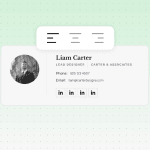
Dark mode is another catch. When it is turned on, some email clients (including Gmail and Outlook) apply color inversion, which can make dark text invisible and cause transparent logos to disappear against dark backgrounds. To tackle dark mode, ditch pure white and black for off-white and dark gray, add padding and outlines, and test the signature manually to see how it looks in dark mode.
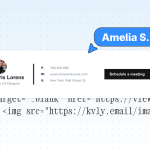
Next come images. If your signature is a one-block picture, most desktop clients and corporate firewalls will block it for privacy and security reasons. This means recipients may never see important information within it. Instead, all they will see is a blank box or a small red X in place of icons. That is why you should never create image-only signatures; you should use live HTML text for crucial details and add descriptive alt text for logos and icons.
Finally, consider the devices used to open emails. Since 60+% of recipients open their emails on portable tech (and some of them have retina displays), you should optimize your email signature for mobile and retina. This means using double resolution for logos and social icons, keeping signature width between 300px and 600px, never exceeding 30 KB per image, linking images via secure URLs, and ditching complex grids.
Accessibility in doctor email signatures
In the healthcare domain, email signature accessibility is mission-critical. Why? Because the core audience of medical service consumers includes people with various disabilities, including visual impairments, who rely on screen readers to access message content.
What fundamental accessibility principles should a doctor’s email signature follow?
- no multi-column designs, modern CSS layouts, or floating elements. Arrange all signature components in a single column to match the screen reader’s linear reading order;
- each logo, icon, and photo should be supplied with alt text;
- a single-image email signature is a dirty word;
- minimum font size is 14px;
- color contrast ratio can’t be lower than 4.5:1.
These recommendations may seem obvious; however, some doctors still fail to create a strong email signature, even when they use top-notch email-building software.

Common email signature creation mistakes made by doctors
Let’s start with some examples of subpar email signatures created by doctors.

(Source: Wisestamp)
Maybe the doctor thought that their handwritten signature looked cool, but in fact, its legibility is dubious. Is their first name Amita? Or is it Anita? Is their last name Miller or Millen? And for visually impaired people, it is a nightmare. For screen readers too, by the way.

(Source: Reddit)
Here, the doctor unleashes a stream of acronyms that require special research to decipher and leave the patient confused and annoyed.

(Source: Mysignature)
This one can’t be called a bull’s-eye shot either. First of all, it doesn’t list any degree. Second, for a healthcare specialist, it looks and feels promotional and distracting rather than professional. Usually, a person emailing a doctor is in some kind of trouble. The last thing they want is to read praise about anyone. It’s even worse when doctors use their signature to solicit a review.
What other bad calls do doctors make in their email signatures?
- Credential overload. Sporting a bunch of degrees and titles dilutes the core authority, confuses patients, and decreases signature readability. Not to mention formatting issues that long strings of words may cause on small screens.
- Personal email or phone number. This not only engenders security and privacy risks but also invites boundary-crossing communication, as patients may feel they can contact the doctor whenever they want, whether in the office, on weekends, or during a vacation.
- Unapproved disclaimer text. Doctors aren’t legal experts, so cobbling together a self-styled disclaimer may lead to compliance violations and legal liabilities the hospital will refuse to assume.
- Outdated contact details. When people try to reach specialists through dead phone numbers or broken website/social media links, it is not just about their frustration or the healthcare provider’s damaged reputation. Patients may miss vital instructions or urgent help, which can endanger their health and even their lives.
- Inconsistent signatures across a practice. Loud colors, mixed fonts, missing credentials, and uneven spacing look unprofessional. When every hospital staff member formats email signatures at their discretion, it undermines patient trust and can make them suspect spam or even a phishing scam.

How to set up your doctor email signature
The process varies across email providers and systems:
Gmail
In the desktop version, click the top-right corner icon and select Settings. Find the Signature section on the General tab and click Create New. Now you can add the necessary elements to the signature, then scroll to the bottom of the page to save changes.
If you’re using the Gmail mobile app, the settings icon (three horizontal lines) is in the top-left corner. In your Google Account, find Mobile Signature, then proceed as in the desktop version.
Outlook
Outlook’s desktop app and web portal operate similarly. Click the Gear icon in the top-right corner, select Accounts/Mail from the menu, then go to Compose and Reply/Signatures. You can now create a new signature and add the necessary content. For Replies/Forwards and new messages, choose the default option. Then click Save, and the signature is ready to use.
If you have the Outlook app on your mobile phone, tap the account icon in the top-left corner first. Find the gear icon in the bottom-left section of the sidebar menu, tap it, then scroll down to Signature. After tapping it, delete the default text and create a new signature with the customized content. The checkmark icon in the top-right corner saves all changes.
Apple Mail and iOS
This works a little bit differently. When you select Settings/Preferences in the top menu bar and tap Signatures, you will see columns. In the left column, choose your account; in the middle column, click the plus button to create a new signature you can tailor to your needs. After you are done, drag the created signature to the email account column on the left.
Hospital email systems
These are the easiest to handle because they usually include a standardized, compliant email signature template deployed by the institution’s IT department. Doctors just fill in optional fields and can use it in communications with patients.
Wrapping up
Doctors use their email signatures not only to provide important information about themselves but also to cultivate patient trust and credibility. The obligatory elements of a doctor’s email signature are their name, degree, specialty, hospital name, and professional contact details (phone and email address).
A clinic-approved disclaimer that aligns with HIPAA (or GDPR, PIPEDA, etc.) regulations is also a must. Plus, a doctor may include their photo, license number, the institution’s logo, and professional social links. Signature content and formats may differ slightly across specialties and practice settings, but all should follow accessibility guidelines and render well on all screens and email clients.
FAQ
1. How long should a doctor’s email signature be?
The recommended length is between five and eight lines, with up to 400 characters (not counting the disclaimer). The maximum width should be 650px, and the height should be between 90px and 150px.
2. Should doctors include a license number?
If the healthcare institution where they work and/or the local board requires it, the doctor must comply. Otherwise, it is better to leave it out for security reasons.
3. Can doctors add social media links?
They can only do so if the links are to professional accounts, not personal profiles. In any case, you should check institutional policy before posting any links in the email signature.
4. Is a disclaimer legally required?
Yes. As it is a notice that can involve the hospital’s liability, the institution issues an official version of the disclaimer, which the doctor should use in their signature.
5. Can I add an appointment booking link?
You can. Such a link streamlines scheduling and saves time for patients, who can arrange a consultation with the doctor without leaving the email.
6. Do telehealth providers need a different format?
While the core elements of a doctor’s email signature for telehealth providers remain the same, they should include specific remote access points, such as a patient portal link, a virtual visit button, and an online appointment scheduling option.
7. What can a medical student or resident put in a signature?
Alongside their name and contact details, they should clearly state their current status and training level and indicate the medical school they attend. Never include any test scores or premature titles (such as “Future cardiologist”).
8. Can I use an image-only signature?
This is a bad idea. Many email programs block these signatures, turning them into blank spaces; links are unclickable, and you can’t copy text (such as the email address or phone number) from them. Furthermore, image-only signatures can’t be read by screen readers used by visually impaired patients.
9. How often should I update my signature?
You should hold annual compliance checks and ensure that links in the signature are still active. Also, update it whenever your location, credentials, or position changes.
10. Does an email signature affect patient trust?
It does. A clean, concise, and accessible email signature ensures clinical credibility and institutional recognition while protecting patients from fraudulent emails and providing contacts for urgent care.
0 comments