What is Stripo? A complete guide to the email design platform


When you’re looking at different tools to build your email workflow, the choice can quickly become confusing. You may be wondering whether you need a separate email builder at all, or whether the editor in your ESP is enough. Then, there are marketing platforms, automation tools, and other solutions that can make the choice even less obvious.
The answer depends on how your team creates emails, how often you send them, and what your workflow looks like. This article explains what Stripo is, how its email builder differs from other tools on the market, who can benefit from it, and what its limitations are. The goal is to help you understand whether an additional email builder makes sense for your workflow.
Key takeaways
- Stripo is an email template builder, not an ESP.
- Among its key features are a drag-n-drop email editor, HTML and CSS editing, reusable modules and saved content blocks, AI-powered content and image tools, collaboration features, AMP for Email support, and a template library with prebuilt layouts.
- Stripo offers several export options and formats, as well as more than 90 integrations with different ESPs and email clients.
- The platform is a good fit for marketing teams managing reusable email systems, agencies working with multiple ESPs and client workflows, teams that need both drag-n-drop and HTML editing, and companies looking for export flexibility.
- Whether you choose Stripo or another builder is up to you, based on the strengths and limitations of each option and your specific needs. Keep in mind that no tool can replace your email strategy or the decisions that only you can make.
What is Stripo? (Quick answer)
Stripo is an intuitive and flexible drag-n-drop HTML email template builder designed to simplify the email creation process for marketers by eliminating the need for coding skills.
With Stripo, it’s easy to build an email and use one-click export to send it to Mailchimp, Gmail, or any of 90+ integrated marketing automation platforms or email clients.
With Stripo, you can:
- design emails your way without needing coding skills;
- speed up email production;
- push email messages to 90+ ESPs;
- invite teammates to work with you;
- test email messages before sending them.
What Stripo is and what it isn’t
Stripo is often grouped with and compared to ESP platforms. This is incorrect because Stripo is not an alternative to an ESP. It belongs to a different category.
Is Stripo an ESP or a sender?
Stripo is an email template builder, not an ESP or a sender.
In Stripo, you create your email, work on it with your colleagues using the collaboration feature, and test it. When your email is ready, you export it to your ESP in a convenient format, such as an HTML file, archive, or PDF.

What Stripo doesn’t do:
- doesn’t manage your subscriber database;
- doesn’t send email campaigns to your subscriber database;
- doesn’t build automation flows;
- doesn’t provide open and click analytics;
- doesn’t handle email deliverability.
Standalone editor vs. Plugin
The Stripo Plugin is a full-featured editor that runs as a built-in JavaScript component. You can integrate the Plugin into your product or application. It is a solution for companies that want to offer email design functionality, fully adapted to their audience’s needs, as an additional feature in their product. Integrating the Plugin gives you this functionality without having to build an editor yourself.
Learn which types of users can benefit from the Plugin and how to determine whether it is right for you in this article.

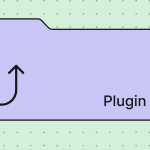
The Stripo email builder fits marketing teams and freelancers, while the Plugin is designed for SaaS products that need an embedded email builder.
Core features of the Stripo email template builder
Stripo’s most important features are collected on a single page. They cover one-click export, collaboration options, interactivity, modular design, and time-saving tools.
Drag-n-drop + HTML dual editor
The Stripo email editor offers two ways to build emails, so you can design them your way. With the drag-n-drop builder, you can create emails intuitively without writing code. Use modules and save the ones you customize for future campaigns.
If you’re an experienced developer, you can add custom HTML elements and make your email unique. You can use both the drag-n-drop Stripo email template builder and the HTML email editor at the same time without switching between modes.
Template library (1,650+ templates)
Stripo offers more than 1,650 ready-to-use HTML email templates that you can use as the starting point for your campaigns and then customize to match your brand. You can also browse by industry (e.g., beauty, eCommerce, or nonprofit), season, holiday, feature (e.g., AMP, countdown timer, GIF, or video), or integration.
Ready-made templates cut setup time because you don’t start from a blank canvas.

Modular design: Content & sync modules
Modular design is an approach to building emails from ready-made elements called modules. These can include headers, footers, product cards, banners, CTA buttons, and more. Modular design helps maintain brand consistency across all emails and saves time during the email design process. You also don’t need any additional technical skills to use modular design.
You can reuse each module as many times as needed. You can create a library of modules for different campaign types, such as re-engagement, promotional, and triggered campaigns. This gives you ready-made elements for almost any strategy and speeds up email creation.
Stripo also has a useful modular design feature called synchronized modules. It allows you to update information in a module and apply those changes to all templates that use the module.

AMP for Email & interactivity
Stripo supports AMP for Email, allowing you to add interactive and dynamic elements, such as quizzes, polls, surveys, and product reviews, to your emails. Recipients can fill out forms, answer questions, or interact with games directly in the email without being redirected to another page.
You can also use interactive formats, such as carousels and accordions, to make email content more engaging and compact. Stripo’s Interactive modules generator makes it possible to create AMP elements without coding skills. The generated content includes an AMP version for compatible email clients, an HTML5/CSS3 fallback for clients such as Apple Mail, and a text fallback for clients that don’t support interactive content.
Testing & preview
After you’ve finished the email and are ready to send it, Stripo offers a few more tools to make sure everything looks and works exactly as it should.
With the built-in dark mode preview, you can see how your email will look in dark mode right in the editor. Check how colors are inverted, whether the text and links remain readable and visible, and whether the main CTA still stands out. If you need to make any changes, update the email directly in the editor and check the result again.

The next type of check is the Accessibility Checker. It helps make sure that the email is accessible to people with disabilities. Stripo’s Accessibility Checker analyzes missing alt text for images, accessible labels for buttons, links, and ARIA controls, link descriptions, sufficient color contrast across elements, HTML structure, and more.
Stripo also offers spam testing to help improve email deliverability, reduce spam complaints, and maintain a healthy sending reputation. The Spam Checker scans for spammy content, trigger words, overuse of emojis or symbols, and the image-to-text ratio. It also checks whether links could be phishing attempts or contain malicious URLs.

Stripo’s URL checker checks for invalid URLs and broken links, redirect chains requiring additional review, incorrect merge tags, HTTP status codes, and URL format.
The final check is email client testing. Stripo integrates with Email on Acid, allowing you to test emails directly in Stripo without additional steps or time-consuming work.

AI Assistant & micro-tools
With the AI Assistant in Stripo, you have a new way to create email campaigns. You provide basic information, such as company name, website, tone of voice, target audience, campaign goal, and number of emails, and the AI Assistant generates an email series. You can edit the result or generate a new version if you are not satisfied with it.
This article explains how to work with the AI Assistant step by step and outlines the benefits of this approach. A separate comparison examines manual email creation versus using the AI Assistant to determine which approach performs better in terms of time and engagement.
Besides the AI Assistant, which can help from start to finish, Stripo also has micro-AI tools for specific tasks. You can generate and edit images, write alt text for them, translate text, or make other text adjustments, such as fixing errors, changing the tone of voice, and shortening text. There are many options to help you complete the task quickly and with minimal effort.
Integrations & export workflow
When the design is complete, export it to an ESP and send the campaign to your subscriber list from there.
How the design-to-ESP handoff works
Direct ESP export is the easiest and fastest way to export your Stripo email templates. If your ESP has an integration with Stripo, all you need to do is connect your ESP account to Stripo. The entire process then takes just two clicks.
If there is no direct integration, you can manually export a file from Stripo and import it into your ESP or paste the code there. You can then make any necessary adjustments to elements that behave differently after export, and you are ready to go. All Stripo templates are fully exportable and work across different ESPs.
Supported ESPs & CRMs
Stripo integrates with more than 90 email service providers and CRMs and continues to expand this list based on user requests.
ESPs include Mailchimp, Campaign Monitor, eSputnik, Constant Contact, HubSpot, Klaviyo, GetResponse, Outlook, Gmail, and many others.

Team collaboration
With Stripo’s collaboration features, the whole team can work on the same email simultaneously. Members can make changes, see one another’s edits, approve details, proofread, and provide feedback directly in comments.

Stripo has several features that make teamwork on emails easier:
- Version history lets you quickly return to any previous version in seconds so you never lose earlier work;
- Co-editing allows colleagues to work on an email at the same time, make changes, and see all updates without refreshing the screen;
- Commenting allows team members to leave comments directly in the email and reply to them;
- with Role assignment, you grant access to different team members based on their responsibilities. A Writer can edit email content and images, while a Designer gets full access to the editor and can change all email elements.
Learn more about the available roles and how to assign them in the dedicated guide.

Who Stripo is for
Here are several criteria that can help you determine whether Stripo is right for you:
- How many ESPs are involved in your workflow. If you use one ESP and do not plan to switch, its built-in editor may be enough.
If you work with multiple ESPs, migrate between them, or run an agency in which each client has their own ESP, Stripo can solve many workflow problems and make platform changes easier. - How many people work on an email before it is sent. A single marketer who handles the copy and design and is happy with their ESP’s built-in editor may not need additional tools.
A team that includes a designer, copywriter, brand manager, and lawyer needs role assignment, commenting, approvals, Version history, and real-time co-editing. All these are available in Stripo. - Whether your email structure is repetitive. A unique email sent twice a month will benefit less from an advanced editor than a weekly campaign with a similar structure and new content. This is where synchronized modules and brand guidelines come in handy.
- Whether you need localization and scale. Stripo features, such as localization support, translation tools, and bulk actions, become especially useful as the volume of email campaigns grows.
There are cases when Stripo is not the right fit for you:
- You send four emails a month. If one specialist prepares them and is satisfied with the functionality of your ESP’s built-in editor, there is no need to look for another tool.
- You need a code-first workflow. In this case, a visual builder may not be an advantage and can get in the way of your workflow.
- You need email sending, not email creation. Building a subscriber list, setting up automation, and improving deliverability are tasks for an ESP. Stripo does not replace an ESP.
- You plan to work on the Free plan. The Free plan has limits that may not support a steady workflow.
If these limitations affect your workflow, check the paid plans before deciding which one to use.
Stripo pricing & plans
Stripo has four standard plans: Free, Basic, Medium, and Pro, plus Stripo Prime for enterprises. Each plan comes with different pricing and feature limits. With an annual subscription, you get a 20% discount compared with a monthly subscription.

The prices below are current as of August 2026. For the latest pricing, check the Stripo pricing page.
What the Free plan does and doesn’t offer
The Free plan has no fixed expiration date, so you can use it without time limits as long as your account remains active.
It works well if you only need the basics of email design and don’t plan to:
- have more than a few exports per month;
- test email rendering;
- send test emails to any email address other than your own.
Strengths & limitations (An honest look)
Like any tool, Stripo has its strengths and limitations. The important part is knowing what it can actually help with and where you’ll still need other tools or processes.
Stripo’s strengths:
- It speeds up email production. Stripo can reduce email production time by more than 3.7 times.
- It meets the security standards that vendor reviews require. Stripo holds SOC 2 and ISO/IEC 27001 certifications and complies with the GDPR. If your IT or legal team runs a vendor assessment, you can request the reports through Stripo’s Trust Center.
- It makes collaboration easier. Features such as co-editing, commenting, role assignment, and Version history give teams more ways to work on the same email without passing files back and forth.
- It helps maintain consistency across campaigns. With a template library and synchronized modules, teams can reuse the same branded elements across newsletters rather than rebuilding them each time.
- It reduces repetitive work. Frequently used email elements, templates in which only the content changes, and recurring email campaigns can all be set up and reused in Stripo.
- It gives you flexibility across ESPs. If you decide to migrate from one ESP to another, Stripo makes the transition easier. Your templates and campaigns stay in Stripo, you can choose from several export options, and a new ESP integration can be set up in a few clicks.
Stripo can simplify email production, but it does not cover every part of the email workflow. Here are the main limitations to consider before choosing it for your team.
Stripo’s limitations: Three situations in which Stripo may not be the obvious choice:
- You mostly send plain-text emails. If you don’t need visually rich HTML emails with different design elements and interactive features, many of Stripo’s design capabilities may simply be unnecessary for your workflow.
- You need a very simple email creation workflow. If your emails mostly consist of images, links, and buttons, you may not need some of the more advanced features Stripo offers.
- You’re looking for an all-in-one marketing platform. Stripo focuses on email production, so you’ll need other tools for the rest of your marketing stack, such as sending campaigns, automation, and analyzing results.
In short, Stripo can take a lot of friction out of email production, but you still need a strategy, testing process, and an ESP to run your email program.
Stripo vs. alternatives
Most articles about Stripo alternatives get this wrong. They list Mailchimp, Constant Contact, HubSpot, Brevo, and Omnisend as alternatives. But these are ESPs, not email design tools. You can use them to send campaigns created in Stripo.
If you’re comparing email design and production tools, the alternatives fall into three broad groups:
- Tools with similar functionality: RGE Studio, Topol.io, Chamaileon, and Postcards.
These are the closest comparisons if you’re looking for a visual email builder with a similar focus on template creation and email production. - Enterprise solutions: Knak and Stensul.
These tools are aimed at larger teams that need more structured workflows, brand controls, and approval processes. - Code-first tools: Maizzle, MJML, and Tabular.
These tools take a different route. Instead of relying mainly on a visual builder, they give developers more control over the email code and HTML structure.
So, how does Stripo compare with these alternatives? Its main advantage is that it gives you a good balance between flexibility and ease of use. You can switch between the visual editor and HTML, reuse and sync content, work with your team, and export emails to different ESPs. This makes it a good option if you want more flexibility than a basic visual builder offers but don’t want to build your entire email workflow around code.

Wrapping up
To make an informed decision, start by looking at how your team actually works with email. Consider what you need an email builder for, how many people will work on your emails, how often you create and send them, whether you use one ESP or several, and how much your email campaigns follow a repeatable structure.
If you need a tool for creating and managing your email design workflow rather than a platform for sending campaigns, Stripo can handle most of that work. If your workflow is more basic, you may not need all of its capabilities. The right choice ultimately depends on how your team creates emails and which parts of the process you want the tool to cover.
FAQ
1. Does Stripo send emails?
No, Stripo doesn’t send emails to your subscriber list. With Stripo, you can send a test email to your own email address or to your colleagues’ addresses.
2. Is Stripo an ESP?
No, Stripo is not an ESP. Stripo is an email template builder.
In Stripo, you can create an email using a wide range of features, from gamification and 1,650+ ready-made templates to co-editing with your colleagues. Once your email is ready, you can export it directly to one of the 90+ ESPs that Stripo integrates with.
3. Does Stripo have an API?
Yes, the Stripo API lets you automatically create emails using preconfigured modules and external data, then export emails or templates as HTML files for sending from any platform.
4. Is Stripo free?
Yes, Stripo has a Free plan that you can use without time limits. The main condition is that the user account is active.
5. Can I use Stripo without knowing how to code?
Yes. Stripo has a drag-n-drop editor that allows you to create and customize emails without writing code. You can also use ready-made templates and modules to speed up the email creation process.
6. Which ESPs and CRMs does Stripo integrate with?
Stripo has direct integrations with more than 90 ESPs, CRMs, and email clients. You can see the full list of available integrations on the Stripo integrations page.
These include Mailchimp, Campaign Monitor, eSputnik, Constant Contact, HubSpot, Klaviyo, GetResponse, Outlook, Gmail, and many others.
7. Does Stripo support AMP for Email?
Yes, Stripo supports AMP for Email, which allows teams to create interactive email experiences, such as forms, carousels, surveys, accordions, and dynamic content blocks inside emails.
8. Does Stripo offer real-time team collaboration?
Yes, Stripo supports real-time collaboration, as well as other features that help teams work together on an email, including co-editing, Version history, and commenting.
9. What image size and resolution should I use in Stripo?
Stripo accepts PNG, JPG, and GIF files up to 20 MB, but treat that as an upload ceiling rather than a target. For a standard-width email, keep images between 600 and 700 px wide and under 1 MB, so the email loads quickly on mobile. In multi-column layouts, match each image to the width of its column rather than scaling a single large file down.
10. What’s the difference between the Stripo email editor and the Stripo Plugin?
The Stripo editor is a cloud-based SaaS email template builder, so you can access it online without installing any software on your computer. It lets anyone create emails using professional design tools.
The Stripo Plugin is a separate component that can be embedded into another product. It is designed for companies that want to add email editing functionality to their product without building an email editor from scratch.
0 comments