Email digest: Best practices, examples, and templates that get opened


Imagine that you have 5 useful things to tell your subscribers this week. Does that mean that you need to send 5 emails? Absolutely not.
It’s important to keep subscribers informed, but trying to win their attention with 1 message after another can backfire. According to Optimove’s 2025 Consumer Marketing Fatigue Report, 70% of surveyed consumers had unsubscribed from at least 3 brands in the previous 3 months because they felt overwhelmed by the number of messages they received.
At the same time, subscribers don’t mind receiving emails from companies, as 59% of respondents still named it their preferred channel for receiving marketing messages. The challenge is finding the right balance between staying visible and sending too much.
In this guide, we will explore how to plan, curate, design, and optimize email digests that deserve a regular place in your subscribers’ inboxes.
Key takeaways
- An email digest puts several updates together in a single message sent regularly. Subscribers can scan it quickly to remain informed without inbox clutter.
- Most digests should focus on 3 to 5 key items, including 1 clear main story, offer short previews, and include descriptive calls to action (CTAs) that lead readers to the next step.
- It’s important to be consistent and use a predictable cadence and recognizable structure, from the subject line and preheader to content blocks, CTAs, and the footer.
- The choice of digest type depends on your purpose. Content roundups drive traffic, news digests keep readers informed, personal stats support retention, and product updates encourage adoption.
- The digest design should first and foremost work for relevance and easy scanning, with a clear visual hierarchy, mobile-friendly layouts, and personalization based on subscriber preferences, segments, or behavior.
- Clicks, conversions, unsubscribes, and engagement trends over time give a clearer picture of digest performance than open rates alone and help reveal what resonates with your audience.
What is an email digest?
Let’s clarify what an email digest is, how it differs from newsletters and roundups, and when it makes sense to use it.
Email digest definition
An email digest is a single email that summarizes materials you don’t want your customers to miss. Usually, it collects multiple pieces of content over a specific period (e.g., a day, week, or month) into a single message. Typically, it’s organized into short, clearly labeled sections with links to full details. Instead of sending each update separately, you group the most relevant information into 1 structured, easy-to-scan message.
You can assemble such an email using our ready-made newsletter email templates.

Depending on the business, a digest email can include the following:
- recent blog posts, articles, or resources;
- industry news;
- account activity and performance stats;
- product updates and bug fixes;
- personalized recommendations and tips;
- company or stakeholder updates and financial reports.
Instead of sending notifications to your subscribers each time you publish a new article, you could provide them with a weekly digest that highlights the 5 most relevant posts. A SaaS company might combine a number of its feature releases and improvements into a monthly product digest, while a media brand could send out a daily digest email containing the most important stories of the day.
These emails are considered digests not because of their topic or frequency. It’s more about how they collect, prioritize, and summarize multiple updates into a single message.
Digest vs. newsletter vs. roundup
Email digests, newsletters, and roundups are closely related, so it’s easy to use the terms interchangeably. However, there are some distinctions you can see below:
|
Aspect |
Email digest |
Newsletter |
Roundup |
|
Primary goal |
Summarize activity/content so readers stay informed without overload |
Build an ongoing relationship with a mix of content, stories, and offers |
Collect and highlight the “best of” links or items from a period |
|
Content source |
Internal updates, product changes, blog posts, or platform activity |
Editorial mix: original articles, commentary, curated links, and promotions |
Mostly curated links or third-party content; sometimes internal highlights |
|
Depth |
Short blurbs + links; 1 optional lead piece |
Can include long-form features, essays, or serialized content |
Usually brief annotations; rarely deep original writing |
|
Cadence |
Regular and predictable (daily/weekly/monthly) |
Regular but can be more flexible (weekly, biweekly, monthly) |
Often periodic (“Weekly roundup,” “Month in review”) |
|
Subscriber expectation |
Get the key updates in 1 place |
Get value, voice of brand, and sometimes entertainment |
Get a filtered list of the best stuff they might have missed |
When to use a digest (vs. real-time alerts or one-off campaigns)
If you hesitate about which format to choose, ask yourself the main question: Does the subscriber need this information right now? If the answer is no, grouping the content into daily, weekly, or monthly digests may provide a better experience for clients.
|
Format |
Best suited for |
Type of content |
|
Email digest |
Multiple nonurgent updates that can be grouped into 1 recurring send; suitable for ongoing awareness and engagement; 3-8 valuable items per issue |
Blog posts, product improvements, community highlights, and industry news |
|
Real-time alerts |
Time-sensitive information that requires immediate attention or action and would lose value if delayed |
Service outage notifications, security alerts, and messages with urgent deadlines |
|
One-off campaigns |
A single important message that deserves full attention or needs its own narrative and design |
Product launches, events, sales, and report releases |
Why email digests work: 4 outcomes they deliver
Email digests allow subscribers to stay informed about the topics they are interested in while enabling marketers to keep in touch with their customers without setting up a separate campaign for each update.
Below is what kind of problems a well-planned digest can solve.
Reduce inbox fatigue without losing reach
Instead of sending multiple short emails, sending a single, well-chosen digest helps reduce inbox fatigue and keeps your subscribers up to date. With fewer, more valuable emails, you can decrease the number of people who unsubscribe or complain, improve deliverability, and remain top of mind without overwhelming your audience.
Surface content that would otherwise be missed
A digest that includes the 3-8 most relevant points, arranged in a clear hierarchy, brings the important information to the forefront rather than letting it get lost in the clutter. In addition, including context makes it simpler for readers to locate and interact with the most significant content.
Build recurring brand presence in the inbox
A predictable digest cadence can turn your emails into a familiar part of subscribers’ daily routines. Choose a consistent schedule, for example, every Friday or the first week of each month, and reinforce it with the same recognizable structure, tone, and visual style. Over time, that consistency helps build trust and keeps your brand top of mind without making every email feel like a new promotion.
Free up production time vs. ad-hoc campaigns
By implementing a reusable digest format, you can reduce production time, since regular campaigns can be turned into a repeatable workflow. You should create a template with consistent sections, layouts, and calls to action, and then gather all updates over the week or month before adding them in a single, concentrated session, rather than preparing several separate emails from scratch.
Important note: One of the advantages of building email digests in Stripo is the Modular design system, which can significantly reduce production time. You can save frequently used content blocks, such as headers, article cards, CTA sections, and footers, as reusable modules and combine them to build each new digest faster, instead of recreating the email from scratch for every send.
Anatomy of an email digest: The 7 components every digest needs
A high-performing email digest isn’t just “a list of links,” but rather a structured experience. The main goal is to create a clear transition from the inbox to the content. It’s crucial to make it easy to scan, choose the relevant topic, and click to start reading.
Below are the 7 components every digest needs and practical guidance you can apply directly in Stripo.
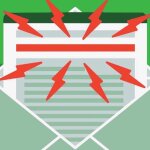
Subject line and preheader
Your subject line gives subscribers a reason to open the digest, while the preheader adds additional context. Think of them as a pair that works together to enhance your message.


Remember, you can create the best email design in the world, but no one will see it without an attractive subject line.
Header and brand identity
It’s important to create a consistent header so subscribers can immediately recognize your digest. Include your logo, digest name, and familiar brand colors or styles. Keep the header relatively compact so readers can reach the main content quickly, especially on mobile devices.

(Source: Email from Marketing Brew)
Intro or framing copy
A short introduction tells readers what this edition is about and why it’s worth their time.
It’s enough to keep it to 3 sentences and focus on the most interesting theme or update, rather than summarizing everything. This small amount of context also makes the email feel curated by caring people rather than simply assembled from a list of links.

(Source: Email from The Substack)
Curated content blocks (with item-cap guidance)
The content blocks form the basis of your email digest. Make sure that each block includes a clear headline, a brief teaser, and a descriptive call to action, such as “Read more” or “Explore the template.”
Try to include 3-8 essential items, with the most important content first. If there is more that you would like to share, then add the rest to a concise “See more” section.

(Source: Stripo template)
CTAs per block + primary CTA
Clear CTAs (“Read the guide,” “View templates,” or “Download the checklist”) should tell readers what they’ll get and how to get it.
Choose 1 primary CTA for the digest and make it more prominent than the secondary CTAs. Keep buttons easy to tap on mobile, and ensure they have sufficient contrast to remain visible, including in dark mode.

(Source: Stripo template)
Footer, social links, and preference center
The footer gives subscribers the information and controls they need at the end of the email.
Include essentials, such as your company information, contact details, and an unsubscribe link. You can also add relevant social links and a preference center.

(Source: Email from Stripo)
For recurring digests, a preference center can be especially useful. For example, subscribers might choose:
- weekly or monthly delivery;
- topics they’re interested in;
- product or educational updates;
- whether to pause certain emails.
Giving subscribers more control can help them adjust what they receive instead of unsubscribing completely.
Anatomy at a glance: Full component diagram
|
Email component |
Purpose |
What to include |
|
Subject line |
Earn the open |
Clear promise, cadence or topic, and realistic scope (e.g., “Your weekly email design digest: 5 ideas to try”) |
|
Preheader |
Confirm relevance |
Add new information, not a repeat of the subject; highlight a key benefit or item |
|
Header & brand identity |
Make the sender instantly recognizable |
Logo or brand name, digest title, and optional issue date; consistent colors and layout |
|
Intro/framing copy |
Set expectations and context |
1-3 sentences explaining the theme, why it matters, and what’s inside |
|
Curated content blocks |
Deliver the value |
3-5 focused items; each with a headline, short value-driven teaser, and descriptive CTA |
|
CTAs per block + primary CTA |
Drive action |
Specific action text per block (“Read the checklist,” “View templates”); 1 visually dominant primary CTA for the issue |
|
Footer, social links, and preference center |
Close the loop and manage the relationship |
Why they receive this email, preference center, unsubscribe, company details, and optional social links |
The exact structure will depend on the type of digest you’re creating. What matters is keeping it consistent, scannable, and focused on the content your subscribers are most likely to value.
6 types of email digests (and when to use them)
You’ve probably received or even sent various types of email digests. Let’s take a closer look at a few of them.
1. Content roundup (blog posts, articles, and resources)
A content roundup is the collection of your latest or strongest articles, guides, reports, videos, webinars, or other resources into 1 email.
This is one of the most popular types of digests used by various brands. It doesn’t matter if you are a blogger, own a bookstore, or run a real estate company; the summary of your recent activity related to the product will always be useful.
However, you don’t have to include everything published since the previous edition. Select the pieces most relevant to your audience.

(Source: Stripo template)
When to use it: Send it if you publish frequently and want to drive traffic without creating a campaign for every new resource.
2. Industry or news digest
An industry or news digest allows subscribers to stay up to date on important updates they might have missed. To make your digest useful, choose the most relevant news from your field, and keep each summary short so readers can quickly see what matters.

(Source: Stripo template)
When to use it: Send the update when your audience needs frequent information about a rapidly developing industry or subject. You might send it daily for breaking news or weekly for a general overview of the topic.
3. Personal stats or activity report
Such digests are highly personalized and can show usage, progress, achievements, account performance, milestones, or suggested next steps. People usually pay attention to this data, which helps them analyze themselves, track their progress, and take pride in their achievements.

(Source: Email from Grammarly)
When to use it: Most businesses prefer to send annual reports, but you can try different options and see what works better for your subscribers. You may send these emails before an important milestone to encourage them to utilize your product more and achieve better results.
4. Product update or changelog digest
A product update digest keeps subscribers informed about new features, improvements, and fixes. Highlight the changes that make the product more useful, and invite people to try them or share feedback.

(Source: Email from Stripo)
When to use it: Send it when you have several product updates to share at once, rather than sending a separate email for every small change.
5. Recommendation or personalized picks
Recommendation digests work only when the picks feel relevant to the individual subscriber. Generic “recommended for you” blocks quickly lose credibility if the suggestions feel random.
It’s essential to use the interests, previous clicks, browsing, or purchase behavior, and other available data to decide what to recommend to the reader. If you’re unsure which categories resonate, test different types of recommendations, and use click data to refine future selections.

(Source: Stripo template)
When to use it: Send recommendation digests when you have enough subscriber data to make meaningful suggestions, or to encourage discovery and re-engage less-active subscribers.
6. Stakeholder, financial, or investor report
This type of digest keeps donors, sponsors, or investors updated on financial results, progress, and future plans. Include key numbers, short explanations, and visuals such as charts or infographics, to make the data easier to understand.

(Source: Stripo template)
When to use it: Send it at the end of a particular financial period. For instance, you may send this email digest monthly or annually, but we think it’s better to send quarterly emails.
Quick-reference: Which type fits which goal?
|
The digest type |
The goal it supports |
Why it fits |
|
Content roundup |
Drive traffic to your content |
Bundles multiple pieces into 1 clickable email |
|
Industry/news digest |
Build thought leadership |
Shows you understand and can filter industry noise |
|
Personal stats/activity report |
Increase product engagement/retention |
Makes users aware of their own progress and next steps |
|
Product update/changelog digest |
Reduce support load, increase feature adoption |
Proactively explains changes and how to use them |
|
Recommendation/personalized picks |
Boost sales, cross-sell, or re-engage |
Surfaces relevant options based on subscriber behavior |
|
Stakeholder/financial/investor report |
Keep investors or leadership aligned |
Delivers high-level performance updates efficiently |
How often to send: Cadence, timing, and triggers
Cadence options: Daily, weekly, monthly, or quarterly
There is no perfect schedule for sending email digests, and no optimal frequency that makes your updates useful to subscribers without causing unnecessary content or inbox fatigue.
It’s better to start with a reasonable default schedule. Once you have enough data, you can adjust it based on your content volume, audience response, and trends in clicks and unsubscribes. Do not base your decisions solely on open rates, since privacy features such as Apple Mail Privacy Protection can make these figures less reliable as indicators of real engagement.
A cadence that matches the type of content and its volume:
|
Cadence |
Best for |
Content volume |
Best when |
|
Daily |
News, communities, marketplaces, and high-volume activity feeds |
Top 3-5 updates from the past 24 hours |
You have a steady stream of time-sensitive updates and an audience that expects daily check-ins |
|
Weekly |
Blog roundups, industry news, active communities, and fast-moving product updates |
3-5 substantial items |
You can consistently find 3-5 meaningful items each week without padding |
|
Monthly |
Most SaaS product updates, educational content, account summaries, and stakeholder communication |
5-10 grouped updates or a few deeper stories |
Your updates are substantial but not urgent, and you want a high-signal, low-frequency digest |
|
Quarterly |
Investor updates, strategic reports, executive summaries, and major milestones |
High-level KPIs, progress, risks, and priorities |
Your audience needs strategic context more than frequent tactical details |
Time-based vs. volume-based triggers
A time-based digest is sent on a set schedule, such as every Monday or Friday morning or the first Tuesday of each month. This method builds familiarity and makes it easier to plan future campaigns.
Provide a volume summary whenever a certain amount of content has been collected, for example, 5 new articles, 3 relevant product updates, or 10 marketplace listings. This method excludes weak issues and does not rely on strict deadlines.
When consistency is an important part of your digest’s value, for example, it’s an editorial newsletter or a monthly account report, use time-based scheduling. When the update flow is irregular, and completeness matters more than sending on a fixed day, use volume-based triggers.
Conditional sending (skipping empty digests)
You have no reason to send a digest merely because the calendar indicates it's time; a weak issue causes subscribers to ignore subsequent emails, whilst a missed issue maintains the program’s value.
Set a minimum content rule before automating the digest. For example:
- send a weekly digest only when at least 3 high-value items are available;
- send a product update digest only when at least 1 meaningful customer-facing improvement is available;
- skip the send, extend the collection window, or replace the normal digest with 1 deeper lead story if the content is below the threshold.
|
Trigger model |
Use it when |
Example |
|
Time-based |
Your readers expect a dependable routine |
“The Friday Email Design Digest” |
|
Volume-based |
Updates are irregular but should be batched |
Send after 5 relevant product updates are published |
|
Hybrid |
You need consistency without empty sends |
Send weekly only if at least 3 items are available |
Send-time and time zone handling
There is no perfect time to send email digests, since results depend on your audience, industry, location, season, and other factors.
Still, recent studies from Shopify, Omnisend, and Customer.io offer a good place to start:
- Day and time: Start sending your emails on Tuesday, Wednesday, or Thursday between 9 and 11 AM local time. Mornings work well, especially for newsletters, B2B emails, and industry digests. In contrast, Saturdays and Sundays usually show less engagement.
- Different goals for different times: Keep in mind that the best time for opens might not be the best time for clicks or conversions. Omnisend data suggest that 9 to 11 AM is great for opens, while clicks tend to be higher around 7 to 8 AM and 4 PM. Sometimes, timing within the month also matters. Opens can peak around the 10th and 24th, clicks around the 2nd and 26th, and conversions around the 1st, 30th, or 31st.
- Seasonality: Engagement can decrease during the summer and major holidays, since people’s routines and inbox checking habits change.
After running several campaigns and A/B tests, and watching how your audience responds, you’ll have enough data to adjust your schedule to fit when your subscribers are most likely to engage.
If your audience lives in different regions, use your email platform’s time zone or send-time optimization features, if available.
|
Region |
Best days |
Recommended local time |
Notes |
|
US (East Coast) |
Tue-Thu |
8-10 AM EST |
Avoid Monday morning inbox catch-up and Friday afternoon drop-off |
|
US (West Coast) |
Tue-Thu |
7-9 AM PST |
Segment US lists by time zone: 9 AM PT-12 PM ET |
|
Central Europe (CET) |
Tue-Thu |
8-10 AM CET |
Germany/DACH especially favors Tuesday morning |
|
UK (GMT/BST) |
Wed–Thu |
9-11 AM GMT/BST |
Midweek late morning outperforms Monday and Friday |
|
Japan (JST) |
Tue-Thu |
9-11 AM JST |
Business email is processed methodically in the morning; avoid late afternoon |
|
Australia (AEST) |
Tue-Thu |
9-11 AM AEST |
Midweek morning aligns with desk time; test early afternoon as a secondary window |
Letting subscribers control their own cadence
You can give subscribers more freedom over how and when they hear from you. A preference center may include the following options:
- frequency of receiving emails: Weekly, biweekly, or monthly delivery;
- preferred topics: Email designs, product news, templates, tutorials, podcasts, and webinars;
- types of content: Educational materials, product updates, events, or promotions;
- pause options: Let subscribers pause emails for a set period.
These preferences help subscribers adjust their email settings instead of completely unsubscribing.

(Source: Email from Dribble)
Curating content for a digest that actually gets read
A digest that people really care about is not just a list of everything that happened. Instead, it is a deliberately chosen set of items that helps the reader take the next step. The aim is to reduce the number of choices and make it easy to decide what to click next.
The 3 selection criteria: recency, relevance, and performance
There are 3 main filters you can use to decide what to include in a digest and what to leave out:
- Recency: Prioritize time-sensitive content, especially in news and product update digests. For evergreen material, think of recency as renewed relevance. An older resource may deserve a place if it has become useful to your audience again.
- Relevance: Consider whether the content solves the current problem or matches your audience’s immediate needs. If it’s useful but not relevant right now, save it for a future digest.
- Performance: Use past data to support your decision. Items with high click rates, completion rates, or conversion signals are good candidates to feature again or promote to broader segments. For example, a blog post that consistently drives clicks from a specific segment can be reused in future digests or highlighted more prominently.
An item must satisfy at least 2 of the 3 criteria in order to be included; if it is only recent but not relevant or proven, it is probably just filler.
Algorithmic vs. editorial curation
Here, you can see the main ways to curate content for an email digest:
|
Algorithmic |
Editorial |
Hybrid |
|
|
How it works |
Selects content based on rules, performance, or subscriber behavior |
A marketer or editor chooses content based on strategy and audience context |
Algorithms create a candidate pool, while editors make the final selection |
|
Selection criteria |
Recency, clicks, views, conversions, or past behavior |
Relevance, narrative, strategic priorities, and audience needs |
Data identify strong candidates; editors choose and order the final 3-5 items |
|
Advantages |
Scales well, supports personalization, and keeps content fresh |
Adds context, perspective, and brand voice |
Combines scalability and personalization with human judgment |
|
Disadvantages |
Can miss nuance, brand voice, or strategically important content |
Requires more manual work and is harder to scale |
Requires both automation and editorial involvement |
|
Best use |
Personalized recommendations and high-volume digests |
Thought leadership and strategically important updates |
Product updates, personalized digests, and thought leadership where both data and strategy matter |
|
Example |
Recommend content based on a subscriber’s past behavior |
Feature a new compliance update, even if it has little performance data yet |
Use data to find the top 10 items, then have an editor select the final 3-5 and choose the lead story |
Featured or hero items: How many and where to place them
The hero item is the main content in your digest. It’s usually the story, update, or material you want readers to notice first. Every digest should have 1 hero item. Place it near the top after the introduction, and make it stand out with a larger image, a bold headline, and a clear main CTA button.
Use smaller images, shorter descriptions, or a less prominent CTA for secondary items. This creates a clear order and helps guide readers through the rest of your digest.

(Source: Email from Recraft)
How many items per digest (and when more hurts engagement)
For most email digests, aim for 3-5 items. If 1 piece is the main focus, pair it with 2-4 shorter items; go up to 8-10 only when each update is very brief, and readers expect a news-style roundup.
If readers consistently ignore later items or engagement drops as the digest gets longer, you may be including too much. Move extra content to a “Explore more” section or save it for the next digest.

(Source: Email Love)
Personalization layers: Segments, behavior, and dynamic blocks
Personalization can make a digest more relevant to each subscriber. According to Mailchimp, segmented campaigns see 23% higher open rates and 49% higher click-through rates than unsegmented campaigns.
You don’t need to personalize the entire digest. You can start with these aspects that make the content more relevant:
- segments: Tailor content by role, industry, product plan, or stated interests;
- behavior: Use recent data, such as content viewed, features used, or products purchased, to decide what to show or prioritize;
- dynamic blocks: Show different content within the same template, such as personalized recommendations, plan-specific updates, or local events.
Also, keep the core structure consistent and personalize secondary content. This makes the digest feel more relevant without creating a separate campaign for every audience segment.
Email digest design best practices
A good digest design isn’t about fancy photos, illustrations, or fonts. It’s more about visual hierarchy and clarity so that readers can easily scan, understand, and act on it.
Visual hierarchy: Making 10 items scannable in 8 seconds
The average subscriber spends about 8.97 seconds on an email, according to Litmus, so you have really limited time to grab their attention. Use size, spacing, typography, color, and positioning to make the most important content stand out.
If you squint at your email and you can still identify the main sections and primary CTA, the hierarchy is working.
Your layout also affects how quickly subscribers can scan the digest. There are 3 common approaches:
- Single-column: A simple and mobile-friendly choice for most digests.
- Hybrid: Multiple columns on desktop that stack on mobile (useful for side-by-side content).
- Modular: Reusable content blocks you can rearrange for each send. It’s an ideal method to manage recurring digests.
In Stripo, you can save frequently used blocks as modules and reuse them across digests to build emails faster and keep the design consistent.

Banners and hero imagery
The main image or banner should match the digest’s topic and your brand style. It sets the tone for the entire email. Keep the file size small for faster loading, and add descriptive ALT text to meaningful images so subscribers using screen readers can understand the information they convey. ALT text can also provide context when images fail to load.

Article preview cards (image + headline + snippet)
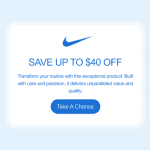
Article cards are the main feature of most content digests. Make them simple and consistent by including an optional image, a clear headline, a 1- to 2-sentence summary of what the readers will get, and a descriptive CTA, such as “Read the guide.” Also, keep the hero card more prominent and the other cards simple to establish a clear visual hierarchy.

(Source: Stripo template)
CTA buttons and link styling
Clear CTA buttons show readers what to do next, with specific, action-oriented phrases such as “View templates,” “Read the guide,” or “Download the report.” Keep button copy short (up to 4 words) and use a contrasting brand color so it’s easy to spot.
Each digest should have 1 visually prominent CTA. Make other buttons and text links less noticeable so they don’t compete with the main message.
Whenever you can, use live-text HTML buttons instead of image-based CTAs. This way, your buttons stay visible and clickable, even if images are blocked or do not load.
Make sure your buttons are large enough to tap comfortably on mobile devices. In Stripo, you can create them using the “Button block” option and customize the text, font, colors, links, size, and mobile appearance.
![Email call to action best practices: The complete guide [2026]](https://live-content-worker.stripocdn.email/media/article/19962/conversions/01kwmgd4fbkn09c2vd2dyb94hs-150x150.png?v=1783099728)

Mobile-first layout (60%+ of opens)
Nowadays, people open more than half of emails on smartphones and tablets, so it makes sense to design digests for mobile screens first and then adapt them for desktops.
Here’s how to make your digest work well on mobile devices:
- keep the layout simple: Use a single-column structure instead of multiple columns. However, if you prefer several columns, make sure they stack neatly on smaller screens;
- create easy-to-read text: Choose a 16-18 px font size for the main text, write clear headings, keep paragraphs short, and add enough space between different elements;
- design with tapping in mind: Make your CTA buttons at least 44 px high, and leave enough space around links and buttons so people don’t tap the wrong thing;
- optimize your images: Keep file sizes small so they load quickly, and make sure images adjust to fit the screen width;
- always test before sending: Preview your digest in mobile mode and check the layout, font sizes, images, links, and buttons each time.
Dark mode considerations
The latest studies show that more than 82.7% of people use dark mode on at least 1 device. That’s a huge number, and you should take it seriously.
We recommend testing your email digest in both light and dark modes to make sure all the elements remain readable. Pay particular attention to color contrast and to items that may disappear or change when email clients automatically adjust palettes.
With dark mode preview in the Stripo editor, you can find and resolve potential design issues before sending the email to your subscribers.

Accordions and progressive disclosure for long digests
Accordions help structure emails with lots of content in sections. Readers see the section titles and open the ones they need.
You can insert photos, buttons, and descriptions into your accordion, so feel free to use this feature. With Stripo, you don’t need any coding skills to create such elements.

Subject lines and preheaders that get digests opened
The subject line and preheader are your first and second chances of winning the open. For recurring digests, consistency and clarity matter more than cleverness.
5 subject-line patterns that work for digests
You can easily try out and adjust the following patterns:
- Cadence and topic: “Your weekly email design tips digest.”
- Cadence and benefit: “Friday digest: 5 ideas to improve your email campaign.”
- Number and theme: “3 new templates, 2 guides, and 1 checklist.”
- Periodic recap: “This month in email: Top trends and templates.”
- Personalized approach: “Your September activity report: 12 lessons, 4 certificates.”
When you’re sending updates to your team or to stakeholders, use a format such as “March investor update: Revenue, hiring, and roadmap.”
Character length, mobile truncation, and emoji use
Subject lines don’t have a universal character limit that fits every email client, device, screen size, and inbox. That’s why it’s reasonable to prioritize the beginning of your subject line rather than targeting an exact length.
Here are some tips for writing an eye-catching subject line:
- Put the main idea first, especially for mobile users: Mobile inboxes have limited space, so long subject lines can be cut off. Include the most important words or your main message in the first 30 to 40 characters so people still understand it if the rest is hidden.
- Keep the subject line as short as you can: Shorter lines are easier to read on small screens, but make sure your message is clear, even if it’s a bit longer.
- Use emojis thoughtfully: A single, relevant emoji can add personality or help your subject line stand out, but make sure it matches your brand and message.
- Test the subject line before sending: Preview it on different mobile devices and email clients to see how much of it your subscribers will actually see.
Preheader text: The second subject line
Treat the preheader as a continuation of the subject line, not a repetition. Together, they should give subscribers a clearer reason to open the email.
Here are a few pieces of advice for writing a more compelling preheader:
- Share new information: You can mention another benefit, highlight an important detail, or give extra context that doesn’t fit in the subject line. For example, “plus a dark-mode checklist and two new accessible templates.”
- Avoid repeating the subject line: Instead, use the extra inbox space to add more details or context to your message.
- Don’t include utility text: For example, if there is no separate preheader, the text “View this email in your browser” might show up in the inbox preview and take up valuable space.
- Keep your preheader short and precise: One clear sentence is usually enough to support the subject line, set expectations, or spark curiosity.
- Use a hidden preheader if needed: This lets you control the preview text subscribers see in their inbox without showing it in the email itself.
Stripo’s AI Assistant can help you create and improve subject lines and hidden preheaders. To turn it on, open Settings, go to Workspace, then Projects & Groups, choose your project, and switch on AI Assistant for Subject Lines and Hidden Preheader. You can also add a short description of your business so the AI can give you better suggestions.

Subject-line A/B testing for recurring sends
Recurring digests give you repeated opportunities to learn what drives subscriber engagement.
How to use subject-line A/B tests to refine your approach over time:
- Test one thing at a time: Try using a number versus not using one, different value offers, adding personalization, or using an emoji compared to leaving it out. This way, you’ll know what made the difference.
- Use a meaningful test sample: Make sure your test reaches enough subscribers to give you useful results. The right sample size depends on how big your list is and how much your audience usually engages.
- Look beyond open rates: Privacy features such as Apple Mail Privacy Protection can make opens a less reliable measure of actual engagement. Track clicks, conversions, and other downstream actions alongside opens.
- Look for patterns across multiple sends: For a recurring digest, 1 test result may be an outlier. Analyze several campaigns to identify subject-line approaches that consistently perform well with your audience.
Email digest examples to learn from
Looking for inspiration and would like to see how top gamers create email digests? Here, we’ve gathered some of the most compelling and informative email digests for you.
Morning Brew: The gold standard for editorial digest tone
Morning Brew’s daily business digest with over 4 million active subscribers is a great example of strong writing, consistent sections, and a clear voice. This proves that a well-made daily digest can become a habit instead of just more inbox clutter.

(Source: Email from Morning Brew)
TheSkimm: Daily digest with a strong narrative voice
TheSkimm turns daily news into a conversational briefing. Its distinctive narrative voice and consistent framing make complex topics easier to understand and quick to catch up on.

(Source: Email from TheSkimm)
GitHub weekly digest: Product activity at scale
GitHub’s digest summarizes repository activity, trending projects, and platform updates for developers. It demonstrates how to turn large volumes of activity into a focused, useful summary for a technical audience.

(Source: Email from GitHub)
Substack reads: Algorithmic recommendation digest
Substack’s recommendation digests surface articles based on the reader’s interests and past behavior. They show how algorithmic curation can work when paired with clear topic labels and clean preview cards.

(Source: Email from Substack)
CNET: Tech news and deals roundup
CNET Insider brings together structured tech news and product stories. You can see the main story with a bold CTA and secondary articles. This setup helps readers quickly find key stories and makes the digest easier to read.

(Source: Email from CNET)
Email Octopus blog roundup: Content digest done simply
Email Octopus uses a straightforward blog roundup format: a short intro, a few featured posts with clear headlines and snippets, and simple CTAs. It is a practical model for B2B content digests that do not require heavy design.

(Source: Email from Octopus)
What these examples have in common
Despite their different audiences and content, these digests follow the same basic principles: they curate rather than simply collect, organize information into clear sections, and make the most important content easy to spot. Strong headlines, short previews, and a clear visual hierarchy help readers scan the email and decide what deserves their attention.
They also give subscribers a reason to come back, whether it’s a distinctive editorial voice, personalized recommendations, useful updates, or a reliable selection of relevant stories.
How to build an email digest in Stripo (step-by-step)
Stripo’s modular editor makes it easy to create reusable digest templates and keep recurring emails consistent. Reusing templates and modules can drastically reduce production time and help you scale your email workflow as the number of campaigns, content blocks, or team members grows.
1. Choose a digest template (or start from a module library)
You can start with Stripo’s template library, which offers more than 1,650 ready-to-use concepts for your emails.

Alternatively, build your email digest from scratch using content blocks in modules: article cards, images, text, buttons, and dividers.

2. Set up your reusable header, footer, and brand styles
You can set up your brand styles and create a consistent header and footer for your digest. Add recurring elements such as your logo, brand colors, typography, digest name, social links, and required footer information. Save frequently used elements as modules so that you can reuse them in future issues without rebuilding them from scratch.
For detailed instructions, we recommend reading the article on building an email from scratch with Stripo.

3. Add content blocks: Cards, articles, and CTAs
Build your digest with a clear hero story followed by secondary article cards with headlines, short descriptions, images, and CTAs. You can use Stripo’s ready-made digest modules to add and arrange these content blocks faster while keeping their design consistent across issues.

For recurring content, Smart Elements can speed up production even further. Configure an article card once and save it as a module. In future digests, you can simply add a new link, and Stripo automatically pulls the available content into the corresponding fields. This is especially useful for recurring blog and content digests where the structure stays the same but the articles change.

4. Insert dynamic content for personalization
In Stripo, there’s the Display Conditions feature, which shows or hides any structure or container element based on customer data passed from your ESP.

This lets you personalize the digest for different subscriber groups without creating separate emails. For example, you can show different recommendations, product updates, languages, or other content based on subscriber data. You can also save blocks with their display conditions as reusable modules for future digests.
5. Test for client compatibility and dark mode
Stripo has a preview option and integration with Email on Acid to check how the email digest renders in major email clients and devices. Test your design in both light and dark modes, paying attention to contrast, logos, and images.

6. Export to your ESP and schedule the recurring send
When your digest is ready, export it directly from Stripo to your ESP. Since Stripo has integrations with 90+ ESPs and CRMs, it’s easy to transfer the completed email and set up the recurring campaign in your mailing platform. On this platform, you can configure the schedule on a daily, weekly, or monthly basis, as well as any automation or conditional sending rules your ESP supports.

Email digest performance: Benchmarks and common pitfalls
Digest emails should be judged more on clicks and sustained engagement than on raw open rates, especially given privacy-related distortions in open data.
Open rate, CTR, and unsubscribe benchmarks for digest emails
No universal benchmarks exist specifically for email digests. However, general email marketing data from MailerLite’s research, based on more than 3.6 million campaigns, gives the following median results, which you can use as a starting point for future comparisons:
- open rate: 43.46%;
- click-through rate (CTR): 2.09%;
- click-to-open rate (CTOR): 6.81%;
- unsubscribe rate: 0.22%.
Since open rates and CTOR are affected by privacy features such as Apple Mail Privacy Protection, pay particular attention to clicks and how your digest performance changes over time.
For example, if your CTR is around 2%, your digest is in line with general email campaigns. If your unsubscribe rate is often higher than the benchmark, your content or sending frequency may need adjustment.
Over time, your own data become more useful benchmarks and help you identify what normal performance for an email digest looks like and what is an anomaly.
Pitfall 1: An empty or near-empty digest
A digest with little real value can train subscribers to ignore future sends. If you don’t have enough meaningful content, skip the issue rather than filling it with low-value updates.
Pitfall 2: Cadence fatigue and rising unsubscribes
If unsubscribes or complaints increase over several sends, you may be emailing too often for the value you provide. Test a lower frequency or tighten your content selection.
Pitfall 3: Generic personalization that misses
Irrelevant personalized recommendations can work against you. Start with reliable data such as subscriber preferences, segments, and recent behavior before adding more complex personalization.
Pitfall 4: Deliverability issues from high-volume sends
Poor list hygiene, high complaint rates, and missing authentication can hurt email digest deliverability. Maintain SPF, DKIM, and DMARC, monitor bounces and complaints, and regularly remove invalid addresses.
Pitfall 5: Mobile rendering breaks at the worst time
A digest that breaks on mobile devices can quickly lose readers. Test mobile-first email designs and responsive layouts. Check text, images, and buttons before every send to ensure that the email remains easy to read and navigate.
Wrapping up
The purpose of a good email digest is not to fit as much content as possible into a single message. It is more about selecting important items, presenting them clearly, and making it easy for subscribers to catch up without adding more noise to their inboxes.
If you use the correct rhythm, make careful selections, design it to be easy to scan, and conduct consistent testing, then a digest can become one that your email subscribers come to expect and appreciate.
Using Stripo, you can create a reusable digest template, adapt it to your brand, test it across devices and modes, and export it to your ESP for regular sends.
FAQ
1. Is an email digest considered a transactional or marketing email?
A digest that includes promotions, articles, or other editorial content is usually classified as a marketing email. If the digest includes only account activity, security alerts, or important service updates for current subscribers, it is considered transactional. If you are not sure about the category, treat your email as a marketing one.
2. Do email digests require GDPR or CAN-SPAM consent?
The requirements depend on where your subscribers are located. In the EU, marketing emails generally require an appropriate legal basis and must comply with GDPR as well as applicable ePrivacy rules. In the US, CAN-SPAM does not generally require prior consent for commercial email. Still, it does require accurate sender information, a clear opt-out mechanism, and prompt handling of unsubscribe requests.
3. Should an email digest be HTML or plain text?
For most email digests, HTML is the more practical choice because it supports visual hierarchy, images, buttons, and structured content blocks. A plain-text version can still be useful as an alternative, while text-only digests can work well for simple, editorial-style updates.
4. What’s the ideal length for a digest email?
Typically, the most effective email digest includes 8 to 10 key items, each with a brief 1-2 sentence description and a short CTA. If you have more content, you can summarize it in the email and add a “View more” or “See all” link for curious readers to learn more.
5. How do I migrate subscribers from real-time alerts to a digest?
You need to decide whether subscribers should move automatically or opt in. Then, make sure you communicate the change clearly and explain the advantages it brings (fewer emails and easier catch-up). Don’t forget to update your preference center so that subscribers can select between real-time alerts, daily or weekly digests, or no notifications at all.
6. Which ESPs support automated digest sending out of the box?
Most modern ESPs and marketing platforms (Mailchimp, HubSpot, Brevo, etc.) let you set up automated or recurring digests. Some of them work well for behavioral and product updates, while others are better suited to editorial or content roundups. Before you choose, look at each platform’s automation, segmentation, and dynamic content features.
0 comments