
Black Friday email tips and examples: How to create a successful marketing campaign


In this article, we’ll show you how to prepare an outstanding Black Friday email campaign. Learn all the ins and outs, as well as insights from email marketers, to make your Black Friday emails engaging and good-looking.
On November 28th, all famous brands will sell their collections at a significant discount. This consumer “madness,” called Black Friday, officially begins on this day.
During the winter holiday shopping season, Black Friday is one of the favorite times for customers. At the same time, it poses a great challenge for marketing managers. Every company aims to win in the race for people’s attention and interest. So, a Black Friday strategy needs to be thoughtful and data-driven.

(Source: Email template from Stripo)
Key takeaways
- To lead a successful Black Friday email marketing campaign you need to prepare it in advance, as well as make your preparations based on the previous campaigns to make the most out of it.
- Low discounts, unresponsive emails and ignored abandoned carts can tank your overall Black Friday campaign performance.
- Impactful subject lines, high-quality email design, stunning email copy and interactive elements are your main tools to stand out from the competition and make your emails engaging.
How to prepare for a Black Friday email campaign
Preparation is a key for any marketing occasion, and as this is the main event for all shopaholics worldwide, you must be prepared to the highest degree to provide the most enjoyable shopping experience for your audience. Email campaigns are a part of this experience, and here are a few things you should remember when preparing your Black Friday newsletters.
Plan your Black Friday email campaigns in advance
As with any marketing campaign, Black Friday requires advanced preparation. Surveys show that Black Friday and Cyber Monday are among the most popular dates for holiday shopping (43% and 29%, respectively), second only to Christmas, around which all shopping revolves.
As a result, preparation should begin in August–September, specifically with a keen understanding of the target audience, by collecting data (email address, age, gender, location, and previous interactions) through various sign-up forms, surveys, and so on. All of this is necessary to create audience segments that will provide the necessary information for determining what should be prepared for Black Friday in terms of promotions, offers, events, and more.
Structure your Black Friday campaign in stages and prepare the corresponding emails. The first stage is always marked by teasers of the offer that will be waiting for the audience. Next comes the main promo email with the offer itself. After that, there are emails with last calls to take advantage of the offer (something like “Don’t miss the last chance to buy at a discount”). After that, you can immediately start sending out Cyber Monday emails.

Oleksandr Dieiev,
Use data from previous Black Friday campaigns (if any)
Data is a source of valuable information, and it’s worth using not only current data but also historical data. You shouldn’t create a Black Friday strategy blindly; always look back at the results of previous years. You need to clearly see which products, promotions, and messages generated the most sales and engagement. This information can then be used as a basis for developing a new campaign. Such an approach will provide the necessary guardrails and a pool of initial ideas that can be scaled up.
Also, don’t forget to look at your competitors and the strategies they used previously to gather ideas. This will allow you to understand what killer features your campaign has and what you might be lacking.
For those who are starting an email marketing campaign from scratch, and this being their first Black Friday, we have a couple of tips from experienced marketers:
While all of the Black Friday tips that apply to marketing experts can be relevant to beginners, there is one important caveat: If you are a beginner and don’t send emails often, you don’t need to jump from zero to 20 emails during Black Friday.
Start sending emails regularly a few months before the event to warm up your domain. Also, don’t limit everything to just sending emails on Black Friday. Work with segments after the event is over. In other words, you can think of separate campaigns for those who bought something on Black Friday, those who visited the page but didn’t buy, and so on.
Black Friday is also a good time for AB testing to gather information and improve your campaign next year.
Oleksandr Dieiev,
Test your Black Friday offers and events early
This point is closely related to the first and is an important part of Black Friday preparation. Choosing products at random for Black Friday is not a good idea. When preparing for this event, you should already have a pool of offers that work well with your audience, as well as a list of those that should be avoided due to low conversion and engagement.
To understand which offers will be the cornerstone of your Black Friday, you need to test all possible options in advance (in general, testing should take place throughout the year before Black Friday). This will allow you to understand what works best and which items bring the most profit from your target audience.
Try testing how your audience reacts to various gifts, contests, themed products, free shipping offers, and collaborations.
Maintain your email list
Ideally, this should be done constantly throughout the year, but before Black Friday, it’s essential to clean your email list of invalid addresses and reactivate those who haven’t interacted in a long time. Doing so will allow you to obtain a clear understanding of the audience you’ll be working with during Black Friday (including not only the quantity of the audience, but also the quality).
Knowing your audience is the key to a successful Black Friday email campaign. See a real-world example in our special article:

Learn more strategies to prepare and lead a successful Black Friday email campaign from our experts in this special article:
Mistakes to avoid in Black Friday marketing campaigns
Preparing a good Black Friday email campaign is a tough process, and mistakes made along the way can cause your Black Friday performance to tank. We’ve gathered several no-no’s you should avoid when preparing for this event.
Low discounts and weak offers
Black Friday is an event in which prices drop significantly, and many people wait specifically for this day to make big purchases and buy what they’ve long wanted. Your audience will be expecting good discounts from you. Therefore, a conditional 10–20% discount will impress very few people. You may still get sales, but they will be unlikely to meet your expectations. In addition, such weak offers will easily get lost among those of your competitors, who may offer 40–60% discounts on many of their products.
Unresponsive Black Friday emails
According to statistics, approximately 69% of purchases and orders are made from mobile devices. Therefore, communication via email should be built with mobile devices in mind, and a responsive email design is the most convenient method.
Responsive email design allows the email to adapt to various devices while maintaining style and ease of use. This means that subscribers receive an excellent user experience on any device or email client, regardless of screen size, as the email design seamlessly adapts to the context. As a result, one of your tasks when creating Black Friday emails should be to make them responsive, so that your audience has an equally pleasant experience, regardless of their devices.
Ignoring abandoned carts
This year, the global abandoned cart rate has been 70%, and ignoring this fact means deliberately cutting your sales on Black Friday. When so many offers and tempting discounts are available, people may abandon their carts halfway to checkout, and your task during this period will be to bring them back onto the path of completing their purchase.
Abandoned cart emails will be your main tool, and here’s what you can do to make these emails successful:
- use a simple structure for your abandoned cart emails (immediately show what's left in the cart and offer to complete the purchase);
- implement product recommendations if the design allows them to be placed (e.g., suggest products that are most often purchased together with the abandoned items);
- get the timing right for sending abandoned cart emails (usually 20 minutes after the cart was abandoned).
We’ve gathered more abandoned cart tips, as well as expert opinions on how you can make these emails flawless, in our special whitepaper.

Inaccessible email design
According to the World Health Organization, there are 295 million people worldwide with moderate to severe vision impairment, so there’s a high probability that some of your audience members will have this condition. However, if your email is impossible for them to read, you won’t get any sales.
Here’s what you can do to make your Black Friday emails more accessible:
- use headings and subheadings (instead of just enlarged font) to meaningfully organize content and ensure readability for both the individuals themselves and their screen readers;
- choose accessible fonts, such as OpenDyslexic, Comic Sans, and sans-serif fonts, including Arial, Verdana, Tahoma, Century Gothic, Trebuchet, Calibri, and Open Sans;
- check the color contrast of text and images;
- avoid excessive use of bold or italics; only use bold font for emphasis.
Making your Black Friday emails accessible to people with visual impairments can be tricky, but it’s not impossible. Read our full guide on how you can raise your email accessibility to a whole new level:

Your main “sins” as an email marketer on Black Friday may be the following:
- incorrect or completely absent segmentation;
- lack of personalization in your emails, offers, etc. (i.e., you literally have one email for everyone);
- neglecting to warm up the audience;
- starting late to prepare for the event;
- lack of variability in messages;
- not testing marketing approaches during this period and failing to draw conclusions from these insights.
Oleksandr Dieiev,
We reveal even more secrets about the successful Black Friday email campaign in our special free webinar. Check it out:

14 tips for Black Friday email marketing campaigns
Most email subscribers wait impatiently for newsletters on this day because of all the discounts and surprises. This is why it is wise to use this opportunity to the fullest. We’ve prepared 14 tips to assist you with this.
1. Include a creative gift guide
Many people often have no idea what to give to a partner, a friend, or a colleague during the holidays. So, an email with a gift guide will be helpful in this situation. People like checklists, guides, and catalogs because they solve common problems. Be sure to mention this in your Black Friday subject line, because gift guides have a 48% higher conversion rate than average promo emails.
It’s also a good idea to sort your gifts by price or other criteria (like gender, age, interests, and so on).

(Source: Email from Athleta)
Before the holiday season, try to collect information on your contacts (including their interests and favorite products) to make relevant lists with Black Friday offers.
2. Remember about segmentation
One of the main rules of email marketing is to segment your audience and send personalized emails. Black Friday sales don’t differ in this case. Your marketing messages should be relevant to the people who receive them. So, it is crucial to avoid mixing audiences with different values and interests.
The most important segmentation type is dividing subscribers according to their behavior. It would help if you had good website analytics to know what category of products is most interesting to each user. You could then analyze each user’s clicks, saves, shares, and other actions to create segments for your Black Friday email campaign.

(Source: Email Love, email from Fresh Clean Threads)
Learn more about creating an effective abandoned cart email.
3. Send a sequence of emails
Using several marketing messages instead of only one touchpoint with your client usually leads to better results. Therefore, you should send a series of Black Friday emails to your subscribers. This doesn’t mean sending senseless spam, but rather a well-thought-out series of holiday emails.
4. Tell subscribers about the sale in advance
If you announce discounts beforehand, your subscribers will have enough time to plan their finances. Some people like emotional purchases, while others prefer to plan every expense, including their holiday shopping; those in the second category will be especially grateful for your marketing messages.
Your first newsletter may include general information. Then, the second email could inform subscribers of the exact dates when a sale starts and ends.

(Source: Maillibr, email from Hydrant)
The third email will notify customers that your holiday sale is coming to its end. You could even add a timer to your Black Friday emails to build FOMO.
Wondering how to add a timer with Stripo? Watch our short video for a manual.
A good sequence of emails with Black Friday promotions helps you meet two goals:
- you’ll inform your clients about the sales;
- you’ll be constantly reminding them about your brand.
5. Offer special sales for loyal customers
Black Friday email campaigns usually include special offers like pre-sales. You can arrange these offers specifically for loyal customers.
If they see your Black Friday deals before your competitors send out theirs, or if they know such deals are available only to them, they will be more likely to purchase from your online store.

(Source: Email from Monica Vinader)
6. Offer free shipping during the Black Friday weekend
Lots of eCommerce websites and online stores offer free shipping on Black Friday. Customers love it! So, it could be a great idea to offer free shipping for the whole weekend.
Black Friday is a time when people spend a lot of money. Even those who don’t have a tight budget will be grateful for free shipping during these five days.
This simple trick can improve conversion and drive sales. However, it’s important to make sure that the free shipping notification is easily noticeable in your Black Friday email.

(Source: Maillibr, email from McConnell’s Fine Ice Creams)
Make your Black Friday marketing campaigns unforgettable by implementing unusual and bold ideas.
7. Build a contact list for promoting your deals
As we’ve discussed, you need to offer significant discounts and use a personalized approach for your audience to run successful Black Friday email campaigns. How do you find these contacts?
Some eCommerce businesses provide extra discounts to new customers in subscription form. This strategy is even more effective when you use pre-built subscription form templates that match the seasonal style and can be launched quickly without coding.

(Source: Maillibr, email from the Usual)
This may be a good way to begin establishing a long-term relationship between your brand and new subscribers.
8. Promote your offer across social media
People are looking everywhere for Black Friday shopping opportunities, and not only in their inboxes.
Combining several communication channels is one of the most effective ways to drive sales during the holiday season.
For more information on the effective combination of email marketing and social media channels, visit our blog post.
9. Offer gift cards
The holiday season is full of interesting offers. To stand out from the crowd, you can provide your subscribers with special Black Friday gift cards.
You can make a stylish design for the cards and announce them in your awesome Black Friday email.

(Source: Email from Pretzels.com)
10. Introduce new products
The holiday season is a good time to present new products. Many eCommerce stores capitalize on this opportunity. Thus, they may prepare two surprises for customers: a new collection and attractive discounts.

(Source: Maillibr, email from Velotric)
No matter how much clients love your current assortment of offerings, they will always like to see something new in your Black Friday emails.
11. Remind customers that winter holidays are coming soon
Remind your subscribers that Christmas is coming. If they buy presents now, they won’t have the added stress of looking for last-minute gifts in December. Include this simple point in your Black Friday email strategy and see the difference.

(Source: Maillibr, email from Opopop)
12. Choose the best time to send emails
Several important factors will determine whether or not your Black Friday email campaign will succeed. These are the subject line, a clear call to action button, a valuable offer, and, of course, the appropriate send time.
When should you send Black Friday emails? We can’t give just one answer to this question that works for all businesses. What we can say is that you should start way before the five-day weekend, so people have time to prepare for the Black Friday sale.
Regarding the best time to send Black Friday emails, it’s important to remember that everything is relative. For example, this year, I received emails about Black Friday from some brands as early as August (no joke).
It is worth emphasizing that during Black Friday itself, mailboxes will be flooded with offers. Therefore, the best approach would be to start a little early. However, we are not the only ones who think so, and as a result, mailboxes will also be flooded with offers several weeks before Black Friday. Success in this context is more a question of testing how the audience reacts to the content and timing of your emails.
Oleksandr Dieiev,
Black Friday email tools to make successful newsletters
Examples of successful email designs can be a great source of inspiration for creating marketing emails. However, in addition to inspiration, you must have effective Black Friday email design tools in your arsenal to bring your ideas to life. It’s time for us to talk about them.
Impactful subject lines
Subject lines are what greet the recipient and motivate them to open the email. You should always have examples of subject lines from well-known brands on hand. Having studied the experiences of others, you can then easily create your own subject line that will bring you high open rates on Black Friday. We have compiled several examples of powerful Black Friday subject lines:
- Herschel Supply Co. — Black Friday Starts Today.
- Monica Vinader — Black Friday | Up to 50% off | 24 hours only! ⏰
- Scuderia Ferrari Online Store — The special Black Friday weekend has arrived.
- F21 Exclusives — Up to 80% OFF. Early Access Black Friday.
- Adidas — Get a jump on Black Friday.
- Maybelline New York — Our Guide To The Best Black Friday (Makeup) Finds!
- Photobucket — We couldn’t wait — Black Friday starts NOW.
- Build Assign — HOURS LEFT ❄ 25% OFF ❄ Black Friday Ends Soon!
- Rosetta Stone — Save more | OVER 65% off.
- West Ham United — Black Friday Best Sellers.
- Chubbies — Black Friday is CANCELED.
- Adidas — Don't miss out... You can still save after Black Friday (go cyber).
- Ghirardelli Chocolate Company — Black Friday Savings - Ending at Midnight.
- Gap — You’re looking at our LAST Black Friday email ‘til next year!
- D’Artagnan — It's Black Fri-Yay! Shop Now.
- ANFISA Skin — Receive A Free ÂN-GLOSS With Orders $90+ This Black Friday.
- Plush + Oak — 👀 VIP Early Black Friday starts NOW!
- Usual Wine Shop — Black Friday Exclusive: Up to 20% Off Wines!
- Hydrant — ⚡ BLACK FRIDAY: FLASH SALE ⚡
- M&Co — APP EXCLUSIVE: Get Black Friday Ready.
- Lunafide — Black Friday Month Kicks Off | $15 Off Leggings & Crop Hoodies.
- Xotic-PC — 🖤 Early Black Friday Starts Now! Save Big on Custom Rigs.
- Manhattan Home — Design Black Friday Starts Now! 20% Off Reg, Up to 70% Off Clearance.
- V Beauty Pure — ⚡️ Black Friday deals start early ⚡️
- Team Better — *Better* Black Friday: 20% OFF 🔥
If you don’t like any of this, you can always generate your own subject line using the Stripo AI feature.
Go to message settings and click the “Improve with AI” button.

You’ll see a small menu with an input field. Type in your prompt to give GenAI an idea of what you want to create. After that, click the button to the right.

After a few seconds, you’ll receive a generated subject line. You can tweak it by clicking on the prompts below to make it shorter or longer, add emojis, and much more. Once you’ve finished editing, click the “Use” button to apply your new subject line.

Important note: You can generate hidden preheaders through the same pipeline, as shown above.
Need more inspiration to create your perfect Black Friday email subject line? Check out our 100+ collection in this special article.
High-quality email design
A beautiful email that pleases the recipient’s eye is the result of effectively arranging many different elements. One incorrectly selected element can ruin the whole picture. When creating your Black Friday email from scratch, you should consider the following:
High-quality images
Consumers love to see images of products that will be available for purchase during Black Friday. Be sure to add eye-catching visuals to keep them intrigued. However, if you don’t have time to design quality imagery yourself, you can always turn to GenAI to create images quickly.
First, click on the “Image” block and then on the “AI Image” button.

Next, you’ll see a menu through which you can make many different tweaks. To generate an image, AI must know exactly what you want, so you can then write an explanatory prompt in the corresponding input field.

Once this part is done, made a necessary tweaks to features like the image’s style and dimensions. After that, you can click on the “Generate” button.
You’ll then receive a pack of AI images. If the result doesn’t suit your needs, you can always repeat the process and generate the images again, but with different settings.

Clicking on any image will automatically attach it to the image block.

Holiday colors
Black Friday emails often combine black and yellow palettes. Additionally, it’s worth remembering that after Black Friday, Christmas is just around the corner, so it’s a good idea to add more festive colors to create stunning holiday emails.

(Source: Email from Som Sleep)
Intuitive design
When creating an email for Black Friday, don’t forget about readability and intuitiveness. The recipient’s eyes should flow smoothly through your email from top to bottom, and there should be no questions about where to click to buy the advertised product or subscribe to the newsletter.

(Source: Email from ETQ Amsterdam)
Design is an important part of any email, and it depends a lot on who the recipient is. The best first step is to segment the audience and adapt the offers or texts in the emails accordingly, so that everyone has the most suitable experience.
You should also work on the design; it is essential to keep things consistent with what the reader will see when they visit the site. If you have a separate landing page for Black Friday with a different design, make sure to include this imagery in the email.
Also, don’t forget about the audience’s language. There must be different language versions, and you can also localize the offer according to the region.
Oleksandr Dieiev,
Fonts
Selecting email fonts is an important process, as the wrong font can ruin all your design efforts. The best fonts for emails are Arial, Helvetica, Verdana, and a few others, which you can learn about by reading our ultimate analysis of the best fonts for emails.

(Source: Maillibr, email from Eatable)
Choosing the perfect fonts for your Black Friday email campaign can be tricky, so thankfully, we made a special guide to show you how to pick the best one to match your style.
Pre-built templates
Ready-made email templates are a great way to create an email quickly and efficiently. This approach is suitable for marketers who do not have separate email designers to develop a layout from scratch, or those who have tight deadlines and limited time to work on the design.

(Source: Email template from Stripo)
For example, Stripo has a whole pack of different email templates for Black Friday, so you’re sure to find one that suits you.
If you still can’t find anything suitable for your Black Friday email campaign, you can create your own basic pre-built template in a matter of minutes with our AI Assistant.
First, go to the “AI Hub” and click on the “New AI” request to start the process of creating your template.

You’ll see the first screen of our AI Assistant. Here’s where you need to type in your prompt, which describes what exactly you want to create in terms of email type. Once it’s typed, click the “Generate” button.

The process of generating your template is split into three steps. The first step is Email Sequence. On this screen, you can customize the title and description of each email in the sequence.
Important note: You’ll see more than one email if you mention this in your prompt. In other cases, GenAI will create only one.

The second step is Email Structure, which is pretty self-explanatory. Each email you generate consists of modules, which can themselves be individually edited.

Clicking on any button will open the four buttons that allow you to edit each module to suit your needs. The buttons include the following (from left to right):
- AI edit button, to let GenAI tweak texts inside the module;
- manual edit, if you want to add your own text to the module;
- copy button, which creates an exact copy of the module immediately below the original;
- delete button to remove the module from the template.

You can also drag any module to any place on the template as needed.
The last step in editing your AI-created template is Design and Content. Here you can change the tone of voice and language. You can also decide whether or not to use emojis.

In addition to these features, you can see the code of the created template and make any needed tweaks. You can change the template’s design by picking from pre-defined palettes or those gathered from your email template library in Stripo.
Once you are satisfied with the results, click on the “Save” button, pick a destination project, and click again on “Save.”

Now you have your basic email template that you can customize to the fullest in our editor.
Stunning email copy
The text of the email is also incredibly important, since its main goal is to encourage the recipient to take one action or another. In Black Friday emails, there is often not a lot of text, since most of the space is taken up by catchy product photos and large CTA buttons.
Nevertheless, the more emails you want in your Black Friday email campaign, the more text you must come up with. However, there’s always a way to optimize your ideation process with GenAI. For example, in Stripo, you can generate text in any block you need through just a few clicks.
First, you should select a designated text block and click on the “Improve with AI” button.

You’ll see a small menu with an input field. That’s where your prompt goes, which describes exactly what you want to generate. Once typed in, click on the button to the right to start generating.

Here’s what your results can look like. This is also where more options come into play. You can edit this text by clicking on the prompts below to make it shorter or longer, to change the tone of voice, and much more.

For example, here’s what our text looks like after we click on the “Make Longer” prompt.

Last but not least, you’re not limited to generating text from scratch. You can also tweak your own copy using AI and the same pipeline described above.
Impactful and noticeable CTAs
CTA buttons are the last weapon in your arsenal that helps you achieve your mailing goals. Therefore, they must be impactful and noticeable. The recipient should not have to look for them, but should instead notice them immediately as soon as they open the email. To do this, you need to correctly combine the color of the button with the background and the font’s style, color, and size.

(Source: Maillibr, email from Doughp)
GIF animations
GIF animation is a design tool that allows you to fill your emails with bright colors and effective accents. In our example, the GIF animation serves as an emphasis on what discount recipients can expect when they click on the CTA button. When creating GIF animations, you are limited only by your imagination.
(Source: Maillibr, email from Carnivore Snax)
Interactive elements
Interactive elements allow you to increase engagement with your emails, as recipients will linger longer when reading the email to play with various carousels, drop-down lists, and other elements. Such elements are made using AMP and often require some technical knowledge. Despite the added complexity, it’s worth a try, because interactive elements have been shown to increase the user response rate by 833%.
(Source: Email template from Stripo)
Social media buttons
If you want to boost the effectiveness of your Black Friday email marketing, you can integrate it with other channels for better results. Recipients can share your email on their social networks, and word of mouth will work. More and more people will learn about your generous discounts, and sales will increase significantly. It’s always better to attract not just one, but two or more people from one email.

(Source: Email template from Stripo)
Countdown timers
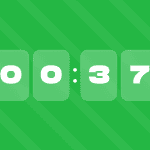
Countdown timers create an effect of urgency and limit the time of indecisive buyers. In this case, you would emphasize that the promotion will end soon, and recipients may miss out on great benefits. Adding a countdown timer, on average, can increase business revenue by as much as 9%.

(Source: Email template from Stripo)
Everything related to FOMO works very well during Black Friday, including countdown timers, limited-time offers (e.g., the offer is only available from 11/25 to 11/27), early access to a promotion for a certain segment, and flash campaigns with offers that are available for a few hours. In addition, a message indicating that the quantity of the discounted product is limited also works well.
Oleksandr Dieiev,
Black Friday email examples and best practices
Looking for some Black Friday email examples? Let’s check them together!
Example 1. VIP early access to Black Friday offers
To warm up the audience before the main Black Friday event, it is an excellent idea to give loyal customers and a few lucky random shoppers a sneak peek at your upcoming offers. For example, Plush + Oak have done this by providing exclusive early access to discounted items six days before Black Friday.

(Source: Email Love, email from Plush + Oak)
Example 2. Happy faces in the Black Friday email
Marketers often make the same mistake when preparing Black Friday emails: They show only products and prices. However, people are more likely to react to other people.
An effective example is the Old Navy newsletter, which is decorated with bright colors and happy faces. The brand image is perceived as friendlier through this simple detail.

(Source: Email from Old Navy)
Example 3. Free goods for your orders
If you want to encourage customers to buy even more during Black Friday, try to give them something — not just for its own sake, but for purchases made. For example, ANFISA Skin gave away extra cosmetics for every order over $90. In addition, they spiced things up by making it a limited-time offer.

(Source: Email Love, email from ANFISA Skin)
Example 4. Minimalistic, yet still packing the essentials
If you don’t want to reinvent the wheel in terms of your Black Friday email design, just add the essentials — namely, what will drive your audience to make purchases: A large CTA and information about the discounts they can expect. This is exactly what Cuts did through a simple banner with an eye-catching discount, as well as a large button to start shopping immediately below.

(Source: Email Love, email from Cuts)
Example 5. Gamification in Black Friday emails
Gamification and various interactive elements are a great way to make Black Friday emails memorable and engaging. The Omnicore company, the famous omnichannel player in Ukrainian fashion retail, thought the same thing.
To increase the number of registrations on the website, they created a special email newsletter in honor of Black Friday, and one of the main elements was a game of “Couples.” The recipients had to match items of clothing with their brands until all pairs were found.
This email campaign was extremely successful, helping to increase website registrations by 17%.

(Source: Email from Omnicore)
Example 6. Product launches in Black Friday emails
Like other global brands, the famous clothing brand Represent cannot stay away from Black Friday. However, traditional discounts aren’t the only way to make Black Friday truly exciting. In this case, Represent organized the launch of a new product.
To get customers interested in the new product, Represent sent out a teaser email with a flashy countdown timer to encourage feelings of urgency and excitement. After the new product went on sale, customers received an email reminding them that they could also use their loyalty points. All this together resulted in an increase in average clicks of more than three times the industry average.

(Source: Email from Represent)
Wrapping up
Black Friday is the main event for any company that sells products or services. Everyone wants a piece of this big pie to get the most sales and audience engagement. Emails are an important tool during this period, as they allow you to communicate with your audience, notify them about offers, and encourage purchases.
The main recipe for the success of your Black Friday email campaign is thorough preparation, knowing your audience and which offers work best, as well as a captivating email design that will encourage clicks on the “Shop Now” button. We’ve given you the necessary tips here, and all that remains is to create the emails. We can help you with that, too.


0 comments