Best white-label email builders in 2026: Embeddable editors vs. full platforms


Email marketing is a highly competitive industry in which each player seeks an edge to outperform their rivals. White-label tools are solutions that can give your marketing team a proper boost while keeping your brand identity.
In this article, we’ll explore white-label email builders, both embeddable editors and full platforms, that you should take a closer look at if you’re searching for a trustworthy solution for your email marketing processes.
Key takeaways
- Choose a white-label solution based on your business needs. Embeddable email builders add email design capabilities to existing SaaS platforms, while full white-label platforms provide complete email marketing functionality, including sending, automation, and analytics.
- White-label email builders save development time and costs. Building an email editor from scratch can take months or even years and requires ongoing maintenance. Ready-made solutions help businesses launch faster and reduce development expenses.
- Look beyond branding and pricing when choosing a solution. Evaluate the integration capabilities, email design features, HTML export quality, security standards, and scalability. Additional features like AI tools, real-time collaboration, and advanced customization can make the solution even more valuable.
TL;DR: White-label email builders at a glance
At first, white-label tools for designing emails may seem like regular solutions. Different features for creating complex emails, testing, exporting, adding more advanced dynamic content, or making collaborative email design smoother. And this is partially right. However, the most significant thing that differentiates white-label tools from other ones lies in the way you apply them to your workflows.
White-label email builders come into play when your own solution lacks the features needed to design emails. They can help you establish email design processes from basic layouts to testing and exporting created templates to other tools for further sending. But if you want even more, white-label email builders have another thing in store.
Most white-label solutions provide features that allow you to tailor their design, interface, and features to match your brand identity and needs. This is especially useful when you are providing email marketing services but need a complete email pipeline solution to look like your own.
This all sounds pretty beneficial, but at the same time, how these tools manage to pull this off may be confusing. And that’s where our deep dive starts.
What is a white-label email builder?
Before we dive into specific tools, it would be wise to start with white-label basics.
White-labeling is a business practice in which a company rebrands a product or service developed by another company as its own. This allows the company to sell the product or service under its own brand name and identity without investing in developing or maintaining the product itself.
As for software that is distributed under this strategy, white-labeling typically involves a software provider licensing its product to other companies. These companies then customize the product with their branding elements, such as logos, color schemes, user interfaces, or entirely new features that meet the unique requirements of their processes.
Embeddable builder vs. full white-label platform
Now let’s delve deeper into our subject: embeddable email builders and white-label platforms. Even though they are both in the white-label software family, they have distinct differences that can affect your choice. Here’s a direct comparison to make it simple:
|
Feature |
Embeddable builders |
Full white-label platforms |
|
Main purpose |
Adds email design features to an existing marketing solution |
Provides full-fledged email marketing features (email building, sending, analytics, and more) |
|
Way of integration |
Embedding using SDKs, APIs |
Deploys as a full-fledged solution into workflows |
|
Branding customization |
Customizable editor appearance |
Rebrandable user experience |
|
Email building features |
Core email design features |
Core email design features with possible additional features (since it’s part of a larger solution) |
|
User management within the tool |
Handled by the vendor |
Often handled by the customer through built-in features |
|
Best suited for |
SaaS products, CRMs, marketing platforms, and ESPs |
Agencies, resellers, and businesses with branded email services |
Which one do you need?
Even though no one can prevent you from selecting any option you’d like, there must be a certain rationality behind your choice. Embedded solutions are the better choice if you already have a marketing platform that handles most of your marketing tasks and you only need email design features to complete the picture of your product.
Meanwhile, full white-label platforms are your go-to solution if you want to give your customers a full email marketing experience under your branding with minimal need to implement any part of it by yourself.
Best embeddable white-label email builders for SaaS
Let’s dive into embeddable white-label solutions that can fit your product and empower it with email design capabilities.
Stripo Plugin
Pricing: From a free plan to $550 per month, as well as custom Enterprise pricing.
Type: Email builder.
G2 rating: 4.7 out of 5 based on 173 reviews.
Stripo is an email design platform that provides one of the most intuitive and feature-rich editors for creating emails of any complexity. On top of that, the editor’s functionality, in addition to the online version, has a white-label integration plugin.
The Stripo plugin is a JavaScript-embedded component within a business solution. It receives HTML + CSS and returns HTML + CSS after modifying the code. All the server components can be deployed on Stripo’s end, making it easier for businesses to enter the market without searching for server power.
The plugin is extremely flexible, as it allows you to customize the editor’s design and functionality to suit your business needs. All this is in your product, along with the full-fledged Stripo platform features, like modules for fast email creation and reusing created email pieces in other email campaigns.
The collaboration tools are also worth mentioning, as they make email collaboration easier for large teams. With roles and permissions, each user has their own access rights and can participate in real-time email co-editing and check the email version history for the ultimate email design teamwork.


Beefree SDK
Pricing: From $400 per month to $3,000 per month, as well as custom Enterprise pricing. Free plan for prototyping available.
Type: Email builder.
G2 rating: N/A at the time of writing.
Beefree SDK is an embeddable drag-n-drop email editor that provides an intuitive email design process paired with AI content creation.
The white-label features of Beefree SDK allow marketers to remove Beefree logos from the editor, customize the interface colors, fonts, buttons, and icons to match their brand identity, apply custom CSS for tweaking the UI and UX of the editor, edit toolbars and tab layouts, and much more.
Beefree SDK has a unique side, as it combines three different builders under one roof: drag-n-drop editors for emails, landing pages, and pop-ups. In addition, the SDK has built-in AI features. It has an AI Co-Pilot that creates emails, including layouts and content, from simple prompts. Beefree also offers AI AddOns, which is a pack of additional AI-based features like writing assistants, an AI image generator, and DeepL translations.

(Source: Beefree SDK Playground)
Unlayer
Pricing: From a free plan to $250 per month to $2,000 per month, with custom Enterprise pricing.
Type: Email builder.
G2 rating: 4.4 out of 5 based on 47 reviews.
Unlayer is a white-label email builder that provides a wide range of white-label features, such as branding removal, custom UI colors, custom CSS and JavaScript to modify the editor’s interface, custom reusable blocks, and on-premise deployment.
This email builder has an advanced AI agent integration via WebMCP that allows marketers to configure an AI agent to modify, validate, and export templates directly to destinations. All of this is on top of a regular AI Assistant that helps marketers design emails using simple prompts and adjusts visuals according to the style guidelines they set.
In addition, the whole Unlayer infrastructure unites several content builders for landing pages, documents, pop-up messages, and images.

(Source: Unlayer)
MailEditor
Pricing: From a free plan to $79 per month to $299 per month, with custom Enterprise pricing.
Type: Email builder.
G2 rating: 4.8 out of 5 based on 2 reviews.
MailEditor is an email design tool that, according to its creators, allows marketers to embed a full-fledged editor inside their software in an afternoon. It’s a plugin with white-label features like logo rebranding, custom UI colors, fonts, content blocks, a template library, and custom asset storage.
At its core, this email builder is a workhorse that gets the job done with useful features, including custom blocks, reusable modules, version history, and an extensive library of pre-designed templates.

(Source: MailEditor)
Chamaileon SDK
Pricing: From a free plan to $200 per month to $600 per month, with custom Enterprise pricing.
Type: Email builder.
G2 rating: N/A at the time of writing.
Chamaileon SDK provides marketers with an embeddable email builder and extensive white-label features, like custom branding, logo removal, interface localization, custom UI fonts, colors, splash screens, and configurable content blocks.
As well as the regular email builder features like drag-n-drop functionality, previews, and asset galleries, Chamaileon SDK has neat technical features, for example, Email HTML Importer, which parses HTML imports into editable JSON, auto-corrects structural issues, and standardizes the HTML.
This builder also has a dedicated Email HTML Generator that generates email HTML automatically from the visual editor with different options, such as email accessibility requirements and encoded URLs.

(Source: Chamaileon SDK)
Embeddable builders compared
To make the differences between the embeddable solutions more prominent, we compiled them in a small table, so you can easily find the perfect one for you:
|
Builder |
Price |
Rating |
White-label features |
Distinctive features |
|
Stripo plugin |
Free plan, paid plans up to $550/month, custom Enterprise |
4.7/5 (173 reviews) |
Customizable UI and editor functionality, JavaScript embedding, Stripo-hosted server components |
Reusable modules, real-time co-editing, roles and permissions, email version history |
|
Beefree SDK |
$400 to $3,000/month, free prototyping, custom Enterprise |
N/A |
Branding removal, custom UI themes, CSS, fonts, buttons, icons, toolbars, and tab layouts |
Three builders (email, landing pages, pop-ups), AI Co-Pilot, AI AddOns, image generation, translation |
|
Unlayer |
Free plan, $250 to $2,000/month, custom Enterprise |
4.4/5 (47 reviews) |
Branding removal, custom UI colors, CSS/JavaScript, reusable blocks, on-premise deployment |
AI Assistant, Brand Context, WebMCP integration, five content builders |
|
MailEditor plugin |
Free plan, $79 to $299/month, custom Enterprise |
4.8/5 (2 reviews) |
Custom logos, UI colors, fonts, configurable content blocks, template libraries, custom asset storage |
Quick integration, reusable modules, version history, pre-designed templates |
|
Chamaileon SDK |
Free plan, $200 to $600/month, custom Enterprise |
N/A |
Branding removal, custom logos, UI colors, fonts, splash screens, localization, configurable blocks |
Email HTML Importer, editable JSON conversion, advanced HTML Generator, accessibility-oriented export options |
White-label email builder checklist for SaaS teams
All these different white-label options can be confusing, especially if you are choosing one for your SaaS product for the first time. Too many things to consider, too little room for the wrong choice for your workflows. So here are two little checklists to use when searching through the market for a white-label email builder. They will help you find a good solution.
The first is a checklist of essential things to look for:
- White-label features: Branding removal, custom logos, fonts, and colors.
- A drag-n-drop editor that allows you to build emails of any complexity with features like modules, custom content blocks, and previewing.
- Clean and hassle-free export options to different ESPs as well as different file formats.
- SDK or API for integration into existing solutions.
- Security standards like ISO 27001 and SOC 2 are a must.
- Detailed technical documentation for easier learning of how things work.
The second checklist is about nice-to-have white-label features that may be advantageous for your email design workflows:
- Custom CSS, interface layouts, and other ways to adapt the UI to your brand vision.
- Real-time co-editing, version history, and commenting.
- AI-powered features for content generation, translations, and other email design automations.
- User roles and editing permissions.
Features that matter in an embedded email builder
When you are looking for a white-label email editor, you should bear in mind the features that will address your specific needs. In addition to the ability to design emails, you will encounter a set of core features in most of the white-label email builders on the market.
Full UI rebranding
When you are looking for a white-label solution, you’ll definitely need options for rebranding so you can tweak the look of the email editor to match your brand. Usually, it will allow you to customize the colors, fonts, buttons, icons, and logos (in more unique cases). The perfect scenario when working with a white-label solution is that you do not notice that it is external software made by another company.
Custom content blocks
Every business has a different email marketing strategy, but what unites them is the need to reuse some content or use unique content blocks to achieve their goals. That’s why custom content blocks are a must-have feature for any white-label email builder. In simple terms, this feature allows the creation and reuse of different email content blocks, but the workflows may vary. Some solutions have built-in tools for users to create content blocks on their own, while others require assistance from a vendor who will create these blocks in advance, tailored to the client’s needs.
Clean HTML export
Created templates must work flawlessly in any environment you intend to use them. Different ESPs, email clients, and applications have different ways of rendering and working with template code. Ideally, your white-label email marketing solution should integrate directly with your required export destinations, which implies easy exporting and adapted template code.
Besides that, a nice-to-have feature is available template code you can copy and paste into any other tool you want to add your template to. Clean exporting reduces the need for manual code adjustments and makes it easier to launch email campaigns with created templates.
Editing emails without leaving your app
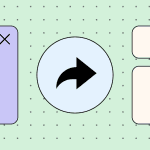
Look for broad email design features that allow marketers to create templates without switching to another tool. Email design, testing, and previewing should be in one place to reduce hassles and create a smooth workflow. Plus, embedded solutions should provide you with the advantage of creating emails within your own marketing solution, so you don’t need to manage several accounts.
Dark mode preview
This feature is essential these days, as 35% of measurable email opens happen in dark mode. As a result, you must have a clear way to see how your created template will look in dark mode. It helps highlight various design imperfections and color contrast and readability issues, as well as technical aspects that may break your template in dark mode.

Mobile responsiveness
Beyond looking good in dark mode, templates must adapt to any screen size and still be readable and look the way you intended. Your white-label email builder should support responsive layouts and allow you to create, adjust, and preview email templates with responsive design in mind. The whole responsive email design is about mobile-specific spacing, font sizes, and content visibility controls that help create emails that remain readable and functional across devices.

Asset management
Assets are all about the images, GIFs, logos, banners, and other brand-related elements you use when designing emails. A built-in asset manager makes it much easier to upload, delete, organize, access, and reuse all your assets. In perfect cases, these management capabilities can be tied to your own storage, but in some cases, the assets must be uploaded to the white-label solution’s vendor storage.
These are the main features you should look for, and you can see them in most of the white-label email builders on the market. However, a few more are even more crucial if you want to keep your workflows secure with white-label email builders.
Security requirements: ISO 27001, SOC 2, and on-premise hosting
When you choose a white-label solution for your platform, security is a top priority, especially if your platform serves customers and handles sensitive data. In addition to the features and prices, you should evaluate the provider’s security certifications, data protection practices, and hosting options.
ISO 27001 certification
ISO 27001 is an international security standard for information management systems. At its core, it compiles all requirements for identifying security risks, protecting sensitive information, and improving data security.
This certification has three main pillars:
- confidentiality ensures that only authorized people have access to sensitive data;
- integrity keeps data complete and accurate;
- availability ensures that the data and systems that manage them are available to users at any given moment.
SOC 2 compliance
SOC 2 compliance is another aspect that approves the credibility of a white-label solution vendor. It’s a framework that audits how vendors manage security, availability, and integrity, as well as data privacy. As a result, SOC 2 and ISO are pretty much interconnected.
If you see that your potential white-label provider has SOC 2 compliance, it shows that the provider’s security controls operated effectively over a defined period.
On-premise hosting
If your business handles crucial data (e.g., healthcare, finance, government), you are pretty much obliged to look for white-label marketing tools with on-premise or self-hosting options.
These options may sound similar, but they have differences in detail:
- on-premise hosting is quite a strict option, as this hosting means that the server for your white-label email builder is in the same building as yours or in buildings that belong to your company (simply put, you manage and are responsible for your own server);
- self-hosting means that your white-label solution is running and storing data on servers that you manage, but these servers can be anywhere (in other words, your business uses a server to host a white-label marketing platform, and this server can be in your building, in another country from a third-party vendor, or in the cloud).

Pricing models compared
White-label email builders vary widely in terms of their features and pricing models. One of the next things you will need to think through after considering the features is how you are going to pay for the white-label tool. Here are the pricing models you may encounter:
|
Model |
How it works |
Things to consider |
|
Subscription |
You pay a fixed price each month depending on your subscription level. It can often be paid yearly upfront |
Predictable expenses, yet advanced features can cost more |
|
Usage-based |
You pay depending on your overall platform usage (number of created or sent emails, tested templates, and other features) |
You pay for exactly the amount you use, but your expenses can fluctuate, which may lead to more difficult long-term budget planning |
|
Per user |
You pay depending on your team or client base size |
Easy to calculate for small teams, yet a headache for big companies. The larger your audience or team size, the bigger the final receipt |
|
Tiers |
You pay for a specific tier with linked features and limits |
You pay only for what you need, but if you suddenly need more, the upgrade price can hit your budget |
|
Enterprise or individual pricing |
Can be any of the above |
Highly customizable experience, where the feature list, limits, and other additions are adapted according to your needs. However, the final price is only revealed once the estimation has been completed. Before that, the pricing is unclear |
These are the main pricing options on the market. While you are in search of the perfect tool, always consider your possible development and choose the pricing accordingly. The cheapest option now can become a serious problem once your business grows. In this case, the transition from one solution to another may become a serious challenge.
Build vs. buy: What an in-house editor really takes
When you choose an email builder as your solution, your mind may consider one thought: “Why must I buy license from someone when I can try to build all the things that I need?” And from some point of view, it’s a good idea. You will have full control so that everything is created the way you need and want, everything you create will belong to you, and you will not need to pay a monthly license fee for someone else’s solution. However, big pitfalls come with this.
It takes time
First of all, if your business strategy requires email builder features in the shortest possible time, creating your own editor is not what you need. Building an in-house email editor can take from six months to a full two years. The first six months will be spent creating an initial iteration of the email editor with the most basic features. The more features you need (and the more advanced they are), the longer it will take to achieve results.
Meanwhile, implementing a white-label solution (either an embeddable or a full one) will take from a few weeks to a month.
You’ll need serious investment
The more time you spend developing your email builder, the more serious a hit your budget will take. According to the U.S. Bureau of Labor, the average software developer salary is $134,040 per year. As already noted, to achieve minimal functionality, you’ll need at least six months. With one developer, it will cost you $67,020.
But let’s be real. Software development is a process during which things can often go sideways or take longer than expected, or you may need additional expertise and more developers. So this minimal estimate essentially reflects laboratory conditions, where everything goes according to plan and a single developer, by some miracle, manages to implement all the functionality on their own and within the set deadline. As a result, you should be ready to multiply the approximate development time and cost.
With white-label solutions, the vendor handles all the development hassles, and you receive the working product.
It requires continuous support
Creating your own solution is not a finish line. It’s another checkpoint on your journey. Your work on your email builder will continue. Even if you manage to implement all the things you want, there will always be room for improvement and scaling. As time goes by, there’s a high chance you’ll need new features to make your email design workflows even smoother.
For example, a new email client may be on the horizon, so it would be a good idea to prepare an integration to enable easy template exporting. Or how an existing one renders templates could be changed, so all the template code you receive must be checked to ensure your template renders flawlessly in that environment.
And don’t forget about bug fixes. No matter how long you create your own email builder, it’s nearly impossible to clear out 100% of the bugs.
As a result, you’ll need someone on your side to fix errors when they appear and create new features when they are needed. Which takes us back to the cost of developers’ work and the time required for product development.
White-label email builders free you from all of this, as continuous support of the product is the vendor’s responsibility, and you just use the results of their bug fixes, new features, integrations, and more.
Best full white-label email marketing platforms
Marketing situations can differ, so do the solutions required to solve them. Sometimes it’s not enough to have only white-label email design features. That’s where white-label email marketing platforms come into play. They provide a full-fledged email marketing experience with email design, email sending, analytics, and much more.
All of this can come in handy if you don’t have an email marketing tool on hand or you require one for the email marketing services you want to provide to your clients. Now it’s time to talk about full-fledged email marketing platforms that also provide white-label features.
Campaign Monitor
Pricing: From $13 per month for up to 500 contacts on the Lite plan to $171 per month on the Premier plan (pricing increases with the number of contacts); a free trial is available.
Type: ESP.
G2 rating: 4.1 out of 5 based on 734 reviews.
Campaign Monitor is a cloud-based ESP that helps businesses create emails, send them, automate email marketing workflows, and track their results in one place. It also provides white-label features such as custom logos, colors, a custom domain for client-facing, white-label reporting, and custom billing.
One of the most distinguishing features of this platform is its Visual Journey Designer. Essentially, it’s a non-linear workflow builder that uses Smart Triggers, which act as behavioral listeners and track your subscribers’ interactions. They can trigger different email journeys based on those interactions.
Campaign Monitor also offers AI-powered campaign optimization with three features: email copy generation, subject line generation, and send time optimization.
If you are a big agency that is searching for an email marketing tool, Campaign Monitor can manage multiple clients through purpose-built dashboards that help marketers control hundreds of client subaccounts through one powerful master login.

(Source: Campaign Monitor)
ActiveCampaign
Pricing: From $15/month for 1,000 contacts on the Starter plan to $145/month on the Enterprise plan, billed annually. White-label reseller pricing is available separately.
Type: ESP and CRM.
G2 rating: 4.4 out of 5 based on 14,867 reviews.
ActiveCampaign is an ESP and CRM platform that provides email marketing, automation, and customer management tools in one place. It also offers a white-label solution through its partner and reseller programs, which allow businesses to provide ActiveCampaign’s services under their own branding. In addition to classic logo rebranding, you can customize the platform’s appearance using HTML and CSS, set up a custom domain, and hide ActiveCampaign branding and product links across much of the interface.
Alongside its white-label capabilities, ActiveCampaign offers a wide range of marketing features, including AI-based predictive email sending and AI-powered content generation. Its Active Intelligence tools allow you to create complete email campaigns, with subject lines, layouts, and copy, using simple prompts. You can also generate custom imagery for your emails using the built-in AI image generator. Created and uploaded assets can be stored in Content Manager, a central hub for organizing and sharing files with users on your account.
According to its product website, ActiveCampaign makes email marketing automation easier via a library of over 900 pre-built automation recipes. These ready-made workflows can help marketers quickly set up welcome sequences and lead nurturing campaigns and other automated customer journeys. In addition, Active Intelligence can generate automation workflows from natural language instructions, which reduces the need to build each sequence manually.

(Source: ActiveCampaign)
Mailjet
Pricing: From a free plan with 6,000 emails per month to $29 per month with 15,000 emails per month. Custom Enterprise pricing available.
Type: ESP.
G2 rating: 3.9 out of 5 based on 179 reviews.
Mailjet is a hybrid email marketing platform that focuses on both transactional and marketing emails, allowing you to manage regular promo newsletters as well as transactional-specific messages, for example, order confirmations, password resets, and shipping notifications.
In terms of white-label features, Mailjet provides rebranding, such as the removal of Mailjet logos from email footers created in its email editor, and the drag-n-drop editor is embeddable in third-party solutions through APIs. Mailjet allows for custom client pricing, subaccount management, and custom sending and tracking domains. But keep in mind that all of this is available through their separate reseller program.
Its editor has a pack of special features that make the email design process smoother, like locked and linked content sections to protect email layouts from unwanted edits, full MJML support, real-time collaboration, and AI content generation features.

(Source: Mailmodo)
BigMailer
Pricing: From a free plan to $7.50-$15 per 5,000 contacts per month, with paid plans starting at $30 per month.
Type: ESP.
G2 rating: 4.9 out of 5 based on 24 reviews.
BigMailer is an ESP that helps marketers manage their email campaigns and automation across unlimited brands and subaccounts in a single platform. It offers a ready-made white-label solution that allows businesses to provide email marketing services under their own brand and set their own prices.
White-label users can access BigMailer through a custom domain with their company logo and the BigMailer branding removed. However, businesses can’t customize the interface colors and styles, and they must handle their own customer billing and support.
BigMailer provides marketers with two types of email editors, namely, drag-n-drop and HTML, so users with different levels of technical knowledge can create emails within one platform. BigMailer introduced AI-powered subject line generation in April 2026. This allows users to generate nine subject line suggestions based on their prompts and preferred tone. Marketers can also use these suggestions for A/B testing to find more effective subject lines.
A useful feature is the built-in email validation, which helps marketers clean their contact lists by identifying invalid and risky email addresses. Validation is available during contact imports, through APIs, and on web forms, which helps reduce bounce rates and protect the reputation of the sender. The feature operates through a separate credit-based pricing system.

(Source: SBMguide)
Moosend
Pricing: From $9 per month (depending on the number of contacts), as well as custom pricing.
Type: ESP.
G2 rating: 4.6 out of 5 based on 747 reviews.
Moosend is an ESP that offers white-label branding options, which allow businesses to customize the appearance of their platforms to reflect their brand style. You can use a custom platform domain and a separate landing page domain and customize the platform colors, logos, and login page branding. Moosend also provides API access for integrating your email marketing functionality with other email marketing apps.
One of Moosend’s notable features is its no-code marketing automation workflow builder, which lets you create complex email sequences using a visual interface with triggers, conditions, and actions. You can also choose from a variety of ready-made automation recipes to speed up your email marketing processes.
To make your email campaigns even more impactful, Moosend offers an AI-powered Audience Discovery feature that analyzes customer behavior and creates segments based on product interests, purchase intent, and sales funnel stages. This feature is available with the Enterprise plan or as an add-on through Moosend+.
If you need to support your campaigns with a specific landing page, Moosend provides a drag-n-drop landing page builder with ready-made templates, which makes it accessible to marketers without coding skills.

(Source: Moosend)
How we evaluated these tools
The tools we’ve covered in this article were not chosen at random. We selected them based on several criteria to show you the range of options available if your business needs a white-label email solution.
One of our primary criteria was, naturally, relevance. Each tool we selected had to offer white-label features, ranging from simple rebranding capabilities to deep integration options that allow you to embed the tool into your existing platform and expand its functionality.
We also looked at G2 ratings. We aimed to include both crowd favorites with hundreds of positive reviews and “dark horses,” namely, up-and-coming tools that are just beginning to earn their first positive user ratings, so that your perspective isn’t limited solely to the most well-known solutions.
Finally, we included a few newer market entrants to highlight the types of white-label solutions and features they are introducing in 2026. For this reason, the article features some very recent additions to the market that do not yet have ratings, simply because they were launched so recently.
Wrapping up
White-label tools offer a perfect way to enter the email marketing seas without needing to create your own ship. At their core, you receive a full-fledged solution that you can embed into your existing one or use as a separate multi-feature marketing machine. And all of this under your own branding and colors and, sometimes, with custom interface designs and features.
We have showcased several white-label solutions from both the embeddable and full-platform camps, and they are all worthy of your attention. But if you need a reliable and feature-rich email editor today, be sure to check out our white-label Stripo plugin.
FAQ
1. What is a white-label email builder?
A white-label email builder is an email design tool that you can embed in an existing email marketing platform and provide it with needed email editor features with brand-tailored branding, interface designs, and more.
2. What is the difference between an embeddable email builder and a white-label email marketing platform?
Embeddable solutions often focus on a specific aspect, such as email design, so they are essentially editors that can be integrated into any existing platform that lacks these features. Meanwhile white-label email marketing platforms are full-fledged email marketing tools with email editors, analytics, sending features, and much more. Both camps share one thing: they can be tailored to match certain aspects of the customer’s design.
3. Can I remove Stripo branding from the email editor?
Yes, you can remove the Stripo login from the plugin’s interface on paid plans such as Startup, Business, and Enterprise.
4. How long does it take to embed a white-label email builder in my app?
It varies from vendor to vendor and is impacted by the complexity of the implementation into your specific platform. But it can usually take from a few hours to a few weeks.
5. Will the exported HTML work with my ESP?
Usually, white-label editors and platforms include a wide set of export options designed to make any exported HTML template work in your ESP.
6. Can I host a white-label email builder on my own servers?
You will only be able to host a white-label email builder on your own server if it supports a self-hosting option.
7. Which security certifications should a white-label email builder have?
The most important security certifications for your white-label solutions are ISO 27001 and SOC 2. ISO 27001 compiles all the requirements for identifying security risks, protecting sensitive information, and improving data security, while SOC 2 audits how vendors manage security, availability, and integrity, as well as data privacy.
8. How is the pricing for embeddable email builders calculated?
There are several pricing models that you may encounter while looking for a white-label solution:
- Subscriptions that are paid monthly.
- Usage-based, calculated according to how much you use the platform.
- Per-user pricing that depends on the number of users, contact base, and so on.
- Tiers have specific prices with set limits and features.
- Enterprise or individual pricing is set once the vendor evaluates your needs and business case.
0 comments